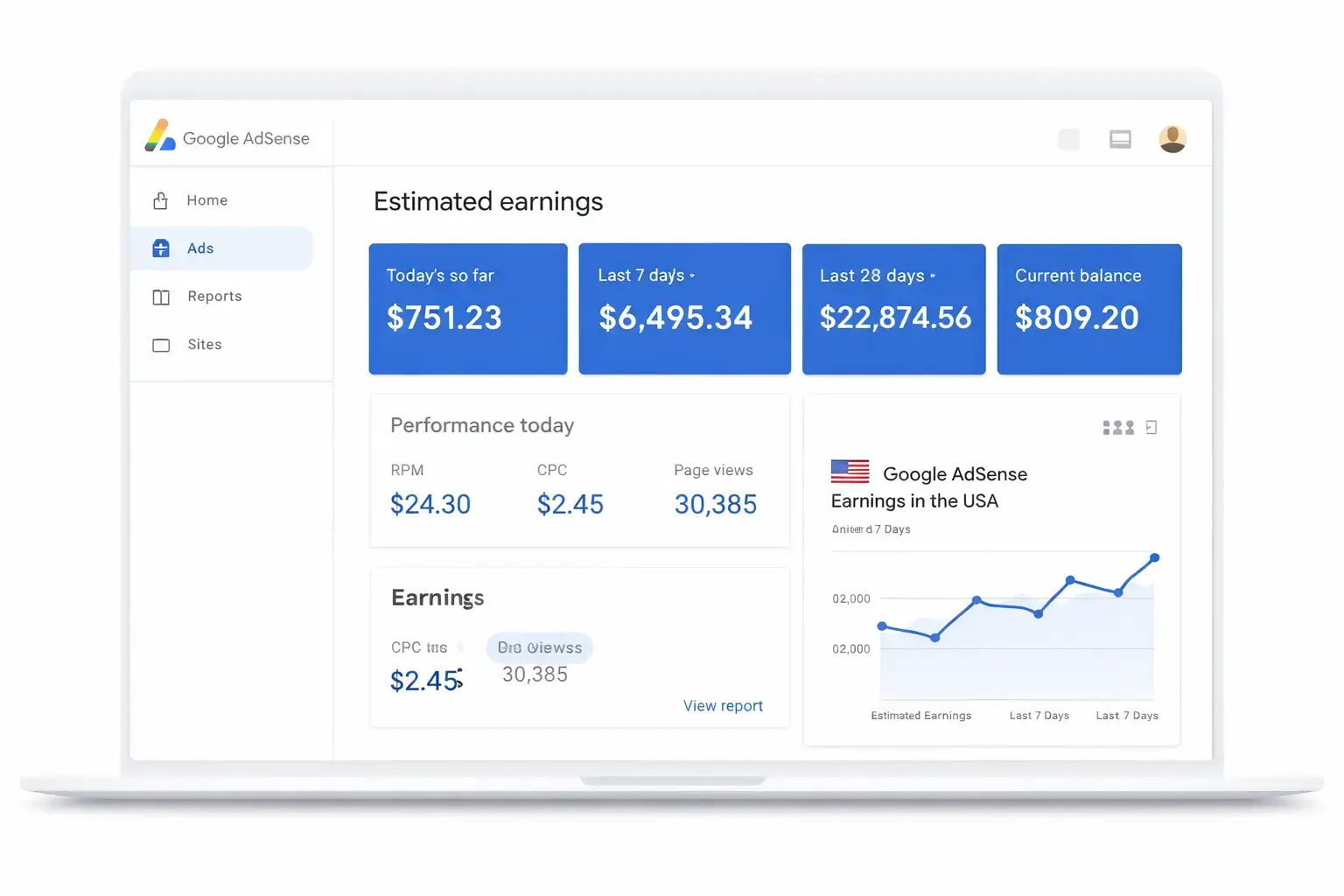

You can earn money from AdSense with low traffic, but the amount depends on actual monetised pageviews, advertiser demand and your site’s performance. A small audience makes accurate measurement especially important: a few unusual impressions or clicks can noticeably change daily results.
Quick answer: Check that ads are serving correctly, calculate page RPM from consistent AdSense data, improve pages that already attract relevant readers and test one supported change at a time. More ads, expensive keywords and a single high-earning day do not establish a reliable strategy.
This guide focuses on optimisation after an approved site begins collecting traffic and earnings data. If you need the initial traffic-stage roadmap, start with our AdSense income plan for low-traffic blogs. For the complete topic collection, visit the AdSense guides hub.
What Low Traffic Means for AdSense Decisions
There is no single visitor count that defines low traffic for every website. For practical purposes, your data is limited when ordinary day-to-day changes make it difficult to distinguish a real improvement from normal variation.
A site can record earnings with a small audience, yet still lack enough data to evaluate individual pages, countries or layouts confidently. Dividing an already small sample into many segments makes the uncertainty greater.
Use complete reporting periods and keep notes about changes. A 28-day baseline can be a useful starting window, but it is not a Google rule or a guarantee of sufficient evidence. Some sites need longer observation before making a decision.
Use Page RPM to Connect Traffic and Earnings
Google defines page RPM as estimated earnings divided by pageviews, multiplied by 1,000. It expresses revenue relative to the number of pageviews in the report; it does not guarantee what the next 1,000 views will earn.
Page RPM = estimated earnings ÷ AdSense pageviews × 1,000. For example, $3 of estimated earnings from 1,500 AdSense pageviews produces a $2 page RPM. Use matching dates, filters and currency for both numbers.
Read Google’s official Page RPM definition. Our AdSense earnings per 1,000 views guide explains the calculation with further examples.
Do not calculate a sitewide RPM by taking the simple average of several page RPMs. Pages with different numbers of views carry different weight. Add the matching earnings and pageviews first, then calculate RPM from those totals.
| Illustrative page | AdSense pageviews | Estimated earnings | Page RPM |
|---|---|---|---|
| Page A | 900 | $0.90 | $1 |
| Page B | 100 | $0.50 | $5 |
| Combined | 1,000 | $1.40 | $1.40 |
The simple average of $1 and $5 is $3, but the combined RPM is $1.40. These fictional figures demonstrate why traffic volume matters when combining results.
Do Not Mix AdSense, Analytics and Search Console Counts
Use each tool for its own purpose. AdSense reports monetisation activity. Google Analytics helps explain website visits and behaviour. Search Console describes performance in Google Search. A search click, a visitor, a pageview and an ad impression are different events.
GA4 views and AdSense pageviews need not match. Collection methods, consent, blocked requests, implementation and report settings can affect the counts. An unexplained difference deserves investigation, but it does not automatically prove that ads are broken.
For AdSense page RPM, use the AdSense denominator. A calculation using AdSense earnings and GA4 views can be a separate analytical ratio, but label it clearly instead of presenting it as the official AdSense page RPM.
Match date ranges and note reporting time zones where possible. Use URL-level earnings only when your linked reporting setup or supported reporting configuration provides them. Do not assign sitewide revenue to individual pages based solely on their Analytics view counts.
Build a Baseline Before Changing Ads
Save a complete recent reporting period and describe the current ad configuration. Record major content updates, promotions, outages or layout changes that occurred during it. Without those notes, a later revenue difference can be easy to misinterpret.
| Source | What to record | Purpose |
|---|---|---|
| AdSense | Estimated earnings, pageviews, page RPM and ad impressions | Establish monetisation performance |
| AdSense | Available coverage, viewability and device breakdowns | Investigate serving and display patterns |
| Analytics | Landing pages, devices and traffic sources | Understand the audience and content journeys |
| Search Console | Queries, clicks, impressions and relevant indexing issues | Understand organic discovery |
| Site notes | Ad settings, template changes and account notifications | Explain differences between periods |
Use the metrics available in your account rather than inventing missing values. A small site may benefit more from a reliable sitewide baseline than a large spreadsheet of tiny segments.
Diagnose the Main Revenue Bottleneck
Low earnings can result from limited traffic, ad-serving issues, layout problems or changes in the audience and auction. Treat these as questions to investigate, not conclusions that can be drawn from one number.
| Observed pattern | Check first | Possible next action |
|---|---|---|
| Very few pageviews | Content discovery and search visibility | Improve useful pages and relevant internal links |
| Traffic exists but ads rarely appear | Account status, implementation and exclusions | Resolve the specific serving issue |
| Ads appear but viewability is weak | Placement and page behaviour | Review mobile layout and supported settings |
| RPM changes without an ad change | Audience mix, demand and sample size | Compare a longer period and larger segments |
| CTR rises abruptly | Layout and traffic quality | Check for misleading placement or unusual activity |
Google’s earnings troubleshooting guide provides a starting framework. When coverage falls, its coverage troubleshooting documentation identifies several possible causes, including serving limits, policy issues and setup.
Repair a confirmed implementation or policy problem before starting an earnings experiment. Keep required consent controls intact. Removing them to increase impressions is not an appropriate optimisation method.
Prioritise Pages with Useful Evidence
Start with pages that already receive relevant readers or search impressions. Review whether they answer a distinct question, load acceptably on mobile and offer a useful next step. Do not begin by adding more ad units to every article.
Where reliable page-level earnings are available, compare performance with traffic and device context. A page with a high RPM from a handful of views is a candidate for further observation, not a proven winner.
When page-level monetisation data is unavailable, improve content based on actual search and reader evidence. Test monetisation at a supported account, template or reporting level instead of pretending to know each article’s revenue.
Prioritise manageable improvements: clarify an answer, replace outdated information, fix a broken resource or add an original example. Record content changes because they can alter the traffic mix during a later ad comparison.
Improve Ad Placement Without Creating Accidental Clicks
Review ads on both desktop and mobile. Check that they do not overlap navigation, download buttons, forms or other frequently used controls. Readers should recognise an advertisement without mistaking it for part of the site’s interface.
Inspect loading behaviour as well as the finished layout. An ad that shifts content under a reader’s finger can create a different problem from an ad that looks acceptable after loading. Check empty ad spaces and whether important content remains accessible.
Google’s ad placement policies address misleading and accidental interactions. Use supported formats and settings; do not invent overlays or imitate site buttons.
For a focused layout review, see our AdSense ad placement guide. A layout example is something to evaluate for your site, not a guaranteed high-RPM configuration.
Use Experiments Where the Account Supports Them
Auto ads and manual units provide different degrees of placement control. Neither is universally better for a small audience. First identify the setting you want to evaluate and whether AdSense supports an experiment for it.
Google explains that AdSense experiments split traffic between an existing setting and a variation. Review the official experiments FAQ and the options shown in your account. Do not assume the experiment feature can test every arbitrary template or manual-code change.
Write one hypothesis, such as whether a supported format setting improves earnings without harming readability. Avoid simultaneous theme, content and ad changes. Follow the experiment’s completion guidance and record the result, including uncertainty.
A manual before-and-after comparison is weaker evidence because traffic and advertiser demand may change between periods. It can help you monitor a change, but it does not isolate cause as reliably as a suitable concurrent experiment.
Interpret Small Samples Carefully
More elapsed time does not automatically create enough information. A month with very few monetised views may still be inconclusive. Avoid selecting a winner solely because one version earned a few additional cents.
Compare similar reporting periods and note changes in devices, countries and traffic sources. If many different factors changed, describe the result as an observation rather than proof that the ad setting caused it.
For metric definitions, read our CPC, RPM and CTR guide. CTR requires the correct impression denominator, and a higher CTR is not a goal to pursue through confusing placement.
Seasonality can also affect comparisons. Use our AdSense earnings seasonality guide when assessing changes across different parts of the year. Do not attribute every increase or decline to the latest edit.
Can Low Traffic Produce $1 per Day?
The answer depends on page RPM and actual pageviews, not visitor count alone. Use your measured values to estimate the scale required. The following scenarios are arithmetic examples, not expected rates for Bangladesh, the USA or any niche.
| Illustrative page RPM | Estimated earnings at 500 daily pageviews | Pageviews corresponding to $1 |
|---|---|---|
| $0.50 | $0.25 | 2,000 |
| $1 | $0.50 | 1,000 |
| $2 | $1 | 500 |
| $5 | $2.50 | 200 |
Required pageviews = target earnings ÷ page RPM × 1,000. This planning formula assumes the chosen RPM continues. Actual daily revenue can fluctuate, and estimated earnings can differ from finalised earnings.
At 500 pageviews a day, an illustrative $2 page RPM corresponds to $1 in estimated daily earnings. It does not mean that 500 visitors guarantee $1 or that your site will achieve that RPM.
For a larger target, see our traffic calculations for $10 per day. Keep target arithmetic separate from claims about typical or guaranteed earnings.
Estimate the Absolute Value of an Improvement
Percentage gains can sound substantial while the cash difference remains small. If a site has 4,000 monthly AdSense pageviews, moving from an illustrative $1.50 RPM to $2.50 changes estimated earnings from $6 to $10.
That is a $4 increase in this fictional scenario. Consider the time required for the improvement and whether a content update or implementation repair has greater potential value. Do not spend weeks rearranging ads on pages that rarely receive readers.
Balance traffic development with monetisation work. Useful organic discovery increases the amount of activity available to measure; careful implementation helps monetise the readers you already have.
Create Useful Reader Journeys
Relevant internal links can help a reader solve the next problem. Link a metric definition to a calculation guide, or a serving issue to the appropriate troubleshooting resource. The destination should add value rather than repeat the same answer.
Do not split a simple answer into unnecessary pages or ask readers to reload content to generate impressions. Additional pageviews should arise naturally from genuine interest. Measure whether readers use the links, not simply how many links you inserted.
Keep supporting articles distinct. A low-traffic roadmap, an RPM definition and an ad-placement tutorial can support this diagnostic guide when each answers a different question. Consolidate repetitive content when the pages lack a meaningful separate purpose.
Protect Traffic Quality and Account Health
Never click your own ads or ask readers, friends or groups to interact with them. Reject automated impressions, click exchanges and packages promising guaranteed AdSense revenue. Artificial activity can damage the account rather than build a business.
Review unexpected traffic and click changes alongside account notifications. A spike is a reason to investigate, not automatic proof of fraud. Identify the source and circumstances before making a diagnosis.
Google’s AdSense Program policies explain prohibited activity. Our invalid traffic guide provides a related troubleshooting path.
Legitimate promotion and artificial traffic are different. If you use paid promotion, understand where readers come from, why they visit and whether the acquisition method complies with the applicable policies. A seller’s “AdSense-safe” label is not independent verification.
Keep a Simple Optimisation Log
Date and reporting period:
Page, template or account setting:
Observed problem:
Supporting data:
Proposed change:
Primary outcome to measure:
Reader-experience checks:
Other changes during the period:
Result and limitations:
Decision: keep, reverse or collect more data
Use one row or entry for each meaningful change. Record unsuccessful and inconclusive tests too. They prevent repeated experimentation with settings that lack evidence and make later performance reviews easier.
A Practical 30-Day Review Cycle
| Period | Work | Expected output |
|---|---|---|
| Days 1–7 | Save the baseline and review account status | A documented problem and reporting setup |
| Days 8–14 | Repair confirmed issues and improve selected content | A cleaner site with recorded changes |
| Days 15–30 | Start one suitable experiment or observation period | Initial evidence and an uncertainty note |
This is a work schedule, not a deadline for a statistically reliable result. Extend observation or retain the current setup when the data does not support a confident change. Do not manufacture a success story to justify the time spent.
Frequently Asked Questions
Can 100 daily visitors generate AdSense earnings?
A small site can record earnings when eligible ads are served, but visitor count alone cannot predict the amount. Pageviews per visitor, monetisation activity and page RPM matter. Use actual account data instead of an assumed visitor-to-income rate.
What is a good page RPM for a small blog?
There is no universal figure suitable for every site. Establish your own baseline and compare similar periods with enough data. An unrelated website’s screenshot does not account for your audience, content and ad configuration.
Should I add more ads to increase earnings?
Only consider a supported change after checking the current layout and performance. More units may create additional opportunities but can also affect usability. Measure the result and do not use placements that encourage accidental interactions.
Why does Analytics show more views than AdSense?
The tools collect different activity under different conditions. Check dates, reporting settings, implementation and consent-related behaviour. Use matching AdSense figures for the official page RPM calculation rather than replacing its denominator with Analytics views.
How long should a test run?
Follow the guidance for the supported experiment and consider available traffic. No fixed number of days guarantees sufficient evidence. If the outcome remains uncertain, document that limitation instead of declaring a winner.
Should I switch to high-CPC topics?
Choose topics that fit your site and that you can cover accurately. Advertiser keyword estimates do not guarantee publisher revenue. Improve useful, credible content and evaluate the performance of the audience it actually attracts.