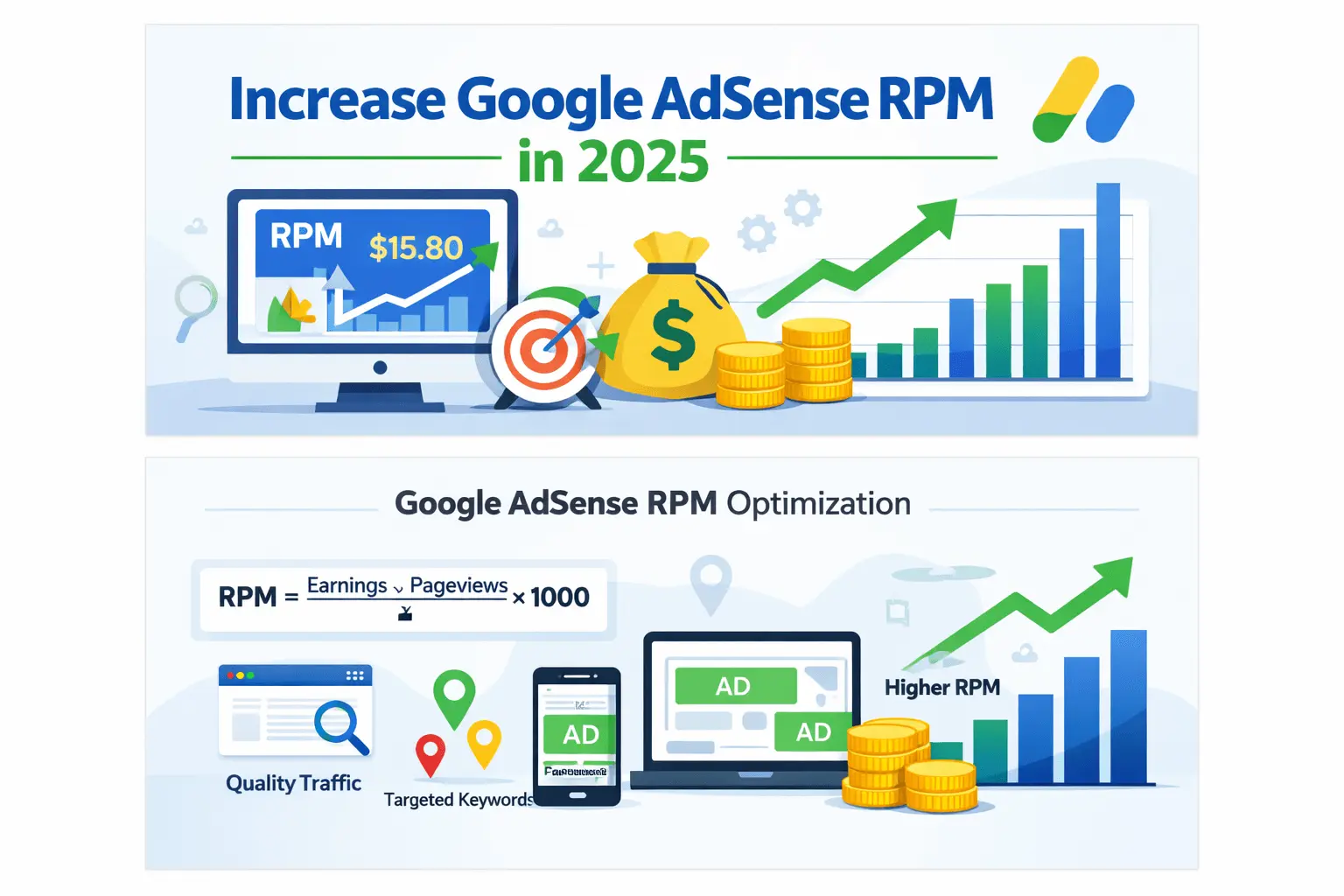
CPC vs RPM vs CTR can make an AdSense report look confusing at first. CPC may rise while RPM falls, CTR may improve without a matching increase in revenue, and two pages with similar traffic may earn different amounts. However, the report becomes much easier to read once you know what each metric counts and what it does not count.
This guide explains AdSense CPC vs RPM vs CTR in plain English. First, you will learn the official meaning and formula for each metric. Next, you will see how the metrics relate, which denominator each one uses, and how to read changes without reaching the wrong conclusion. All examples are hypothetical, so they explain the calculations without promising a particular rate or income.
CPC vs RPM vs CTR: Quick Answer
In a CPC vs RPM vs CTR comparison, CPC is the average amount earned for an eligible ad click. CTR is the percentage of page views or ad impressions that produce clicks, depending on the selected CTR metric. RPM estimates revenue per 1,000 page views or impressions. Therefore, CPC describes click value, CTR describes click frequency, and RPM describes overall revenue efficiency.
CPC vs RPM vs CTR at a Glance
| Metric | Full name | Basic formula | What it answers | Best use |
|---|---|---|---|---|
| CPC | Cost per click | Estimated click earnings ÷ eligible clicks | What was an average click worth? | Understanding click value and advertiser demand |
| Ad CTR | Ad click-through rate | Ad clicks ÷ ad impressions × 100 | How often did an ad impression produce a click? | Comparing interaction rates for ads or formats |
| Page CTR | Page click-through rate | Ad clicks ÷ page views × 100 | How often did a page view produce an ad click? | Comparing pages using a page-view denominator |
| Page RPM | Page revenue per thousand impressions | Estimated earnings ÷ page views × 1,000 | How much estimated revenue came from 1,000 page views? | Comparing monetization across pages, periods, or traffic segments |
| Ad RPM | Ad revenue per thousand impressions | Estimated earnings ÷ ad impressions × 1,000 | How much estimated revenue came from 1,000 ad impressions? | Comparing ad-level inventory on a common basis |
For a reliable CPC vs RPM vs CTR analysis, always compare the same site, date range, country, device, page group, and metric denominator. Otherwise, two correct report values may appear to conflict.

Therefore, in any CPC vs RPM vs CTR comparison, the most important distinction is the denominator. Page RPM uses page views. Ad RPM uses ad impressions. Ad CTR uses ad impressions, while Page CTR uses page views. A report can therefore show different CTR or RPM values for the same period without contradicting itself.
In addition, if these terms are new, use the Google AdSense Guide 2026 as the parent fundamentals guide. The complete BlogerHub AdSense hub also connects beginner topics with approval, policy, traffic, placement, and earnings guides.
What Is AdSense CPC?
Within the CPC vs RPM vs CTR framework, cost per click (CPC) is the amount earned when a user clicks an ad. Google explains that the CPC for an individual ad is determined by the advertiser and that advertisers may value clicks differently depending on what they advertise. In a report, the CPC figure is normally interpreted as an average across the relevant clicks rather than a promise that every click has the same value.
How to Calculate Average CPC
For example, a practical average-CPC calculation is:
Average CPC = estimated click earnings ÷ eligible ad clicks
For example, suppose a report attributes $12 in estimated click earnings to 40 eligible clicks:
$12 ÷ 40 = $0.30 average CPC
However, that does not mean all 40 clicks paid exactly $0.30. Some could have been worth more and others less. The displayed figure summarizes the selected account, site, page, country, platform, ad unit, or date range.
What AdSense CPC Tells You
In practice, CPC helps you understand the average value associated with clicks in the selected report scope. It may reflect differences in:
- advertiser competition and campaign demand;
- visitor country and commercial market;
- subject matter and user intent;
- device, format, and placement;
- seasonality and advertiser budgets;
- the mix of auctions and ads served.
Therefore, CPC is useful when a publisher wants to compare click value between reasonable segments. For example, a report could compare countries or content groups over a long enough period to reduce noise.
What AdSense CPC Does Not Tell You
However, CPC does not show:
- how many page views the site received;
- how frequently users clicked;
- total revenue efficiency per 1,000 page views;
- whether an ad was viewable;
- whether a page produced enough valid data for a stable conclusion;
- the amount the site will earn next month.
As a result, a high CPC with very few clicks can still produce little total revenue. Conversely, a lower CPC can contribute meaningful revenue when a site receives more legitimate traffic and eligible interactions. That is why CPC should not be treated as the final score for a publisher.
What Is AdSense CTR?
Within the CPC vs RPM vs CTR framework, click-through rate (CTR) measures the proportion of impressions that led to a click. Google’s general definition is clicks divided by impressions. AdSense also exposes more specific CTR metrics, so publishers must check which version appears in the report.
Ad CTR
Ad CTR Formula and Example
For standard ads, Google defines Ad CTR as:
Ad CTR = ad clicks ÷ ad impressions × 100
For example, if an ad receives 5 clicks from 1,000 ad impressions:
5 ÷ 1,000 × 100 = 0.5% Ad CTR
Because Ad CTR uses individual ad impressions as the denominator. A single page view may create more than one ad impression if multiple ads are shown, which is why Ad CTR can differ from Page CTR.
Page CTR
Page CTR Formula and Example
Similarly, Google defines Page CTR as:
Page CTR = ad clicks ÷ page views × 100
For example, if a site records 5 clicks from 500 page views:
5 ÷ 500 × 100 = 1% Page CTR
Although the clicks are the same as in the previous example, but the denominator is different. If those 500 page views generated 1,000 ad impressions, Ad CTR would be 0.5% while Page CTR would be 1%.
Why the percentage multiplier matters
In addition, Google’s shorthand may display the formula as clicks divided by impressions because the reporting interface formats the result as a percentage. When calculating by hand, multiply the decimal by 100:
- 5 ÷ 1,000 = 0.005
- 0.005 × 100 = 0.5%
Therefore, confusing a decimal with a percentage can make a CTR appear 100 times too large or too small.
What AdSense CTR Tells You
In practice, CTR describes click frequency relative to a chosen exposure unit. It can help identify that two segments behave differently, but it does not explain the reason by itself. A change may relate to:
- the pages users visited;
- the number and types of ads shown;
- mobile versus desktop layout;
- viewability;
- ad relevance and available demand;
- traffic source or visitor intent;
- accidental or invalid interactions;
- a small sample with only a few clicks.
Why AdSense CTR Must Not Be Forced Upward
Most importantly, publishers should never encourage visitors to click ads, click their own ads, use misleading labels, disguise ads as navigation, or place ads where accidental clicks are likely. CTR is an observation, not a quota. Manipulating clicks can harm advertisers and may create invalid traffic or policy risk.
Instead, a healthy objective is to create useful content and a clear layout in which ads remain distinguishable from site controls. If CTR changes sharply, investigate the traffic and layout rather than asking users to interact with ads.
What Is AdSense RPM?
Within the CPC vs RPM vs CTR framework, revenue per thousand impressions (RPM) is an estimate of how much revenue a selected segment would generate for every 1,000 units of its denominator. Google states that RPM does not represent the amount actually earned; it is calculated from estimated earnings and page views, impressions, or queries.
RPM Formula Explained
In general, the formula is:
RPM = estimated earnings ÷ number of views or impressions × 1,000
Therefore, RPM normalizes performance. That makes it easier to compare a page with 2,000 views against another with 20,000 views, though larger samples are usually more stable.
Page RPM
First, Page RPM uses page views:
Page RPM = estimated earnings ÷ page views × 1,000
For example, if a site earns an estimated $15 from 5,000 page views:
$15 ÷ 5,000 × 1,000 = $3 Page RPM
However, the site did not earn $3 total. It earned an estimated $15; $3 is the normalized amount per 1,000 page views for that report scope.
Ad RPM
By contrast, Ad RPM uses ad impressions:
Ad RPM = estimated earnings ÷ ad impressions × 1,000
Similarly, if the same $15 came from 10,000 ad impressions:
$15 ÷ 10,000 × 1,000 = $1.50 Ad RPM
Therefore, both values can be correct:
- Page RPM: $3
- Ad RPM: $1.50
As a result, the site generated an average of two ad impressions per page view in this simplified example. Page RPM and Ad RPM answer different questions.
Why Page RPM Is Often the Best Overview Metric
Overall, Page RPM combines total estimated earnings with traffic volume. It therefore reflects the result of many factors together, including the revenue mix, click activity, impression-based demand, ad opportunities, and audience. It is often a practical top-level metric for comparing:
- pages or content groups;
- countries;
- devices;
- traffic sources;
- months or seasons;
- changes made in a controlled test.
However, RPM is an outcome metric, not a diagnosis. When it moves, use CPC, CTR, impressions, viewability, traffic composition, and revenue type to investigate why.
For a deeper revenue example, see how much AdSense may pay per 1,000 views. That guide focuses on earnings scenarios, whereas this article focuses on metric definitions and report interpretation.
CPC vs RPM vs CTR: Value, Frequency, and Efficiency

In simple terms, a memorable way to separate the three metrics is:
- CPC = value per click
- CTR = click frequency
- RPM = revenue efficiency per 1,000 views or impressions
In a CPC vs RPM vs CTR review, CPC looks only at click value. CTR looks at how often exposure becomes a click. RPM looks at all estimated earnings relative to traffic or impressions. These perspectives overlap, but none is interchangeable with another.
For example, imagine two pages:
| Page | Page views | Clicks | Estimated earnings | Average CPC | Page CTR | Page RPM |
|---|---|---|---|---|---|---|
| Page A | 10,000 | 50 | $20 | $0.40 | 0.5% | $2.00 |
| Page B | 10,000 | 25 | $30 | $1.20 | 0.25% | $3.00 |
Although these are simplified hypothetical figures that assume the example earnings are click-derived. Page A has the higher CTR, but Page B has the higher CPC and Page RPM. Therefore, “higher CTR always means higher earnings” is false.
Next, consider:
| Page | Page views | Clicks | Estimated earnings | Average CPC | Page CTR | Page RPM |
|---|---|---|---|---|---|---|
| Page C | 5,000 | 20 | $10 | $0.50 | 0.4% | $2.00 |
| Page D | 20,000 | 80 | $40 | $0.50 | 0.4% | $2.00 |
As a result, Page D has four times the estimated earnings because it has four times the page views. Yet CPC, Page CTR, and Page RPM are identical. RPM helps compare monetization efficiency even when traffic scale differs.
How CPC vs RPM vs CTR Work Together
For example, in a purely click-based simplified model:
estimated click earnings = clicks × average CPC
Next:
clicks = impressions × CTR
Therefore, combining those ideas can show why CPC and CTR affect click-derived revenue. But real AdSense reports may include different bid types and revenue sources, and Page RPM uses page views rather than ad impressions. Therefore, a shortcut such as “RPM = CPC × CTR × 1,000” is only valid when:
- CTR uses the same impression denominator;
- revenue is entirely click-based;
- CPC represents the same clicks;
- the percentage is converted to a decimal;
- no page-view versus ad-impression mismatch exists.
For example, a 1% CTR must be used as 0.01:
$0.40 CPC × 0.01 × 1,000 = $4
However, that simplified result corresponds to an impression-based RPM under the stated assumptions. It should not automatically be called Page RPM. If a page generates multiple ad impressions, Page RPM may differ.
Therefore, the safest practice is to calculate RPM from estimated earnings and the correct denominator shown in the report. Use CPC and CTR as supporting diagnostics rather than trying to reconstruct every revenue figure with a shortcut.
Why CPC Can Rise While RPM Falls
At first, this apparently contradictory result is common enough to confuse beginners. CPC can increase while RPM decreases when:
- the number of eligible clicks falls;
- CTR falls enough to offset the higher click value;
- page views shift toward lower-performing content;
- fewer monetized impressions occur per page view;
- impression-based revenue changes;
- traffic moves to countries or devices with different performance;
- the report includes a small, volatile sample.
Example:
- Period 1: 100 clicks × $0.30 = $30
- Period 2: 40 clicks × $0.50 = $20
In this example, CPC rose from $0.30 to $0.50, but simplified click earnings fell from $30 to $20 because the number of clicks declined. If page views stayed similar, Page RPM would also fall.
Conversely, the reverse can happen too. CPC may fall while RPM rises if legitimate traffic, eligible impressions, CTR, or other revenue increases enough to compensate.
Why CTR Can Rise Without Better Revenue
Although CTR can rise when clicks increase relative to the denominator, but that does not guarantee better RPM. Possible explanations include:
- clicks came from lower-value auctions;
- CPC fell;
- total page views or impressions declined;
- the traffic mix changed;
- a few clicks distorted a small sample;
- the report’s CTR denominator differs from the RPM denominator;
- invalid activity later leads to adjustments.
For example, suppose a page moves from 2 clicks out of 1,000 page views to 3 clicks out of 1,000. Page CTR rises from 0.2% to 0.3%. If average CPC falls from $1 to $0.30 in a simplified click-only example, click earnings fall from $2 to $0.90 despite the higher CTR.
Therefore, celebrating CTR alone can be misleading.
CPC vs RPM vs CTR: Which Metric Should You Focus On?
For CPC vs RPM vs CTR, there is no single metric for every decision.
Use Page RPM for the Overall Revenue View
Overall, Page RPM is usually the clearest starting point when you ask, “How efficiently is this traffic being monetized?” Compare it across sufficiently large, similar segments and periods.
Use AdSense CPC to Investigate Click Value
Therefore, CPC is useful when you ask, “Are eligible ad clicks in this segment worth more or less on average?” Analyze it alongside click count, earnings, geography, content intent, and date.
Use AdSense CTR to Investigate Interaction Rate
Meanwhile, use Ad CTR for ad-impression analysis and Page CTR for page-view analysis. CTR can flag a layout or traffic change, but it should never become a goal that encourages clicks.
Use estimated earnings for actual scale
However, RPM is normalized. Estimated earnings show the amount attributed to the selected period before finalization. A page can have excellent RPM but contribute little money if it has very few views. Examine both efficiency and scale.
CPC vs RPM vs CTR Report-Reading Workflow

Step 1: Define the question
When reviewing CPC vs RPM vs CTR, first avoid opening a report and hunting for any number that changed. Start with a question such as:
- Did page monetization change month over month?
- Which content group has a lower Page RPM?
- Did a mobile redesign change Ad CTR?
- Did a country mix shift explain the CPC change?
Step 2: Match the date ranges
Next, compare equal periods where possible, such as 28 days against the previous 28 days. Consider seasonality, weekdays, campaigns, and unusual traffic events. A one-day comparison often contains too much noise.
Step 3: Choose the right scope
Then, keep the account, site, page group, platform, country, and ad format aligned. A site-wide CPC compared with a single-page RPM is not a clean comparison.
Step 4: Start with earnings and Page RPM
After that, check whether estimated earnings and Page RPM moved in the same direction. Earnings may fall because traffic fell even when Page RPM remains stable. Conversely, traffic can grow while Page RPM declines.
Step 5: Examine CPC, CTR, and volume
Review:
- page views;
- ad impressions;
- clicks;
- average CPC;
- Ad CTR or Page CTR;
- Page RPM or Ad RPM;
- monetized impression and viewability data available in the report.
Step 6: Segment the change
In addition, break the result down by country, platform, page URL, or another meaningful dimension. A site-wide average can hide that one segment grew while another declined.
Step 7: Check for site and traffic changes
Also, note content updates, layout changes, ad-setting changes, consent implementation, traffic-source shifts, outages, and unusual referrals. Correlation is not proof, but a timeline helps form a testable hypothesis.
Step 8: Wait for enough data
Because one extra click can dramatically change CPC or CTR on a low-traffic page. Use a sample large enough to support the decision and avoid optimizing around random fluctuation.
Step 9: Change one meaningful variable
Finally, if a test is appropriate, isolate the change when possible. Simultaneously changing content, ad layout, speed settings, and traffic campaigns makes attribution difficult.
Step 10: Protect users and policy compliance
Most importantly, never sacrifice readability or create deceptive placements to chase CTR. Long-term analysis should prioritize legitimate traffic, useful content, accessible design, and reliable measurement.
Common Reporting Mistakes
Comparing Page RPM with Ad RPM as if they were equal
Because they use different denominators, label the metric precisely before comparing it.
Treating estimated earnings as finalized earnings
Moreover, Google describes RPM using estimated earnings. Estimated figures may later be adjusted. Do not build accounting conclusions from an early snapshot.
Assuming every click earns the displayed CPC
Remember that reported CPC is an average for the chosen scope. Individual click values can differ.
Multiplying a percentage incorrectly
For example, for calculations, 0.5% equals 0.005, not 0.5. This is a frequent spreadsheet error.
Comparing tiny samples
Likewise, a page with two clicks cannot support the same confidence as a segment with hundreds of eligible interactions.
Looking only at the highest metric
However, a high Page RPM page with 100 views may contribute less revenue than a moderate-RPM page with 100,000 views. Balance efficiency with scale.
Treating correlation as causation
Even if CPC rises after a redesign, the cause might still be geography, seasonality, advertiser demand, or traffic mix. Use controlled comparisons where possible.
Confusing AdSense CTR with organic search CTR
By comparison, Google Search Console CTR measures search-result clicks divided by search impressions. AdSense CTR measures ad clicks relative to ad impressions or page views. They describe different systems.
Current Google AdSense Information
Last reviewed: July 30, 2026
Google’s current official glossary defines:
- Cost per click as the amount earned each time a user clicks an ad, with the CPC for an ad determined by the advertiser.
- Click-through rate as the percentage of impressions that led to a click.
- Ad CTR as ad clicks divided by individual ad impressions.
- Page CTR as ad clicks divided by page views; Google currently notes that Page CTR is available under the Advanced metric family.
- Revenue per thousand impressions as estimated earnings divided by page views, impressions, or queries and multiplied by 1,000.
- Page RPM as estimated earnings divided by page views and multiplied by 1,000.
- Ad RPM as estimated earnings divided by ad impressions and multiplied by 1,000.
Importantly, these definitions are official reporting definitions. Advice such as using Page RPM as a top-level business metric is an analytical recommendation, not a Google requirement. Google does not publish one universal “good CPC,” “good CTR,” or “good RPM” that applies to every publisher, country, niche, device, and season.
Are There Good CPC, CTR, and RPM Benchmarks?
In general, a universal benchmark is usually misleading. Performance varies with advertiser market, content, geography, device, format, season, user intent, consent status, and inventory. A number described as “good” for a finance page receiving US traffic may be unrealistic or irrelevant for a general-information page serving a different audience.
Instead, a stronger benchmark is your own comparable historical data:
- use the same metric definition;
- compare similar pages or content groups;
- align countries and platforms;
- compare meaningful date ranges;
- exclude known anomalies;
- investigate changes rather than judging an isolated number.
For geographic context, BlogerHub’s AdSense RPM by country guide explains why audience markets can differ. Treat published ranges as educational estimates, not guaranteed rates.
How to Improve Performance Safely
Ultimately, the purpose of understanding these metrics is not to manufacture clicks. It is to identify where legitimate publishing improvements may help users and monetization.
For example, policy-safe areas to examine include:
- publishing original content that fully answers the reader’s query;
- improving page speed and layout stability;
- making ads distinguishable from navigation and download controls;
- ensuring mobile pages remain readable;
- attracting relevant, genuine traffic;
- organizing content so visitors can find useful next steps;
- comparing page groups instead of chasing one high-CPC keyword;
- using controlled experiments and adequate sample sizes;
- reviewing consent and privacy implementation;
- monitoring unexpected traffic sources and invalid-traffic risk.
Finally, once the definitions are clear, the next step is BlogerHub’s AdSense RPM and CPC optimization guide. It addresses optimization, while this page remains the foundational reference for interpreting the metrics.
A Simple Monthly Analysis Template
First, record these values for the current and comparison period:
| Field | Current period | Previous period | Change | Question to investigate |
|---|---|---|---|---|
| Page views | Did traffic scale or composition change? | |||
| Ad impressions | Did impressions per page view change? | |||
| Clicks | Is the difference large enough to analyze? | |||
| Estimated earnings | Did total revenue rise or fall? | |||
| CPC | Did average click value change? | |||
| Ad CTR | Did clicks per ad impression change? | |||
| Page CTR | Did clicks per page view change? | |||
| Page RPM | Did revenue efficiency per page view change? | |||
| Ad RPM | Did revenue efficiency per ad impression change? |
Then, add notes for major content, traffic, layout, consent, and ad-setting changes. This turns a dashboard snapshot into a repeatable analysis.
CPC vs RPM vs CTR Frequently Asked Questions
What is the main difference between AdSense CPC, RPM, and CTR?
CPC measures the average value associated with eligible ad clicks, CTR measures how frequently impressions or page views produce clicks, and RPM estimates revenue for every 1,000 page views or impressions. CPC is about value, CTR is about frequency, and RPM is about overall revenue efficiency. Always check the exact CTR or RPM denominator.
Is CPC or RPM more important for AdSense publishers?
Page RPM is often more useful for a top-level view because it relates estimated earnings to page-view volume. CPC remains valuable for diagnosing click value. Neither metric should be used alone: analyze Page RPM with earnings, traffic, clicks, CTR, impressions, geography, and other relevant report dimensions.
Can AdSense RPM be higher than CPC?
Yes, because they use different units. CPC is an amount per click, while RPM is an estimated amount per 1,000 page views or impressions. Comparing their numeric values directly is not meaningful. Several clicks and impression-based earnings can contribute to an RPM, and the selected denominator changes the result.
Why is my Page CTR different from my Ad CTR?
Page CTR divides ad clicks by page views, whereas Ad CTR divides ad clicks by individual ad impressions. One page view can generate multiple ad impressions. Therefore, the same clicks may produce a higher Page CTR and a lower Ad CTR. Confirm the metric name before comparing reports or doing calculations.
Does a higher CTR always increase AdSense RPM?
No. A higher CTR may support click-derived revenue, but RPM can still fall if CPC, traffic mix, impression-based revenue, monetized opportunities, or other factors move negatively. A higher CTR also must come from genuine user choice; publishers must not encourage or manipulate ad clicks.
How do I calculate Page RPM?
Divide estimated earnings by page views and multiply by 1,000. For example, $20 in estimated earnings from 8,000 page views produces a Page RPM of $2.50: $20 ÷ 8,000 × 1,000. This normalizes revenue; it does not mean total earnings were $2.50.
How do I calculate AdSense CTR as a percentage?
Divide clicks by the appropriate impressions and multiply by 100. Five clicks from 2,000 ad impressions produce 0.25% Ad CTR: 5 ÷ 2,000 × 100. If the report shows Page CTR, use page views instead. Do not mix ad impressions and page views.
What is a good AdSense CTR?
Google does not provide one universal good CTR for every publisher. The result depends on page type, ad format, audience, device, demand, and other factors. Compare stable, similar segments in your own account. Never try to reach a benchmark by encouraging clicks or using misleading placements.
Why did AdSense CPC drop suddenly?
CPC can change because the mix of advertisers, auctions, countries, devices, pages, user intent, or seasons changed. A small number of clicks can also make the average volatile. Compare longer periods, segment the report, and examine click volume before concluding that the site has a structural problem.
Should I track Page RPM or Ad RPM?
In practice, track both when they answer different questions. Page RPM is useful for content and page-view monetization; Ad RPM evaluates revenue per 1,000 ad impressions. If ads per page change, the metrics may move differently. Use the denominator that matches the decision you are making.
CPC vs RPM vs CTR Conclusion
In conclusion, the CPC vs RPM vs CTR difference becomes simple when you attach one question to each metric: CPC asks what an average click was worth, CTR asks how often exposure produced a click, and RPM asks how much estimated revenue was generated per 1,000 page views or impressions.
Therefore, start analysis with estimated earnings and Page RPM, then use CPC, CTR, impressions, clicks, and report segments to explain the result. Match denominators, use adequate samples, and avoid treating any single number as a guaranteed benchmark. When you are ready to move from measurement to improvement, follow the AdSense RPM and CPC optimization guide with policy-safe, user-first changes.
Related AdSense Guides
- Google AdSense Guides — Use the main hub to navigate fundamentals, approval, policies, earnings, and placement topics.
- Google AdSense Guide 2026 — Learn the wider beginner workflow behind account setup, ads, reports, and monetization.
- AdSense Earnings per 1,000 Views — Apply Page RPM to realistic, non-guaranteed traffic and earnings calculations.
- AdSense RPM by Country — Understand why geography can change advertiser demand and RPM comparisons.
- Increase AdSense CPC with USA Traffic — Explore the relationship between audience market, content intent, and CPC without manipulating clicks.
- AdSense RPM and CPC Optimization — Continue from metric definitions to practical performance analysis.
Official Sources
- CPC definition — Google AdSense Help
- CTR definition — Google AdSense Help
- Ad CTR formula — Google AdSense Help
- Page CTR formula — Google AdSense Help
- RPM definition — Google AdSense Help
- Page RPM formula — Google AdSense Help
- Ad RPM formula — Google AdSense Help
Earnings disclaimer: All calculations in this article are hypothetical examples for explaining formulas. AdSense CPC, CTR, RPM, estimated earnings, and finalized earnings vary. No rate or income is guaranteed.