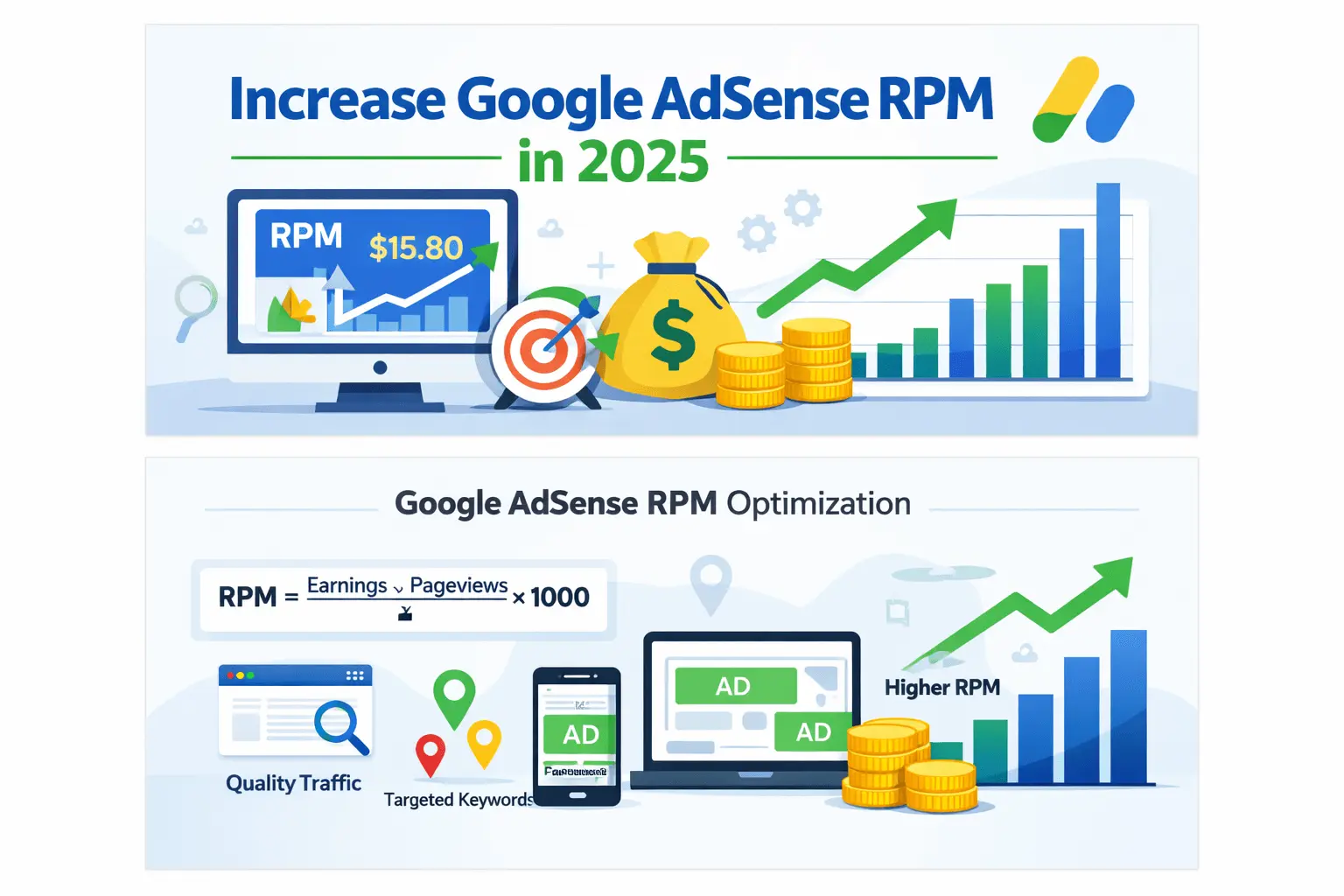
AdSense placement testing is the controlled comparison of a current ad layout with one carefully chosen variation. The aim is not to force more clicks. Instead, a safe test asks whether a placement improves measurable monetization while content remains easy to read, navigation stays clear, and users are not likely to click an ad by mistake.
This guide shows you how to define a hypothesis, choose a testing method, protect policy compliance, select metrics, estimate a useful test window, interpret uncertainty, and decide whether to keep or reject a variation. It covers both Google’s built-in Auto ads experiments and publisher-managed placement comparisons.

Quick answer: Start with a policy-safe control, change only one meaningful placement variable, divide comparable traffic fairly, and measure revenue together with Page RPM, Active View, engagement, and invalid-click warning signs. Run the test long enough to cover normal weekday and weekend behavior. Keep the variation only when the result is repeatable, useful, and safe for readers.
What Is AdSense Placement Testing?
An A/B test compares two experiences during the same period. Version A is the control: the placement currently used. Version B is the variation: one deliberate alternative. Visitors are assigned to one version, and their outcomes are compared. Running both versions concurrently helps reduce distortion from seasonality, traffic spikes, advertiser demand, and day-of-week changes.
For example, a publisher might compare an ad after the second paragraph with the same responsive unit placed after the fourth paragraph. The format, page template, traffic sources, and surrounding content should otherwise remain stable. If the publisher simultaneously changes the format, ad load, typography, navigation, and page speed, the outcome cannot reveal which change caused the difference.
A Test Is Different from a Before-and-After Comparison
A before-and-after comparison can be useful when concurrent splitting is unavailable, but it is weaker evidence. Last week and this week may have different country mix, devices, search rankings, advertiser budgets, or content popularity. Therefore, a revenue increase after moving an ad does not prove that the move caused it.
If you must use sequential periods, compare equivalent weekdays, annotate every site change, exclude unusual campaigns, and repeat the comparison. Treat the conclusion as directional rather than certain.
Why Safe AdSense Placement Testing Matters
A placement can produce more clicks for the wrong reason. An ad positioned beside a menu, download button, gallery arrow, form control, or “Next” link may receive accidental clicks. That apparent improvement can create invalid-traffic risk and a poor reader experience. Consequently, CTR alone is never a sufficient success measure.
Google’s placement policies prohibit encouraging clicks, drawing unnatural attention to ads, disguising ads as content, and using misleading headings. Ads should remain distinguishable from editorial elements. If a label is used, Google permits “Advertisements” or “Sponsored Links”; a heading such as “Helpful resources” must not be used to make ads look like recommendations.
Safety also protects the experiment itself. When the variation harms reading, increases layout shift, slows interaction, or hides content, any short-term monetization gain may be offset by fewer return visits and weaker search performance. A valid experiment evaluates the whole experience.
Choose the Right Testing Method
| Method | Best for | Main strength | Main limitation |
|---|---|---|---|
| AdSense Auto ads experiment | Auto ads formats, ad load, or Auto ads on versus off | Google handles experiment traffic and reporting without an ad-code edit | Only one active Auto ads experiment per site; some settings cannot be tested |
| Site-side A/B platform | Template or container placement changes | Can measure UX and business outcomes alongside AdSense metrics | Requires careful implementation, stable assignment, consent, and QA |
| Sequential comparison | Low-traffic sites without split-testing capability | Simple to operate | Seasonality and traffic-mix changes weaken causal confidence |
Use Auto Ads Experiments When the Setting Fits
Google’s Auto ads experiments can compare different Auto ads settings, including formats and ad load, or compare Auto ads on with Auto ads off. In AdSense, go to Optimization, open Experiments, create an Auto ads experiment, choose the site, configure the variation, name the test, and run it. Google notes that initial results may take a few days to appear.
The experiment’s metrics reflect impact across the entire site, including existing ad units, rather than isolating only Auto ads. That broader scope is important when interpreting the outcome. At present, Google says only one Auto ads experiment can be active per site, while page exclusions and Related search settings cannot be tested through this experiment type.
Use Publisher-Managed Tests for Manual Containers
A manual test can compare approved ad containers within a template—for instance, one responsive in-content unit after an early section versus after a later section. Do not rewrite, obscure, or manipulate the Google ad code. Change the page’s approved container logic, then let the standard unit load normally.
Assignment should be stable. A visitor repeatedly switching between A and B can create inconsistent experiences and noisy measurements. Use a first-party experiment identifier or an established testing system that respects consent and privacy requirements. Also prevent search engines from seeing materially different editorial content; the experiment should concern layout, not deceptive content variation.
Create a Testable Hypothesis
A useful AdSense placement testing hypothesis connects one change to one expected mechanism and names the safeguards. For example: “Moving the first in-content unit from after paragraph two to after the first H2 will improve Active View Viewable and Page RPM because readers reach that stable content boundary, without increasing accidental-click risk or reducing engagement.”
A vague statement such as “more ads will earn more” is not a useful hypothesis. It does not define a placement, mechanism, audience, metric, or stopping condition. Moreover, higher ad load may change fill, viewability, latency, and user behavior at the same time.
Change One Primary Variable
- Placement depth: after the second paragraph versus after the first H2.
- Location type: in-content versus a non-obstructive sidebar on desktop.
- Auto ads format: one eligible format enabled versus disabled.
- Ad load: current Auto ads level versus one planned variation.
- Template scope: article pages with a safe placement versus the current template.
Keep unit type, traffic split, editorial content, and other monetization settings unchanged where possible. If a technical dependency forces a second change, record it and describe the test as a package comparison rather than attributing the result to one element.
Run a Policy and UX Preflight
Before exposing real visitors, inspect both versions on representative phones, tablets, laptops, and wide screens. Review logged-in and logged-out views, common browser sizes, slow connections, long and short articles, pages with tables, and pages with sticky navigation. A safe desktop layout can become risky when mobile controls wrap beside an ad.
| Preflight question | Pass condition | Reason to stop |
|---|---|---|
| Can users distinguish the ad? | Clear visual separation from content and controls | Ad resembles navigation, downloads, or editorial cards |
| Is interactive spacing safe? | No nearby button, link, player, form, or menu creates click confusion | A normal tap may land on the ad |
| Does content remain primary? | The page opens with useful content and remains readable | Ads crowd, delay, or obstruct the main content |
| Is the layout stable? | Reserved space prevents disruptive movement | Late ad loading moves a button beneath a user’s finger |
| Is labeling appropriate? | No label, or only an allowed clear label | Misleading recommendations or click encouragement |
| Does navigation still work? | Menus, search, pagination, and consent controls remain accessible | Any ad overlaps or blocks an interface element |
Do not launch a variation that fails preflight just to “see what happens.” Policy compliance is a constraint, not a metric to trade for revenue. Likewise, never click live ads to check them. Use appropriate preview and QA methods, and verify container behavior without interacting with an advertisement.
Select Primary and Guardrail Metrics
Choose the primary metric before the test begins. Page RPM is often useful because it normalizes estimated earnings per 1,000 pageviews. However, it should be interpreted with traffic quality, geography, device, and page mix. Estimated earnings alone can rise simply because one version receives more pageviews.
Viewability is a valuable diagnostic. Google’s Active View counts a display ad as viewable when at least 50% of its area is on-screen for at least one continuous second. Active View Measurable, Active View Viewable, and Average Viewable Time answer different questions; a strong experiment does not confuse them.
| Metric | What it helps answer | Caution |
|---|---|---|
| Page RPM | Did normalized monetization change? | Can move with country, device, topic, and advertiser demand |
| Estimated earnings | What revenue was estimated during the test? | Not finalized payment and affected by traffic volume |
| Active View Viewable | What share of measurable impressions met viewability criteria? | Viewability does not equal clicks or user satisfaction |
| CTR | Did click behavior change? | A sudden rise may indicate accidental-click risk |
| CPC | Did average value per click change? | Auction and traffic mix can cause volatility |
| Engagement | Did readers continue using the page? | Use consistent analytics definitions and consent coverage |
| Core Web Vitals | Did layout stability or responsiveness worsen? | Field data can take longer to reflect a change |
Define guardrails as well. Possible guardrails include no material increase in rapid exits, no meaningful fall in engaged sessions, no regression in layout stability, no navigation complaints, and no suspicious CTR pattern. If a safety guardrail fails, pause the test even when revenue appears higher.
Plan Sample, Segments, and Duration
There is no universal number of days or pageviews that guarantees a trustworthy result. A large, stable site can detect a moderate effect faster than a small or highly seasonal site. Decide what minimum improvement would be worth implementation, review baseline variance, and use your testing platform’s statistical method when available.
As an operational minimum, cover complete weekday and weekend cycles. Do not stop at the first positive day. Continue until the planned decision point unless a policy, usability, or technical guardrail requires early termination. Extending a test merely because the result is disappointing can also introduce bias, so write the rule in advance.
Balance Traffic Fairly
Concurrent groups should receive comparable traffic. Random assignment generally distributes device, geography, channel, and visitor type better than manually sending search traffic to A and social traffic to B. Confirm the actual allocation after launch; a supposed 50/50 test may drift because caching, scripts, consent status, or template eligibility differs.
Predefine Essential Segments
Mobile and desktop placements often behave differently. Similarly, a homepage, tutorial, and short news post have different layouts and intent. Predefine a small number of essential segments, such as device class and template. Avoid searching dozens of segments after the test for whichever one looks positive; that increases the chance of a random “winner.”
A Step-by-Step AdSense Placement Testing Workflow
Step 1: Capture a Clean Baseline
Record the control placement with screenshots and template details. Export relevant AdSense and analytics data for a representative baseline. Note promotions, search updates, outages, consent changes, major content releases, and previous experiments. Baseline data helps detect whether launch-day behavior is abnormal.
Step 2: Write the Experiment Card
- Question and hypothesis
- Control and variation
- Pages and devices included
- Primary metric and minimum useful effect
- Guardrail metrics
- Planned start, review, and end rules
- Owner and rollback procedure
- Known concurrent campaigns or releases
Step 3: Implement Without Altering Ad Behavior
Use approved AdSense units and standard responsive behavior. Reserve suitable space where practical, prevent overlap, and keep the content-to-ad relationship clear. The experiment should select an eligible container or setting; it should not intercept ad clicks, refresh ads automatically, hide an ad, manipulate targeting, or modify the destination.
Step 4: QA Both Variants
Test page templates, screen sizes, orientations, cookie states, slow networks, and common interactive components. Check that each visitor remains assigned consistently, analytics identifies the variant, and no personally identifiable information is placed in tracking values. Confirm that cached HTML does not accidentally serve only one version.
Step 5: Launch Gradually and Monitor Safety
If your system supports it, begin AdSense placement testing with a small eligible share to catch technical errors, then move to the planned allocation. During the early period, monitor rendering failures, ad overlap, layout movement, console errors, traffic imbalance, abnormal CTR, and reader complaints. Do not declare a winner from this safety phase.
Step 6: Analyze at the Predetermined Point
Compare the primary metric and guardrails for the full test. Then review predefined device and template segments. Look at absolute values, relative change, data volume, and uncertainty. Also check whether a traffic-source or country imbalance explains the apparent difference.
Step 7: Keep, Reject, or Retest
Keep the variation when evidence is sufficiently strong, the improvement is practically useful, and every guardrail passes. Reject it when performance declines or a safety condition fails. If the result is inconclusive, return to the control and design a clearer test; “no decision” is better than manufacturing certainty.
How to Interpret Common Outcomes
Page RPM Rises and Guardrails Stay Healthy
This is the strongest candidate for rollout, provided the lift persists through the planned period and traffic groups are comparable. Roll out in stages, annotate the change, and continue monitoring. An experiment result is evidence for the tested pages and period, not a permanent earnings guarantee.
Viewability Rises but Revenue Does Not
The placement may be easier to see, yet auction mix, CPC, CTR, or page-level demand may offset the benefit. Do not assume that more viewable impressions must immediately produce more earnings. If UX remains healthy, the result can justify a longer confirmation test, especially when revenue is volatile.
CTR Jumps Sharply While Engagement Falls
Treat this as a warning, not a win. Inspect the placement near buttons, menus, images, swipe areas, and navigation. Check mobile rendering and layout shift. Pause or roll back when ordinary interaction may produce accidental clicks; never wait for a policy notice to confirm an obvious risk.
Overall Result Is Flat but Devices Differ
A placement might help desktop and harm mobile. If device segmentation was predefined and has enough data, implement device-appropriate layouts rather than forcing one global result. Nevertheless, avoid overreacting to tiny segments with wide variation.
Common AdSense Placement Testing Mistakes
- Testing several changes together: the cause of the result becomes unknowable.
- Choosing CTR as the only goal: accidental clicks can masquerade as improvement.
- Stopping after a good day: normal volatility is mistaken for an effect.
- Ignoring device mix: mobile layout problems disappear inside a site-wide average.
- Comparing unequal periods: a campaign or seasonal event changes traffic quality.
- Moving controls near ads: ordinary taps become risky.
- Running overlapping experiments: interacting changes corrupt attribution.
- Editing ad code: unsupported modifications introduce policy and technical risk.
- Using misleading labels: ads may appear to be editorial recommendations.
- Rolling out everywhere immediately: a local AdSense placement testing result is assumed to apply to every template.
A Practical Experiment Log Template
| Field | Example entry |
|---|---|
| Experiment ID | ARTICLE-MOBILE-PLACEMENT-01 |
| Hypothesis | Moving one in-content unit to the first H2 improves viewability without harming engagement |
| Control | Responsive unit after paragraph two |
| Variation | Same unit after first H2 |
| Scope | Long-form article template, mobile only |
| Primary metric | Page RPM |
| Diagnostics | Active View Viewable, impressions, CPC, CTR |
| Guardrails | Engagement, layout stability, complaints, suspicious CTR |
| Decision rule | Useful lift with guardrails passing at planned review |
| Final action | Keep, reject, or redesign |
Store screenshots, configuration, dates, results, and the final decision with this AdSense placement testing log. Over time, the record prevents repeated failed tests and reveals which layout principles transfer across templates.
How This Test Connects to Other AdSense Work
If a placement has weak Active View metrics, first review how to increase AdSense ad viewability safely. That guide explains measurement, layout stability, responsive behavior, and high-opportunity areas. Use the present workflow afterward to verify one proposed placement change rather than applying assumptions site-wide.
When choosing the experiment system itself, compare AdSense Auto ads versus manual ads. Auto ads experiments are suitable for supported automated settings, while manual containers provide more layout control and require more careful implementation and measurement.
For broader navigation, use the AdSense guide, the earnings optimization pillar, and the reporting and testing hub.
Frequently Asked Questions
Can I A/B Test AdSense Ad Placements?
Yes, provided both versions comply with AdSense policies and the implementation does not modify ad behavior improperly. Google also offers built-in experiments for supported Auto ads settings. Manual placement tests should change approved containers or template logic, keep ad code standard, and include accidental-click safeguards.
How Long Should AdSense Placement Testing Run?
There is no universal duration. Plan around traffic volume, baseline variability, the minimum effect worth acting on, and complete weekday/weekend cycles. Google notes that initial Auto ads experiment results may take a few days. Avoid stopping only because an early result looks favorable.
What Is the Best Metric for an Ad Placement Test?
Page RPM can serve as a primary monetization metric, but it should be paired with Active View data, impressions, CTR, CPC, engagement, and layout or usability guardrails. No single number establishes that a placement is valuable and safe.
Should I Optimize for the Highest CTR?
No. A higher CTR can result from audience differences or accidental clicks. Publishers must not encourage clicks or place ads where they can be confused with navigation and controls. A suspicious CTR jump should trigger a safety review.
Can I Test Multiple Placements at Once?
You can compare complete layouts, but the result describes the package and cannot identify which placement caused the change. For actionable learning, test one primary variable at a time and avoid overlapping monetization experiments on the same audience.
Can Auto Ads Experiments Test Every Setting?
No. Google’s current documentation says Auto ads experiments cannot test Related search or page exclusions. It also limits a site to one active Auto ads experiment at a time.
Does Better Viewability Guarantee Higher Earnings?
No. Viewability describes whether measurable impressions had an opportunity to be seen. Revenue also depends on advertiser demand, auction outcomes, geography, device, content, traffic quality, CTR, and CPC. Use viewability as a diagnostic, not a promise.
Can I Click Ads to Verify a Variation?
No. Do not click live ads on your own site for testing. Verify the layout and container behavior through safe preview and QA procedures without interacting with advertisements.
What If Mobile Wins but Desktop Loses?
If device segmentation was planned and each segment has sufficient data, adopt a device-appropriate layout. Confirm that the implementation remains responsive and policy-safe, then monitor the staged rollout rather than applying one result universally.
What Should I Do with an Inconclusive Result?
Return to the control unless the variation has another proven benefit. Review whether the expected effect was too small, traffic was insufficient, implementation was inconsistent, or external events added noise. Then simplify the hypothesis and retest only if the decision remains valuable.
Final AdSense Placement Testing Checklist
- Define one question, one primary variable, and one expected mechanism.
- Keep the control stable and document both experiences.
- Confirm compliance before any visitor sees the variation.
- Separate ads from links, controls, menus, and misleading labels.
- Choose a primary metric plus revenue, viewability, UX, and safety guardrails.
- Assign comparable traffic and verify the actual split.
- Cover meaningful traffic cycles and use a predetermined decision point.
- Monitor abnormal CTR, overlap, layout shift, complaints, and errors.
- Analyze only the predefined segments first.
- Roll out gradually, annotate the change, and retain a rollback path.
Good AdSense placement testing replaces guesswork with disciplined learning. The safest winner is not the version that produces the most clicks today. It is the version that creates a credible, repeatable improvement while ads remain clearly separate, readers stay in control, and the site continues to deliver useful content.