
To make money with AdSense from a US audience, you need a website that serves readers, qualifies for monetization and attracts genuine visits. Choosing a topic, publishing articles and adding advertising are separate parts of the work. Each needs a clear purpose and a way to check progress.
This guide gives you a practical website roadmap: define your readers, create useful content, prepare the site, complete the AdSense review process, configure ads and improve the publishing operation. It does not promise a fixed income, a minimum payout per visitor or approval after a particular number of posts.
If you need an introduction to the program, start with our Google AdSense guide. Here, the focus is putting the pieces together for a website intended to help US readers.
Quick Answer: How Do You Start Earning With AdSense?
Create original content for a defined audience, make the website usable, check AdSense eligibility and connect the site for review. Once the site is approved and advertising is configured, evaluate actual traffic and revenue. Improve the content and ad experience using evidence from your reports.
US visitors do not create a guaranteed earnings rate. A US-focused title also does not guarantee a US audience. Your results depend on the readers you actually attract and the advertising performance your account records.
Understand What You Are Building
An AdSense website is a publishing operation supported partly by advertising. Readers visit for information, a useful resource or help completing a task. Advertising can generate revenue alongside that experience, but it does not replace the reason someone would choose your website.
Plan for ongoing work: researching topics, checking sources, updating articles, maintaining the website and reviewing performance. Some tasks become easier with a repeatable process, but the site still needs attention. Treat maintenance time and operating costs as part of the project.
Separate three milestones: having a useful website, being approved to show ads and earning enough to meet your financial goal. Reaching one does not establish the next. This distinction helps you choose the appropriate task instead of trying to fix every problem by publishing more posts.
Step 1: Choose a Specific US Audience
Start with a reader definition rather than a broad profitable-niche list. For example, you might help US applicants compare entry-level remote support roles or help small businesses understand a particular software workflow. The audience should have questions you can answer accurately.
Write down the reader’s situation, main problem and next decision. “People who want to earn money” is too broad to guide an article. “US job seekers checking whether an evening support role fits their availability” gives you concrete questions about hours, eligibility and applications.
Choose a subject where you can provide reliable evidence and maintain changing details. A large advertiser bid does not make you qualified to explain medical treatment, legal decisions or financial products. Assess your knowledge and available sources before committing to a subject.
Use a simple selection worksheet: audience, recurring questions, sources, existing competing resources, your useful contribution and maintenance requirements. If you cannot describe what readers will gain, refine the idea before buying tools or commissioning content.
Step 2: Research Topics and Give Each Page a Purpose
Collect questions from relevant search results, public discussions, official resources and your existing search data. Keyword tools can help investigate demand, but their advertiser metrics are not predictions of your publisher income. Preserve the market and metric labels when recording research.
Group questions by the task a reader wants to complete. A broad overview can introduce the subject, while supporting pages answer distinct questions. Create another page when it needs a meaningfully different answer, rather than simply because the wording of a keyword changes.
For example, a remote-work overview, a guide to evening schedules and a role-specific application guide can serve different decisions. Three articles that repeat the same generic advice about finding remote work would offer much less value.
Our AdSense keyword research guide covers the research process. Use the blog topic selection guide to evaluate article ideas. Keep a record of which existing or proposed URL owns each main question.
Step 3: Build a Website Readers Can Use
Choose a domain, hosting arrangement and publishing platform you can maintain. For WordPress, start with a theme that presents articles clearly on mobile and desktop. Add only the plugins needed for your actual workflow, and keep a backup before major changes.
Create navigation around the subjects you cover. Readers should be able to find the main guides, understand who runs the site and contact you about errors. Remove empty menus, broken links and placeholder pages before asking anyone to assess the site.
Use About and author information to describe real experience. A clear contact route supports corrections and enquiries. Your privacy information should reflect the tools and advertising used on the website. Our guide to important website pages for AdSense explains their practical purposes.
Test representative pages yourself. Open an article on a phone, follow its links and use the navigation. Check whether images load properly, headings are readable and important content is accessible. A site can look complete in the editor while its public layout still needs work.
Step 4: Publish Content With Verifiable Value
Give every article a clear answer to a specific question. Explain important conditions, use appropriate sources and include examples that help the reader act. An application checklist, a documented software walkthrough or a carefully scoped comparison can provide more value than several generic introductions.
Distinguish your experience from desk research. If you tested a tool, explain the task and conditions. If you compared public product information, say so. Do not invent first-person results, income screenshots or case studies to make an article appear more credible.
For US job content, check employer listings and describe location restrictions accurately. For software content, verify current features and pricing. Record when changing facts were checked, and update them when the underlying information changes.
Use headings to organize the answer and internal links to help readers reach the next relevant guide. Write as much detail as the question needs. Google’s people-first content guidance does not prescribe a preferred word count.
Before publishing, review factual claims, source links, image rights and page overlap. Remove unsupported superlatives such as “highest paying” when you have not established the comparison. Label invented calculation examples as hypothetical and keep them separate from measured results.
Step 5: Check Readiness and Apply for AdSense
Google’s AdSense eligibility guidance covers original content, policy compliance, site access and the age requirement. Applicants must be at least 18; the guidance explains the parent or guardian route for younger publishers.
Do not turn an editorial target into an official approval threshold. Publishing 10, 20 or 30 posts does not automatically qualify a website. A particular article length also does not establish readiness. Review the quality and usability of the site you are actually submitting.
Check that the public site is complete enough to evaluate. Important pages should open without a login wall, navigation should work and the content should reflect a coherent purpose. Make sure you can implement the connection method required for your account.
Follow the current account instructions and use accurate details. Our AdSense application guide explains the broader process. Avoid creating another account simply because a review is taking longer than expected.
Step 6: Connect the Site and Check Its Review Status
Google’s site connection instructions explain the available connection methods and review process. Follow the method shown in your account. Connecting the website is part of activation; it is not the same as approval to display ads.
For WordPress, choose one clear implementation method and document it. Check whether a theme, plugin or integration already inserts the advertising code before adding another copy. Our WordPress AdSense connection guide covers implementation and verification.
Review notices about ads.txt separately. If your account supplies a publisher entry, use your actual details and verify the public file. Google’s ads.txt guide explains authorized-seller information. Copying another website’s publisher identifier is not a valid setup method.
Check the status in AdSense rather than relying on a promised approval date. Google says reviews commonly take a few days and can sometimes take two to four weeks. That is guidance, not a deadline guaranteed for your site.
What to Do if the Site Is Not Approved
Read the actual account message and identify whether the issue concerns connection, site readiness, content or policy. Save the wording and inspect the affected area. A general instruction to “add more posts” may miss the real problem.
Make concrete improvements before requesting another review. For example, repair an inaccessible site, replace incomplete pages or address unsupported content. Keep a change log so you can explain what was corrected.
Use the AdSense rejection reasons guide for diagnosis and the post-rejection recovery plan for organizing fixes. Repeated submissions without meaningful changes do not constitute a recovery strategy.
Step 7: Configure Ads Around the Reader’s Task
After approval, choose an advertising setup you can inspect and maintain. Auto ads and manually placed units require different implementation decisions. Start with a manageable configuration rather than activating every available format without reviewing the result.
Google’s Auto ads setup guide describes the preview, ad settings, excluded areas and page exclusions. Use the preview to review representative article types before applying settings. The controls available in your account should guide the exact steps.
Inspect the live experience on mobile and desktop. Check menus, downloads, application buttons and other controls. Ads should not create confusion about what belongs to the website or encourage accidental clicks. Follow Google’s ad placement policies.
There is no universal ad count that makes every page profitable. A short reference page and a detailed tutorial have different layouts. Keep a record of settings and evaluate any changes with performance data and usability checks.
Review Privacy Settings for the Audience You Serve
Audience location can affect privacy responsibilities. Google’s US state regulations messages documentation explains messages that communicate relevant visitor opt-out choices. Review the current requirements and settings for your site rather than assuming every visitor follows the same process.
Make privacy links accessible and describe your actual advertising setup accurately. Publishing a generic privacy page and enabling a message are separate tasks. Google’s messaging tools do not by themselves establish that every requirement applicable to your business has been satisfied.
Step 8: Attract Readers Through Useful Distribution
Help readers discover pages that answer their questions. Search can bring people looking for a particular solution, while relevant newsletters, communities and social channels can introduce useful resources. Evaluate each source by the audience it brings rather than assigning a guaranteed RPM to the channel.
For search, ensure important pages are crawlable and linked from relevant site sections. Review queries and landing pages in Search Console. If an article receives impressions for a question it does not answer well, investigate whether an update would improve the match.
Share resources where they are relevant and permitted. A practical worksheet or documented tutorial gives you something specific to introduce. Avoid repetitive promotional posts and promises of easy earnings. Distribution should bring people who want the content.
Never ask visitors to click ads to support you. Do not use click exchanges or automated traffic intended to inflate advertising activity. Our AdSense invalid traffic guide explains the risks and checks relevant to publishers.
Step 9: Measure Traffic and Monetization Separately
Search performance tells you how readers discover your pages. Monetization reporting tells you how advertising performs. Record a baseline for both before deciding what to change. A page with weak traffic needs a different investigation from one receiving readers but producing little advertising revenue.
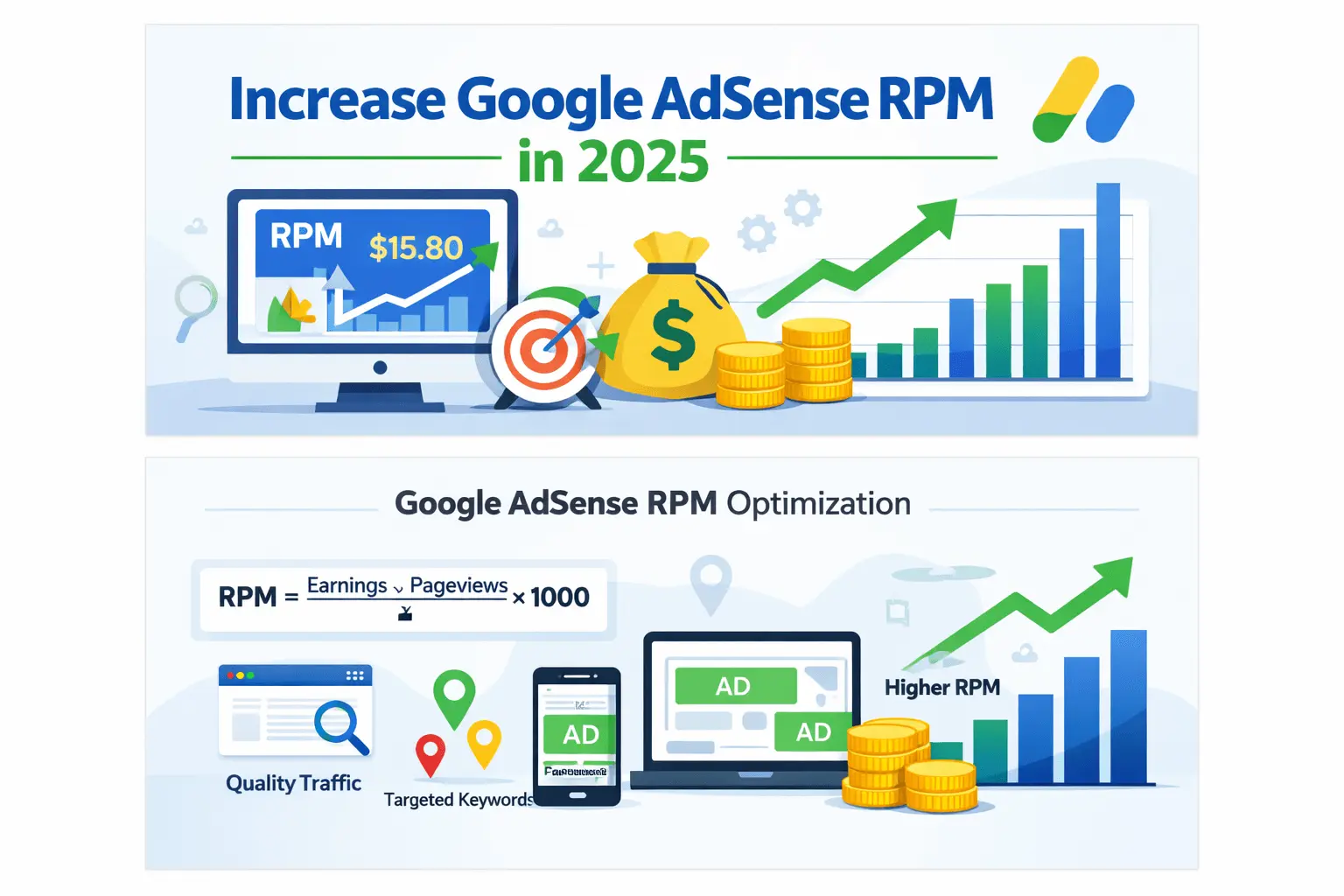
Use page views with page RPM, not visitors or sessions. Page RPM is estimated earnings divided by matching page views, multiplied by 1,000. Keep the reporting period, currency and audience scope consistent when comparing results.
For US visitor reporting and income calculations, read Google AdSense earnings from US traffic. That guide owns the country-specific forecasting topic. For metric definitions, use CPC, RPM and CTR explained.
Suppose a hypothetical site produces $15 from 5,000 matching page views. Its page RPM is $3. If a comparable future period had 10,000 views and retained that RPM, the estimate would be $30. This is arithmetic, not a case study or a promise that traffic or RPM will remain stable.
Track operating costs separately. Hosting, tools, content work and maintenance affect profit. Keep affiliate revenue and product sales separate from AdSense earnings so your records accurately describe each income source.
A 30-Day Work Plan Without an Income Deadline
Use the following plan to organize work, adjusting it to your time and the website’s current condition. These are tasks and deliverables, not promised approval, ranking or revenue milestones.
| Period | Main work | Reviewable result |
|---|---|---|
| Week 1 | Define readers, audit the site and map existing topics | Audience statement and prioritized task list |
| Week 2 | Improve key guides and gather missing evidence | Reviewed articles with clear page ownership |
| Week 3 | Check navigation, site readiness and account setup | Documented readiness review and corrected issues |
| Week 4 | Review discovery data and monetization status | Baseline report and next set of justified improvements |
If the site is already approved, spend the setup time on implementation checks and reporting. If it is not ready, continue fixing the identified problems. Do not submit a weak website merely to match the calendar.
A Weekly Review for an Existing Website
Review account notices, broken pages, outdated claims and the main traffic changes. Choose one or two tasks with a clear reason: updating an important guide, repairing navigation or investigating a changed revenue metric. Record the change and its date.
Use our SEO performance monitoring guide to organize search review. If traffic is still limited, the low-traffic AdSense strategy helps prioritize work without assuming immediate growth.
Maintenance matters especially for job listings, software features and other changing information. Update substantive details when needed. Avoid changing only the displayed year while leaving old facts in the article.
Common Mistakes to Avoid
- Invented earnings evidence: presenting hypothetical examples as personal income results.
- Approval shortcuts: treating a fixed post count or word count as a guarantee.
- Audience mismatch: adding “USA” to titles without answering US-specific questions.
- Duplicate topics: publishing several pages that repeat the same advice.
- Confusing metrics: substituting visitors for page views in a page RPM calculation.
- Unverified promotions: placing reward claims in a guide without substantiating the offer.
- Changing everything at once: losing the ability to identify which change affected performance.
Frequently Asked Questions
Can a beginner make money with AdSense?
A beginner can build a website and pursue monetization, but approval and income depend on the actual site and its performance. Start with a useful resource and follow the account process rather than expecting automatic earnings.
Do I need to live in the USA to serve US readers?
Your publishing audience and residence are different. Use your accurate account details and check program availability and requirements for your situation. Create content that genuinely addresses the US reader’s needs.
How many posts guarantee AdSense approval?
No post count guarantees approval. Assess originality, usefulness, site readiness and policy compliance. An editorial publishing target should not be described as an official qualification threshold.
Should I choose a niche only because its CPC is high?
No. Consider your knowledge, reader demand, evidence and ability to maintain the subject. Advertiser keyword data does not establish your future publisher revenue.
Will more ads or longer articles always increase earnings?
No. Content needs sufficient detail to answer the question, and ad settings need usability checks and measurement. Test relevant changes rather than relying on a universal length or placement formula.
How long will it take to reach my income goal?
There is no dependable timeline for every website. Review your actual traffic, RPM and costs, then build clearly labelled scenarios. Revise the plan as evidence becomes available.
Choose the Next Task From Your Current Stage
If you are starting, define an audience and build a useful first resource. If your site needs review, fix readiness and connection issues. If it is already monetized, establish a baseline and improve the most important content or implementation problem. A practical AdSense roadmap advances through verifiable work rather than promised income milestones.