Site-wide revenue can tell you whether your AdSense account grew, but it cannot tell you which articles created that result. To track AdSense performance by page, you need a page-level reporting method, comparable date ranges, and enough data to separate a real pattern from normal daily variation.
This guide explains how to use the AdSense Top pages report, Page URL breakdown, URL channels, directory groups, and supporting analytics. You will learn what each method measures, where its limits begin, which metrics belong together, and how to turn URL-level findings into useful content, layout, and traffic decisions.

Quick answer: Open AdSense Reports and use the Top pages report to review eligible popular URLs. For pages or directories you want to monitor deliberately, create URL channels under Reports → Settings → URL channels. Compare Pageviews, Estimated earnings, Page RPM, impressions, Active View metrics, clicks, CTR, and CPC over a meaningful date range. Then use Analytics and Search Console to explain changes in audience, acquisition, and search demand.
Why Track AdSense Performance by Page?
Every page has a different combination of topic, search intent, visitor location, device mix, content length, ad opportunity, engagement, and advertiser demand. Therefore, two articles with the same number of pageviews can produce very different estimated earnings. A site-level average hides that difference.
Page-level reporting helps answer questions such as:
- Which URLs contribute the most estimated earnings?
- Which high-traffic pages have a lower-than-expected Page RPM?
- Did a revenue change come from traffic volume or monetization efficiency?
- Which topic directory deserves more content and internal links?
- Did a layout change improve viewability without harming user experience?
- Does a page perform differently on mobile and desktop?
- Are seasonal or country-mix changes affecting a page?
However, page reporting is not a list of “winning” and “losing” articles. A low-RPM page may attract valuable readers, support conversions, build topical authority, or link visitors to other useful content. Similarly, one high-RPM week does not guarantee future earnings. The purpose is to understand the page’s role and make evidence-based improvements.
Three Ways to Track AdSense Performance by Page
| Method | Best use | Main limitation |
|---|---|---|
| Top pages / Page URL breakdown | Discover monetization data for eligible popular pages | Only pages meeting Google’s impression threshold appear; there is no complete “All” total |
| URL channels | Deliberately track a specific page, path, directory, query, or supported URL pattern | Limited to 500 URL channels per supported AdSense product |
| Custom channels | Compare selected ad units, placements, formats, or topic-based ad-unit groups | It measures assigned ad units rather than providing a clean list of every page |
These methods complement one another. The Top pages report is a discovery view. URL channels provide intentional monitoring. Custom channels answer placement and ad-unit questions. Therefore, choosing the correct method to track AdSense performance by page is essential; the wrong report can be technically valid yet fail to answer your actual question.
Use Top Pages for Discovery
Google’s Top pages report shows monetization performance for popular pages. According to Google, the eligible pages are based on pages that received the most queries during the last 30 days and met a minimum impression requirement. Consequently, a small page may be absent even if it earned something.
The report is available for AdSense for content. It is useful for finding URLs that already have enough volume to analyze. Nevertheless, the table has no complete “All” row because not every page qualifies. Do not add the displayed rows and call that number your entire site’s revenue.
Use URL Channels for Planned Tracking
URL channels let you monitor specific pages or directories. Google currently allows up to 500 URL channels for each supported AdSense product. A supported entry can include a page path, directory, relative path, fragment, or query, and the URL can be up to 256 characters.
This option works well when you are publishing a new article, testing an important landing page, comparing topic folders, or watching a group that may not appear consistently in Top pages. You do not need to modify the page’s AdSense code merely to create a URL channel.
Use Custom Channels for Ad-Unit Questions
Custom channels group ad units in ways meaningful to your site. For example, you could compare in-content units with sidebar units or group units used in a particular topic area. Google also permits a channel ID in supported ad code, including Auto ads code.
Custom channels require careful interpretation. If one ad unit belongs to multiple custom channels, its impressions and clicks can appear in each channel. Adding channel rows together may therefore double-count activity. Use each channel as a comparison segment, not automatically as an exclusive accounting bucket.
How to Create an AdSense URL Channel
- Sign in to your AdSense account.
- Open Reports.
- Select Settings.
- Open URL channels.
- Select the relevant AdSense product; not every product supports URL channels.
- Choose Add channel.
- Enter the full page or directory URLs, one per line.
- Confirm the entries and add the channels.
After the channel becomes active, return to Reports → Settings → URL channels and select View report beside it. You can add a compatible dimension, such as country, when the additional split serves a clear question.
Name your tracking plan outside AdSense as well. A simple sheet with “channel URL,” “purpose,” “creation date,” “content owner,” and “review cadence” prevents 500 channels from becoming an undocumented list.
Choose the Correct URL Scope
A single-page channel answers, “How did this exact guide perform?” A directory channel answers, “How did this section perform?” These are different scopes. For BlogerHub, a directory-level channel could monitor an organized content branch, while a page channel could monitor one high-priority guide.
Before adding a URL, check the canonical version. Decide whether the preferred address uses HTTPS, www or non-www, and a trailing slash. Avoid scattering equivalent versions across separate channels unless your purpose is specifically to investigate URL normalization. Also review query parameters: tracking a parameterized URL may split data that you expected to see together.
Build Useful URL Groups Without Creating Noise
“URL group” is a practical analysis concept: a collection of pages sharing a meaningful business or editorial trait. It does not have to be a separate AdSense feature label. You can represent groups through directory URL channels, a documented set of page channels, exported report rows, or linked analytics content groups.
Good groups are mutually understandable and tied to a decision. Common examples include:
- Topic: AdSense reporting, RPM optimization, traffic, or policy
- Content type: tutorial, comparison, glossary, checklist, or case study
- Lifecycle: new, recently updated, mature, or declining
- Intent: informational, troubleshooting, or commercial investigation
- Template: long-form article, tool page, category archive, or landing page
- Experiment: old layout versus revised layout, provided the groups are documented
Avoid grouping only after seeing the outcome. If you keep rearranging URLs until one segment looks successful, you create selection bias. Define the group and success criteria before the review period whenever possible.
A Simple Naming Convention
Use names that remain meaningful months later. A structure such as TOPIC | SCOPE | PERIOD works well: REPORTING | DIRECTORY | 2026-Q3 or PAGE-RPM-GUIDE | PAGE | EVERGREEN. Keep a separate mapping sheet because the report name alone cannot document every inclusion rule.
Do not create a channel for every URL by default. Reserve channels for strategic pages, directory groups, launches, and experiments. Use Top pages for discovery and exports or analytics for broader inventory work.
Metrics to Track AdSense Performance by Page
| Metric | What it helps explain | Important caution |
|---|---|---|
| Pageviews | Traffic volume available for monetization | Analytics sessions and AdSense pageviews use different definitions |
| Estimated earnings | Current estimated revenue contribution | It is not the same as finalized payment |
| Page RPM | Earnings normalized per 1,000 pageviews | A volatile small sample can look extreme |
| Ad impressions | Ads actually shown | One pageview can produce multiple impressions |
| Clicks and CTR | Interaction volume and rate | Never encourage clicks or optimize for accidental interaction |
| CPC | Average value associated with clicks | Publisher control is indirect; demand and audience matter |
| Active View viewable | Share of measurable impressions meeting viewability criteria | Viewability is not permission to crowd content with ads |
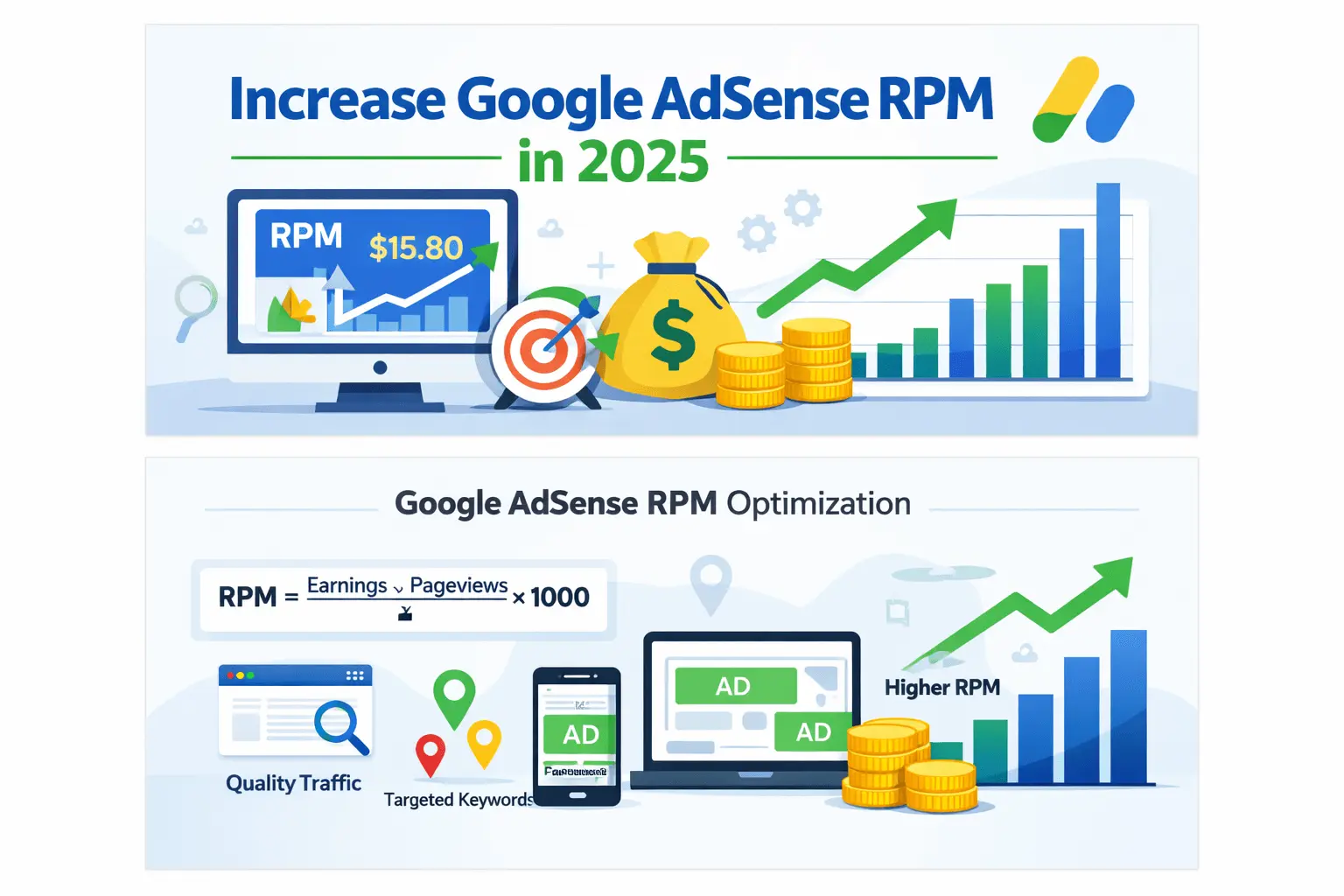
Page RPM is usually the best starting metric for comparing revenue efficiency across URLs of different sizes. Google defines Page RPM as estimated earnings divided by pageviews, multiplied by 1,000:
Page RPM = (Estimated earnings ÷ Pageviews) × 1,000Suppose Page A earns $18 from 12,000 pageviews. Its Page RPM is $1.50. Page B earns $10 from 4,000 pageviews, producing a $2.50 Page RPM. Page A contributes more total estimated earnings, while Page B monetizes each thousand pageviews more strongly. Both facts are useful.
If the calculation is unfamiliar, review how to calculate AdSense Page RPM before using it for page comparisons.
Separate Volume from Efficiency
Estimated earnings are broadly influenced by pageview volume and revenue per pageview. Therefore, begin every investigation by asking whether Pageviews changed, Page RPM changed, or both changed.
| Pageviews | Page RPM | Likely direction |
|---|---|---|
| Up | Stable | Traffic growth is the primary driver |
| Stable | Up | Monetization mix or advertiser demand improved |
| Up | Down | New traffic may have a different device, country, source, or intent mix |
| Down | Up | Higher-value visitors remain, but total reach weakened |
| Down | Down | Investigate traffic loss and monetization factors separately |
Track AdSense Performance by Page with Fair Comparisons
Comparisons become misleading when the date, audience, or page purpose changes. Consequently, the following workflow helps you track AdSense performance by page without confusing audience differences with a true monetization change.
1. Start with One Question
Write the question before opening the report. For example: “Did the updated article improve Page RPM without losing organic pageviews?” This wording identifies the page, outcome, guardrail, and implied comparison.
2. Choose Comparable Dates
Compare equal-length periods and account for weekdays, holidays, campaigns, and seasonality. A Monday-to-Sunday period should usually be compared with another Monday-to-Sunday period. For seasonal content, year-over-year comparison may be more meaningful than the previous month.
3. Require a Meaningful Sample
Small samples create unstable CTR, CPC, and RPM values. There is no universal minimum that fits every site, so set a practical rule based on your normal traffic. Extend the period when a page has too few pageviews or impressions to support a decision.
4. Add Only One Helpful Breakdown
Country or platform can explain a page-level change, but every additional split reduces the sample in each row. Google warns that combining the Page URL breakdown with other breakdowns may filter more traffic because each resulting row must meet eligibility requirements. Start broad, then narrow.
5. Record an Interpretation, Not Just a Number
A useful note might say: “Page RPM fell 12%, while mobile share and lower-value country traffic increased; desktop RPM remained stable.” That is more actionable than “RPM fell.” It also distinguishes observed data from a possible explanation.
Combine AdSense with Analytics and Search Console
AdSense explains monetization outcomes. Analytics explains users, sessions, engagement, and acquisition. Search Console explains search clicks, impressions, queries, countries, devices, and average position. Together, they provide a more complete page story.
- If AdSense pageviews fall, check whether Analytics views and Search Console clicks also fell.
- If traffic is stable but Page RPM drops, inspect device, country, source, viewability, CPC, and ad-impression changes.
- If search clicks rise but earnings do not, the new queries may bring a different audience or land on a page with fewer monetizable opportunities.
- If engagement weakens after an ad change, restore the user experience before chasing a short-term RPM gain.
Expect differences between platforms. AdSense pageviews, Analytics views, and Search Console clicks are not interchangeable. Consent choices, ad blockers, time zones, filters, tagging, and metric definitions can all create gaps. Compare trends and ratios; do not force totals to match exactly.
Use a Page-Level Tracking Sheet
Create one row per URL and review it weekly or monthly. Suggested columns include URL, content group, publication date, last update, AdSense pageviews, estimated earnings, Page RPM, impressions, viewability, Analytics views, Search Console clicks, main country, main device, change made, and next review date.
Store both the current value and comparison value. Add percentage change only when the baseline is non-zero and the sample is meaningful. Finally, include a notes column for promotions, technical incidents, site redesigns, policy restrictions, and seasonal events.
Diagnose Common Page-Level Patterns
High Traffic, Low Page RPM
First, confirm that the comparison is fair. Then review country and device mix, ad impressions per pageview, viewability, content intent, page speed, and layout. A high-traffic informational page may naturally monetize differently from a specialized guide. Improve relevance and experience; do not manufacture clicks or add excessive ads.
Low Traffic, High Page RPM
Validate the sample before celebrating. If the pattern persists, examine the queries and audience that reach the page. You may be able to expand the topic with genuinely useful related content, stronger internal links, clearer titles, or an update. Never assume that publishing near-duplicate pages will reproduce the RPM.
Traffic Up, Earnings Flat
Calculate whether Page RPM declined enough to offset traffic growth. Next, segment by platform or country. The additional audience may come from mobile, social discovery, or a geography with different advertiser demand. Also check whether ads loaded and remained viewable after a technical or template change.
Earnings Down on One URL Only
Review page-specific changes: content edits, lost rankings, altered intent, a broken template, slower loading, fewer ad opportunities, policy status, or an audience shift. Compare the page with a stable control group using the same template. A site-wide demand change usually affects more than one URL, although not always equally.
Track AdSense Performance by Page and Take Safe Action
Once you track AdSense performance by page, use findings to improve the whole reader journey. Good actions include updating outdated sections, matching search intent more precisely, strengthening relevant internal links, fixing intrusive layouts, improving Core Web Vitals, using responsive formats, and testing one change at a time.
- Content action: expand missing information, add original examples, or remove stale advice.
- Traffic action: improve title clarity, internal discovery, or query alignment.
- UX action: reduce layout shifts, speed up the page, and keep content easy to read.
- Ad action: review responsive behavior, viewability, and accidental-click risk.
- Measurement action: create a URL channel, save a report, or extend the sample.
Change one major variable where possible. If you rewrite the article, redesign the template, change ad settings, and launch a promotion on the same day, the result will be difficult to attribute. Keep a dated change log and wait for sufficient data.
Policy-Safe Page Optimization
Page-level data should never be used to pressure users into ad interaction. Do not click your own ads, ask other people to click, use misleading labels, place ads where they resemble navigation, or design layouts that produce accidental clicks. A higher CTR caused by confusion is not a healthy optimization.
Likewise, do not purchase low-quality or incentivized traffic simply to increase a page’s report totals. Monitor unusual traffic sources and investigate sudden changes. Sustainable improvement comes from useful content, legitimate audience growth, reliable implementation, and a reader-first layout.
Common URL Tracking Mistakes
- Treating Top pages as a complete account total: eligible pages are filtered by impression requirements.
- Comparing unequal periods: a 31-day month and a 28-day month need normalized interpretation.
- Reacting to one day: auctions and audience mix vary naturally.
- Ignoring URL variants: protocol, hostname, trailing slash, parameters, and canonicals can fragment analysis.
- Adding overlapping custom channels: the same impressions or clicks may appear in multiple channel rows.
- Confusing Page RPM with a payment rate: RPM is a normalized performance metric based on estimated earnings.
- Ranking pages only by RPM: traffic contribution, reader value, conversions, and topical role also matter.
- Adding too many dimensions: smaller rows may disappear or become too volatile to interpret.
- Changing several things together: attribution becomes weak.
- Optimizing for clicks: accidental or encouraged clicks create policy and user-experience risks.
A 30-Day Plan to Track AdSense Performance by Page
Days 1–3: Define the Inventory
Select five to twenty strategic URLs rather than the entire site. Include a mixture of high-traffic pages, new pages, important evergreen guides, and one stable comparison page. Document the canonical URL and content group.
Days 4–7: Configure Reports
Create URL channels for deliberate monitoring, review Top pages, and save a report with the smallest useful metric set. Record the report time zone and comparison rules. Verify that Analytics and Search Console use the expected page paths.
Days 8–21: Observe Before Changing
Collect data and note unusual events. Avoid daily optimization. Instead, look for multi-day patterns in Pageviews, Page RPM, impressions, and viewability. Use supporting platforms to explain traffic changes.
Days 22–30: Choose One Test
Select one page with enough data and one clear opportunity. Make one meaningful improvement, record the date, and define a guardrail such as stable engagement or organic traffic. Continue monitoring beyond day 30 if the page needs a larger sample.
How This Guide Fits the Reporting Cluster
If reports, dimensions, filters, and date comparisons are still unfamiliar, begin with How to Read AdSense Reports: Beginner’s Guide. The current guide is the next step: it narrows the analysis to individual pages and meaningful URL groups.
For broader learning, visit the AdSense guide hub. This article belongs to AdSense earnings optimization and the planned Reporting & Testing sub-pillar at /adsense-reports-for-beginners/. Keep the sub-pillar as a future link opportunity until that page is published.
Frequently Asked Questions
Can I track AdSense performance for one page?
Yes. Create a URL channel for the page or use the Top pages/Page URL report if the page is eligible. Then compare pageviews, estimated earnings, Page RPM, impressions, and relevant supporting metrics over a meaningful period.
What is the difference between a URL channel and a custom channel?
A URL channel tracks a page or directory. A custom channel groups selected ad units or channel IDs by placement, format, topic, or another useful rule. Choose based on whether your question concerns the page or the ad unit.
How many AdSense URL channels can I create?
Google currently states that you can create up to 500 URL channels for each supported AdSense product. Not every product supports URL channels, so confirm the available product in your account.
Why is a page missing from the Top pages report?
The page may not have met the required impression threshold. Adding another breakdown can also reduce eligible rows because each combined segment must qualify. The report is not intended to list every site URL.
Does the Top pages total equal my site earnings?
No. Google does not provide an “All” row in this report because some pages may not meet eligibility requirements. Use an appropriate account or site report for overall totals.
Which metric is best for comparing pages?
Page RPM is useful because it normalizes estimated earnings per 1,000 pageviews. Nevertheless, also compare total earnings, traffic, audience mix, viewability, and the page’s editorial purpose.
How long should I collect data?
Use enough time to obtain a stable sample and cover comparable weekdays. High-traffic pages may reveal a pattern sooner, while smaller pages may need several weeks or months. Seasonal pages may require year-over-year analysis.
Can URL groups overlap?
They can, but document the overlap and do not add overlapping rows as if they were exclusive totals. The same caution applies to custom channels that include the same ad units.
Why do AdSense and Analytics page numbers differ?
The products use different metrics and processing. Consent, blockers, time zones, filters, implementation, and user behavior can also create differences. Use each platform for its intended question and compare trends carefully.
Will tracking a page increase its earnings?
No. Tracking provides evidence; it does not change advertiser demand or guarantee revenue. Improvement depends on legitimate traffic, useful content, good user experience, reliable ad implementation, and market conditions.
Final Page-Level Reporting Checklist
- Define one reporting question.
- Confirm the canonical page or directory URL.
- Choose Top pages, URL channels, or custom channels for the correct purpose.
- Use equal and meaningful comparison periods.
- Review Pageviews and Page RPM before diagnosing earnings.
- Check device, country, source, and viewability only when relevant.
- Remember that Top pages excludes some low-volume URLs.
- Do not total overlapping custom channels.
- Use Analytics and Search Console for audience and traffic context.
- Record changes and test one major variable at a time.
- Protect user experience and follow invalid-traffic policies.
- Wait for enough data before deciding.
The goal of page-level reporting is not to chase the highest number on a dashboard. It is to understand why each important URL performs as it does, identify changes worth testing, and protect the reader experience while building sustainable revenue. When you track AdSense performance by page with clear scopes and fair comparisons, your reports become a decision system rather than a collection of isolated metrics.