Understanding how Google AdSense works becomes easier when you follow the process from page load to payment. A publisher makes advertising space available on a website; Google matches eligible ads to that space through its systems; visitors see or interact with the ads; and the publisher receives a share of eligible revenue. Although terms such as ad units, auctions, impressions, CPC, CTR, and Page RPM may look technical, each one describes a clear part of the process.
This guide explains how Google AdSense works from beginning to end. You will learn what happens before an ad appears, how Google chooses an ad, what publishers are paid for, how performance is measured, and what must happen before earnings become a payment. It also explains what AdSense does not guarantee, so you can approach monetization with realistic expectations.
Quick Answer: How Google AdSense Works
Google AdSense works by connecting website publishers with advertisers using Google’s advertising systems. After a site is accepted and the publisher adds AdSense code, eligible ads compete in an automated auction whenever an ad opportunity occurs. Google selects an appropriate ad, displays it to the visitor, records valid impressions or interactions, and shares eligible revenue with the publisher. Actual earnings vary with advertiser demand, audience, content, location, ad format, and traffic quality.
In simple terms, how Google AdSense works depends on four linked actions: the publisher provides eligible content and ad space, Google matches demand, the visitor creates measurable activity, and Google calculates the publisher’s eligible share.
How Google AdSense Works at a Glance
| Stage | What happens | Who is mainly responsible |
|---|---|---|
| Create content | A publisher builds an original, useful, policy-compliant website | Publisher |
| Apply | The publisher creates an AdSense account and submits the site for review | Publisher and Google |
| Connect the site | The publisher adds AdSense code so Google can verify the site and serve eligible ads | Publisher |
| Review | Google checks the site and account for eligibility and policy compliance | |
| Request an ad | A page loads and an eligible ad space sends an ad request | Website and AdSense |
| Target and auction | Google evaluates context, visitor signals, advertiser settings, and eligible bids | Google’s advertising systems |
| Display | AdSense returns a winning eligible ad or another permitted outcome | AdSense |
| Measure | AdSense reports impressions, clicks, viewability, earnings, and other metrics | AdSense |
| Finalize earnings | Google may apply invalid-activity and other adjustments | |
| Pay | Google pays eligible finalized earnings after the publisher meets the relevant threshold and requirements | Google and publisher |

What Is Google AdSense and How Does It Work?
Google AdSense is a publisher monetization service. It allows eligible website owners and other supported content publishers to display ads supplied through Google’s advertising ecosystem. Instead of contacting advertisers one by one, negotiating prices, receiving creative files, and manually selecting which campaign should run, a publisher can make inventory available through AdSense.
First, do not confuse the advertiser and publisher sides:
- Google Ads is primarily where advertisers create campaigns and pay to reach potential customers.
- Google AdSense is primarily how participating publishers make eligible inventory available and receive a share of advertising revenue.
For example, a business might use Google Ads to promote an insurance product. A publisher with an article about personal finance might use AdSense to make ad space available. This does not mean that the insurance company automatically appears on that specific page. Its campaign must be eligible for the impression, match applicable targeting and policy rules, and compete with other eligible demand.
However, AdSense is not an employment program, a fixed salary, or a payment for simply publishing articles. It is also not a guarantee that every page view will produce an ad impression or that every impression will have the same value.
Therefore, if you are completely new to publisher monetization, review BlogerHub’s broader Google AdSense beginner-to-pro guide. The present article focuses specifically on the mechanism between a page load and publisher revenue.
The Four Parties Behind How Google AdSense Works
To begin, understanding the parties makes the entire process easier. Together, their roles explain how Google AdSense works without requiring publishers to negotiate with each advertiser separately.
1. The advertiser
First, the advertiser wants to reach a relevant audience. It creates a campaign, supplies an ad, defines goals or targeting, and sets bidding or budget instructions in an eligible Google advertising product.
2. Google
Next, Google provides the systems that evaluate eligible demand, run the auction, apply quality and policy controls, deliver ads, measure events, report estimated earnings, and process eligible publisher payments.
3. The publisher
Meanwhile, the publisher owns or controls the website or content. The publisher creates useful material, maintains the site, follows program policies, obtains required privacy consent, chooses eligible ad settings, and protects the account from invalid traffic.
4. The visitor
Finally, the visitor opens a page. The page and its advertising setup can generate an ad request. Depending on eligibility, targeting, consent choices, inventory, and other factors, an ad may appear. The visitor may view it, ignore it, or choose to interact with it.
As a result, the system only works sustainably when it creates value for all four parties. Visitors should receive useful content and a reasonable experience. Advertisers need genuine opportunities to reach people. Publishers need a way to fund their content. Google operates the matching, auction, delivery, measurement, and payment infrastructure.
How Google AdSense Works Step by Step
Step 1: A publisher creates an eligible website
Before ads can produce revenue, publishers need content and an audience. Google’s public AdSense introduction says applicants need a Google Account, original content they own, a valid phone number, and a postal address. The content must also comply with applicable AdSense program policies.
However, there is no universal number of articles, page views, or words that guarantees acceptance. A site with many weak pages is not automatically stronger than a smaller site with clear ownership, useful original content, transparent navigation, and a good user experience.
Therefore, a practical pre-application website normally includes:
- original content created for a defined audience;
- clear navigation;
- an About page and a way to contact the publisher;
- an appropriate privacy notice;
- pages that work on mobile devices;
- no deceptive downloads, copied material, or prohibited content;
- enough substance for a reviewer and visitors to understand the site’s purpose.
Nevertheless, publishers should separate these sensible practices from official requirements. Google’s current policies—not an arbitrary checklist shared on social media—are the controlling source.
Step 2: The publisher creates an AdSense account
Next, the publisher signs up with a Google Account and enters accurate account and payment information. The country or territory selection, payee information, and address deserve careful attention because they affect verification and payments.
However, creating an account does not itself mean Google has approved the website. It begins the account and site connection process.
Step 3: The Publisher Connects the Site to AdSense
Afterward, the publisher follows the current instructions in AdSense to connect the website. This commonly involves placing AdSense code in the site’s HTML or using a supported integration. WordPress publishers may add the code through a properly configured theme, integration, or plugin, but they should avoid inserting the same code more than once.
As a result, the code performs an important technical function: it lets the browser communicate with Google’s advertising systems. Depending on the configuration, it can support automatic placements, individual ad units, or both.
Still, adding code does not force Google to show an ad in every possible location. It enables eligible ad requests and gives AdSense the information required to process them.
Step 4: Google reviews the site
Next, Google reviews the connected site before full ad serving begins. The review considers whether the site can participate under the program’s policies and requirements. Approval time can vary, and approval is never guaranteed.
If Google does not accept a site, the correct response is to understand the stated issue, improve the site substantially, and reapply only when it is ready. Repeatedly submitting an unchanged website does not solve content, navigation, ownership, or policy problems.
Moreover, approval does not provide permanent immunity. Publishers remain responsible for ongoing compliance after ads begin serving.
Step 5: How Google AdSense Works When a Visitor Loads a Page
After approval and correct setup, a visitor opens an eligible page. The browser downloads the page content, styles, scripts, and AdSense code. When an eligible ad placement is processed, the page sends an ad request.
Importantly, an ad request is not identical to an impression. It is a request for advertising. Several outcomes are possible:
- Google returns an eligible ad and the browser renders it;
- Google returns an ad, but the visitor never views it;
- the request receives no ad;
- Google limits serving because of policy, consent, technical, demand, or account conditions;
- Google later treats the request or impression as invalid or unbillable.
Therefore, raw page views cannot be multiplied by a fixed amount to predict revenue reliably. At this stage, how Google AdSense works depends on eligible requests, available demand, consent, technical delivery, and traffic quality.
Step 6: How Google AdSense Works with Ad Targeting
At this point, Google can use multiple methods and signals to select relevant eligible ads. Its documentation describes contextual targeting, personalized targeting where allowed, run-of-network targeting, and placement targeting.
For example, contextual targeting considers the subject and language of a page. Google’s systems crawl and analyze content to understand what it is about. A detailed article about web hosting may therefore create a different advertising context from a recipe page.
By contrast, personalized advertising, where applicable and permitted, may use information about a user’s interests or previous activity. Privacy rules, user choices, publisher settings, and regional requirements can affect whether personalized ads are allowed.
Placement targeting lets eligible advertisers choose particular websites or placements they want to target.
Run-of-network demand can compete more broadly where the campaign is eligible.
However, relevance does not mean Google promises that every ad will match the exact keyword on the page. Advertiser availability, campaign settings, user context, geography, language, consent status, brand-safety controls, and auction conditions all affect the result.
Step 7: How Google AdSense Works in the Ad Auction
When an ad opportunity is available, Google places eligible ads into an automated auction. Google’s AdSense Help describes the auction as the mechanism used to choose ads for pages.
However, it is tempting to think, “The advertiser with the highest bid always wins.” That is incomplete. Eligibility and ad quality matter, and bidding systems can use different approaches. An ad must be allowed for the inventory and capable of competing for that opportunity. The auction then determines the result under Google’s current rules.
In practice, the process happens extremely quickly:
- The page generates an eligible ad request.
- Google identifies advertising demand that can compete.
- Google excludes ineligible or disallowed ads.
- Eligible ads enter the auction.
- The auction evaluates the available demand.
- Google returns the selected ad to the page.
- Google’s systems record delivery and measurable events.

Publishers do not manually choose the winning advertiser for every visitor. However, they can use available brand-safety controls to review or block certain ads, advertiser URLs, categories, or sensitive categories where those controls are offered. This auction stage is central to how Google AdSense works. Excessive blocking may reduce competition, so use controls for genuine suitability needs rather than as a guaranteed earnings tactic.
Step 8: Google Delivers the Ad and Measures Results
If Google returns the selected ad and the browser renders it successfully, AdSense can record the relevant delivery metrics. The exact event that produces revenue depends on the ad and bidding arrangement. Google states that clicks or impressions may generate publisher revenue, depending on the type of ad.
For reference, common report concepts include:
- Page view: a view of a page displaying AdSense ads, subject to Google’s reporting definitions.
- Ad impression: an individual ad exposure counted under the applicable reporting rules.
- Click: a recorded interaction with an ad.
- Click-through rate (CTR): clicks divided by the relevant views, requests, or impressions, expressed as a percentage.
- Cost per click (CPC): the amount a publisher earns each time a user clicks an ad in a CPC arrangement.
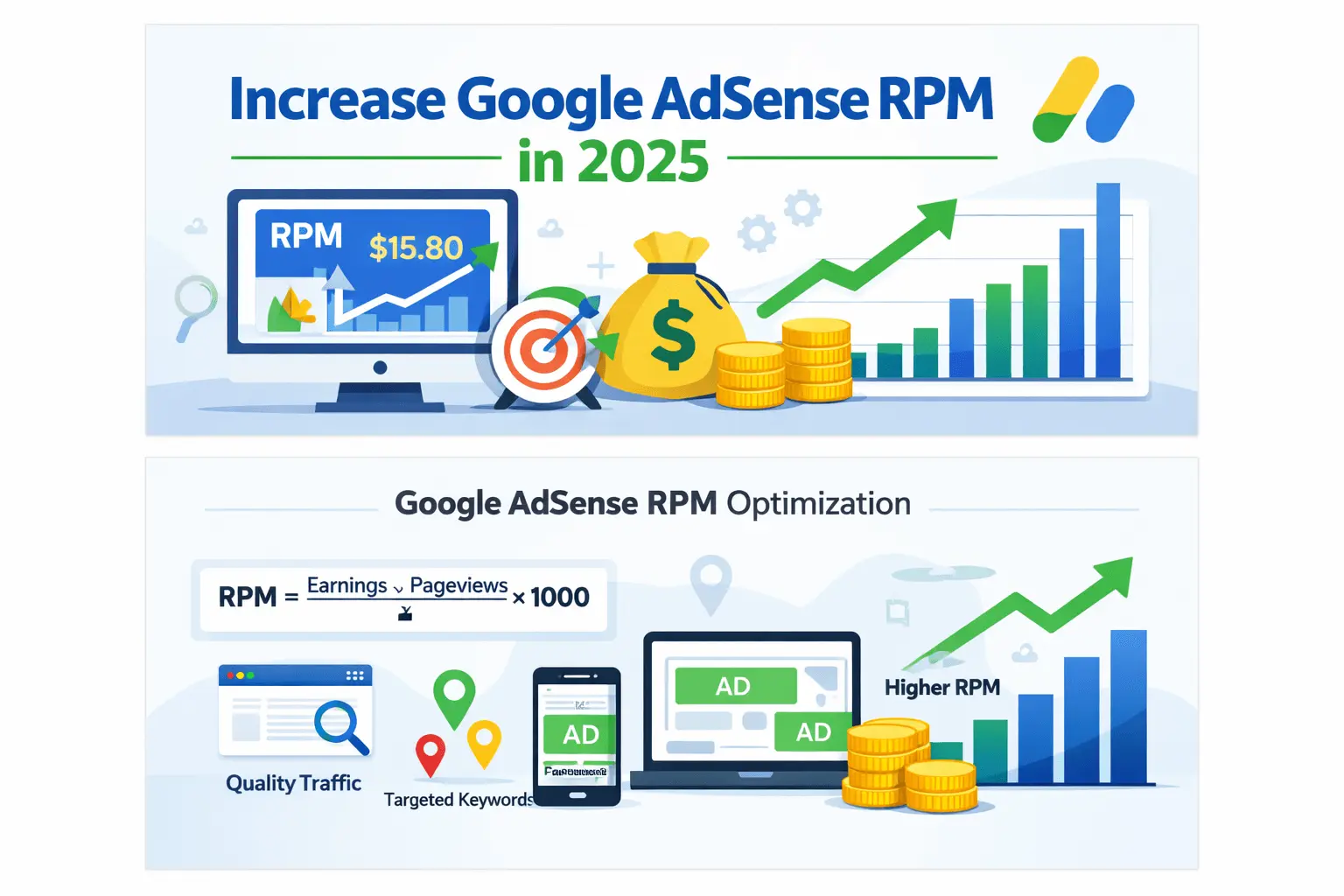
- Revenue per thousand impressions (RPM): estimated earnings divided by the relevant number of views, impressions, or requests, multiplied by 1,000.
- Active View viewability: a measurement related to whether an impression met the applicable viewability standard.

These metrics describe different parts of performance. For example, CPC is not the same as RPM, and a high CTR does not automatically mean a healthy or profitable site. Understanding these differences is essential to how Google AdSense works in reporting. In addition, a sudden unnatural CTR can indicate accidental or invalid interactions.
Step 9: Estimated earnings appear in reports
Next, AdSense reporting gives the publisher visibility into estimated earnings and performance. The numbers are useful for comparison and diagnosis, but “estimated” is important. Google may later adjust earnings because of invalid activity, discrepancies, or other reasons described in its systems and policies.
Therefore, a publisher should use reports to ask useful questions:
- Which pages receive the most traffic?
- Which devices produce different RPM or viewability?
- Are some ad formats harming the reading experience?
- Did a traffic-source change coincide with unusual metrics?
- Is revenue changing because of traffic volume, advertiser demand, geography, seasonality, or implementation?
Reports should guide investigation, not encourage publishers to chase clicks. In other words, how Google AdSense works relies on valid user activity rather than manufactured interactions. Asking readers to click ads, clicking your own ads, or designing a page to cause accidental clicks violates the basic integrity of the advertising system.
Step 10: Google Finalizes Earnings and Pays Publishers
However, estimated earnings are not an immediate cash balance. Google finalizes eligible earnings, applies relevant adjustments, and pays according to the account’s payment cycle once all applicable requirements are met.
Consequently, payment depends on several conditions, including:
- reaching the payment threshold for the account’s reporting currency;
- completing required identity and address verification;
- adding an eligible payment method when required;
- submitting required tax information;
- resolving payment holds;
- remaining compliant with program policies.
For example, for a U.S.-dollar reporting account, Google’s current threshold table lists a $100 payment threshold, but thresholds differ by reporting currency. Publishers should consult the live threshold page inside or alongside their account rather than assuming every country uses the same number.
How Google AdSense Works with Publisher Earnings
There is no single fixed AdSense rate. Instead, how Google AdSense works with earnings reflects many ad opportunities, auctions, formats, visitors, and advertiser outcomes.
CPC example
Suppose a hypothetical page receives ten valid ad clicks during a period. If the average publisher CPC for those clicks is $0.20:
Estimated CPC earnings = 10 × $0.20 = $2.00
Again, this is an illustration, not an expected rate. Actual CPC can vary significantly between clicks.
Page RPM example
Page RPM is an estimate of revenue per 1,000 page views:
Page RPM = (Estimated earnings ÷ Page views) × 1,000
If a site has $12 in estimated earnings from 4,000 page views:
($12 ÷ 4,000) × 1,000 = $3 Page RPM
However, Page RPM does not mean Google paid exactly $3 for each block of 1,000 views. It normalizes performance so that periods or sections with different traffic volumes can be compared.
Why equal traffic can produce unequal revenue
Similarly, two sites can each receive 10,000 page views and earn different amounts because their:
- visitors come from different countries;
- subjects attract different advertiser demand;
- traffic arrives in different seasons;
- visitors use different devices;
- pages produce different numbers of eligible ad requests;
- ads have different viewability;
- content and visitors have different commercial contexts;
- traffic quality and consent conditions differ;
- ad formats and implementations differ.
Therefore, treat claims such as “1,000 views always earns a specific amount” as estimates at best. The variables behind how Google AdSense works prevent one universal rate from applying to every website.
Auto Ads and Manual Ad Units
In practice, publishers can encounter two broad implementation approaches.
Auto ads
First, Auto ads let Google’s systems evaluate a site and place eligible ad formats according to the publisher’s selected controls. The current AdSense product page lists formats such as banner, Multiplex, anchor, side rail, vignette, and intent-driven formats, although availability and suitability can vary.
However, Auto ads can reduce manual setup work, and publishers should still review:
- ad load;
- excluded pages or areas;
- mobile reading experience;
- overlay behavior;
- Core Web Vitals and perceived performance;
- content visibility and navigation.
Therefore, automation does not remove publisher responsibility.
Manual ad units
By comparison, manual units give the publisher direct control over where eligible ad code is placed in templates or content. This can be valuable when the publisher understands the design and wants predictable locations.
Nevertheless, manual placement also creates risks. Poor implementation can produce layout shifts, crowd important content, appear too close to navigation, or encourage accidental clicks. Every placement should serve the reader first.
Ultimately, the best approach is not universally “Auto” or “manual.” It depends on the site, design resources, content type, traffic, and testing discipline.
What Influences Google AdSense Revenue?
Advertiser demand
First, advertisers compete differently by topic, audience, time, and business objective. More eligible competition may improve auction outcomes, but no publisher can force advertisers to bid a particular amount.
Visitor location
In addition, advertising markets differ by country and region. A visitor’s location can affect eligible campaigns and demand. This is why geographic traffic mix often influences earnings.
Content and user intent
Likewise, a page answering a commercial research question may attract different demand from a broad entertainment article. However, publishers should not create shallow “high-CPC” pages merely to attract ads. Google’s documentation emphasizes that content is important to contextual targeting; useful, focused material gives systems a clearer understanding of the page.
Viewability
Moreover, an ad that technically loads but is never seen is less useful to advertisers. Placement, page speed, device size, content length, and reader behavior can influence whether an ad becomes viewable.
Seasonality
Meanwhile, advertiser budgets can change during holidays, sales periods, quarter endings, and wider economic shifts. A revenue drop does not always mean a technical problem.
Traffic quality
Most importantly, genuine visitors with natural behavior support a sustainable publisher business. Bot traffic, incentivized clicks, click exchanges, purchased low-quality traffic, and accidental interactions can lead to adjustments, limits, suspension, or account closure.
User experience
Finally, adding more ads does not guarantee more revenue. Excessive advertising can slow pages, obscure content, reduce trust, and cause visitors to leave. Long-term optimization should balance revenue, viewability, speed, accessibility, and content satisfaction.
What AdSense Does Not Do
Therefore, beginners can avoid disappointment by understanding the limits.
AdSense does not:
- guarantee that an application will be approved;
- guarantee an ad on every page view;
- pay a fixed amount for every 1,000 visitors;
- guarantee that a displayed ad will be clicked;
- guarantee that reported estimated earnings will equal finalized earnings;
- create traffic for a website;
- replace content quality, SEO, marketing, or audience development;
- permit publishers to click their own ads;
- make copied or low-value content acceptable;
- protect an account whose owner ignores privacy or publisher policies.
In short, AdSense monetizes eligible attention; it does not create the underlying value. The publisher still needs content people want to consume and a legitimate method of attracting those people.
Common Beginner Mistakes
Clicking your own ads
First, never click your own ads, even to test whether they work. Do not ask friends, employees, or readers to click. Use permitted preview and diagnostic methods where available.
Treating CTR as a target to manipulate
Similarly, CTR is a measurement, not permission to design deceptive placements. Buttons, menus, download links, and ads must not be arranged to confuse users.
Buying suspicious traffic
Moreover, cheap traffic packages can bring bots or users with no genuine interest. A short-term increase in sessions can create long-term account risk.
Publishing copied or AI-spun pages
In addition, the monetization goal does not reduce the need for original value. Content should demonstrate clear purpose, accurate information, useful organization, and genuine editorial review.
Adding too many ads
However, more ad slots may increase requests, but they can also reduce page quality, speed, engagement, and viewability. Test the whole experience.
Ignoring privacy obligations
Furthermore, publishers must understand the consent and disclosure rules applicable to their visitors and advertising setup. Requirements can vary by region and product configuration.
Assuming approval is the finish line
Ultimately, approval is the beginning of ongoing compliance, reporting, optimization, and content maintenance.
A Practical AdSense Workflow for Beginners
Therefore, use this sequence instead of focusing on earnings first:
- Choose a clear subject and audience.
- Publish original, accurate, useful content.
- Create transparent site and policy pages.
- Improve navigation, mobile usability, and speed.
- Review current AdSense policies.
- Apply with accurate account information.
- Connect the site using the current instructions.
- Wait for the site review without repeatedly changing critical code.
- After approval, start with a controlled ad experience.
- Check policy status, traffic sources, and reports regularly.
- Compare Page RPM, viewability, traffic, and engagement over meaningful periods.
- Make one responsible change at a time and measure the outcome.
Finally, the broader Google AdSense guides hub can serve as the starting point for approval, policy, earnings, and placement topics after you understand how Google AdSense works.
Current Google AdSense Information
Last reviewed: July 30, 2026
This article checks the following points against the listed official Google pages:
- Google describes AdSense as a way for publishers to earn by displaying relevant ads with no upfront joining cost.
- Its public getting-started flow is sign up, set up, select preferences, and monetize.
- Google says its systems select ads automatically while advertisers compete for ad space through an auction.
- Depending on the ad type, valid clicks or impressions may generate publisher revenue.
- Google currently describes a publisher revenue share of approximately 68% for AdSense for Content on its public product page. This is not a promise that a publisher receives 68% of an advertiser’s visible bid in every individual auction; auction and fee mechanics are more complex.
- The current USD payment threshold listed by Google is $100, while thresholds vary by reporting currency.
- Publishers must continue following program policies and must not click their own ads.
Because product interfaces, formats, policies, thresholds, and regional privacy requirements can change, Verify account-specific instructions in AdSense and use the official pages listed below before making a policy or payment decision.
Frequently Asked Questions
How Google AdSense Works for a Website
AdSense code on an approved website creates eligible ad requests when visitors load pages. Google evaluates available ads, targeting signals, policies, and bids, then uses an automated auction to select an eligible ad. Valid impressions or interactions may generate estimated revenue, which is later finalized and paid after the publisher meets verification, threshold, and policy requirements.
Is Google AdSense free to use?
Yes, Google states that there is no upfront cost to join AdSense. A publisher still bears the normal costs of operating a website, such as hosting, domain registration, content production, development, privacy compliance, and marketing. “Free to join” therefore does not mean running a successful publishing business has no expenses.
Does AdSense pay for views or clicks?
It can generate revenue from eligible impressions or clicks depending on the ad and bidding arrangement. Publishers should examine the relevant AdSense metrics rather than assume all earnings are CPC-based. Invalid clicks and impressions are not legitimate earnings, and Google can remove them from estimated totals.
How much does AdSense pay for 1,000 views?
There is no universal payment for 1,000 views. Page RPM varies with advertiser demand, geography, content, devices, formats, viewability, season, consent, and traffic quality. Your own Page RPM report is more useful than a generic number from another site. Even your historical RPM is not a guarantee of future performance.
Does the highest bidder always win the AdSense auction?
The auction seeks the best eligible outcome under Google’s current rules, but “highest bid always wins” is an oversimplification. Ads must first be eligible, and Google’s systems can consider bid type and ad quality. Publishers do not manually select the winner for each impression.
Can I choose which ads appear?
Publishers generally do not choose each individual ad. AdSense automatically selects eligible ads. However, available brand-safety controls may allow a publisher to review or block certain ads, advertiser URLs, or categories. Blocking should be used thoughtfully because reducing eligible demand may affect auction competition.
Can I click an ad on my own site?
No. Google explicitly says publishers must not click their own ads for any reason. You also must not ask other people to click or use layouts that encourage accidental interaction. Use approved diagnostic or preview methods instead of generating a live click.
Do I need a specific number of posts for AdSense approval?
Google does not publish a universal post count that guarantees approval. The site should offer original, meaningful, policy-compliant content and a usable, transparent experience. Ten strong articles are not an automatic approval formula, and one hundred weak pages do not guarantee acceptance.
When does Google pay AdSense earnings?
Google pays eligible finalized earnings according to its payment process after the account reaches the applicable currency threshold and has no blocking holds. Identity, address, tax, and payment-method requirements may also apply. For USD accounts, Google currently lists a $100 payment threshold; other currencies can use different values.
Is AdSense passive income?
It can continue generating revenue from existing pages while they receive eligible traffic, but a sustainable site is rarely maintenance-free. Publishers must update content, protect traffic quality, monitor policies, improve performance, manage privacy obligations, and adapt to audience and advertiser changes.
Conclusion
In conclusion, how Google AdSense works can be understood as an automated bridge between publishers and advertiser demand. The publisher creates eligible content and ad space; Google evaluates targeting and policy conditions, runs an auction, delivers ads, records valid activity, and shares eligible revenue. Reports show estimated performance, while verification, finalization, thresholds, and compliance determine whether those earnings become a payment.
Therefore, for a beginner, the best next action is not to chase clicks or a rumored CPC. Build trustworthy content, understand the complete Google AdSense fundamentals, follow current policies, and measure real performance after approval.
Related AdSense Guides
- Google AdSense Guides — Use the main hub to navigate BlogerHub’s approval, policy, earnings, and placement learning path.
- Google AdSense Guide 2026 — Read the parent Fundamentals pillar for a broader beginner-to-pro overview.
- Internal link opportunity: AdSense CPC vs RPM vs CTR — Add this same-cluster link after
/adsense-cpc-vs-rpm-vs-ctr/is published and verified. - Internal link opportunity: AdSense keyword research for bloggers — Add this Fundamentals link after
/adsense-keyword-research-for-bloggers/is published and verified. - Internal link opportunity: How to apply for Google AdSense — Use
/how-to-apply-for-google-adsense/as the next-step link only after the page is live and verified.
Official Sources
- Google AdSense product overview
- Google AdSense Help — Process overview
- Google AdSense Help — About the ad auction
- Google AdSense Help — How ads are targeted to your site
- Google AdSense Help — Metrics
- Google AdSense Help — Payment thresholds
Earnings disclaimer: This article uses hypothetical examples only to explain AdSense calculations. Google AdSense approval, traffic, CPC, RPM, and earnings are not guaranteed.