
A new blog may qualify for Google AdSense when the applicant is at least 18, owns or controls the website, publishes original and useful content, provides clear navigation, and follows Google Publisher Policies. The site must be live and contain enough content for Google to evaluate. Google does not publish a mandatory post count, traffic minimum, word count, or universal six-month domain-age rule.
This Blogerhub guide separates Google’s published requirements from common recommendations, so you can prepare your website without relying on approval myths or “guaranteed” shortcuts.
Last updated: August 6, 2026 · Reviewed against current Google AdSense and Publisher Policy documentation.
Google AdSense Approval Requirements at a Glance
| Requirement or claim | Status | What it means |
|---|---|---|
| Applicant is at least 18 | Official requirement | A parent or guardian may apply using their own account if the publisher is under 18. |
| Own or control the site | Official requirement | You need access needed to connect the site and place AdSense code. |
| Original, useful content | Official requirement | Content should be created for visitors and provide genuine value. |
| Policy-compliant site | Official requirement | The site must follow Google Publisher Policies and AdSense Program policies. |
| Live, accessible site with usable navigation | Official readiness condition | Google must be able to load, navigate, and evaluate the site. |
| Privacy policy with required disclosures | Official policy obligation | Disclose data collection, cookies, identifiers, and relevant third-party use caused by Google products. |
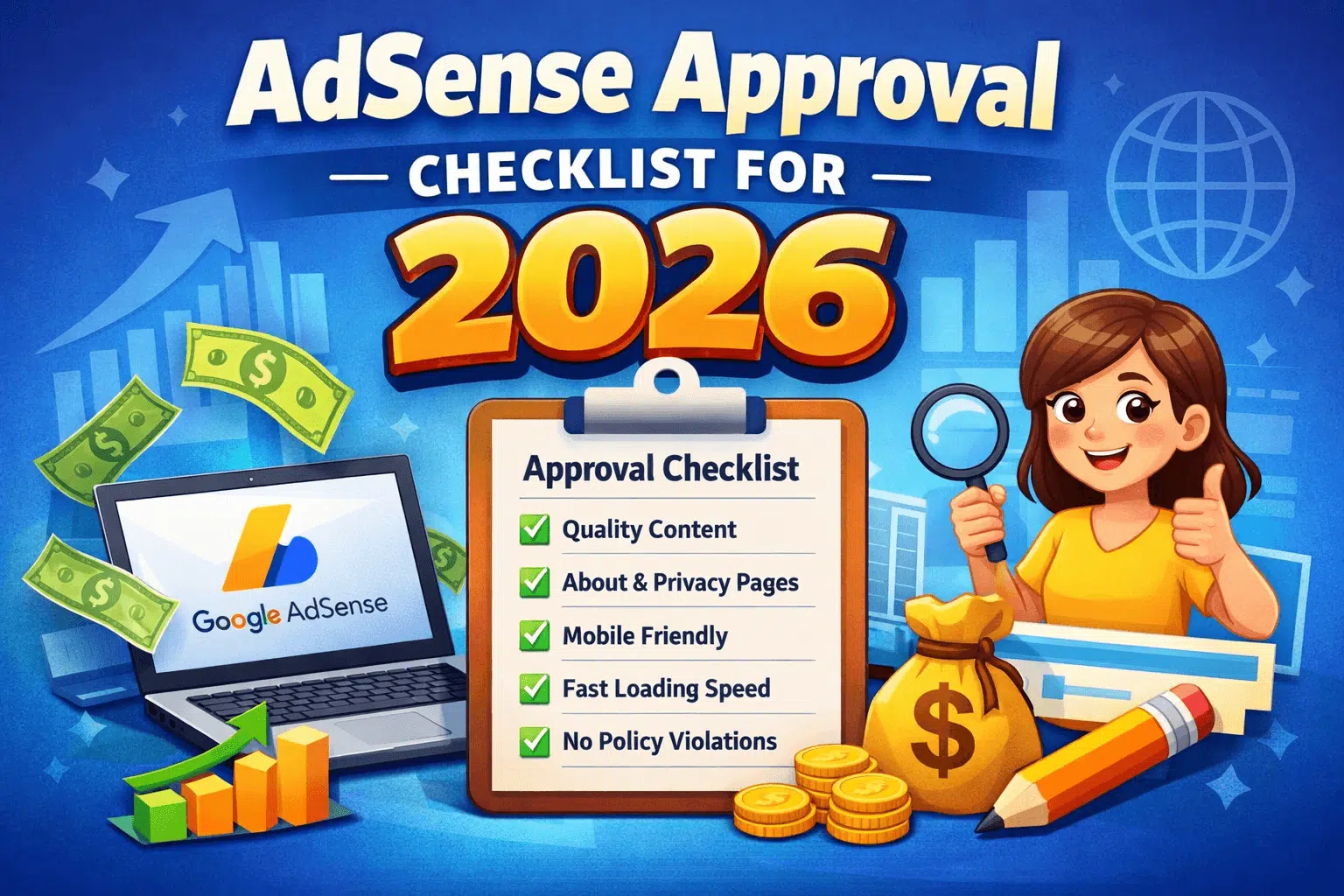
| About and Contact pages | Recommended | They improve transparency and trust but are not published as universal approval thresholds. |
| 15–30 posts or 1,000 words per post | Not an official minimum | Google publishes no fixed number. The site only needs enough valuable content to evaluate. |
| Minimum traffic | Not an official minimum | Approval is not based on a published visitor threshold. |
| Six-month-old domain | Not a universal rule | Google does not publish this as a universal AdSense requirement. |
1. Meet the Basic AdSense Eligibility Rules
You must be at least 18 years old
Google requires an AdSense account holder to be at least 18. If you are younger, a parent or guardian can sign up using their own Google Account. If that account is approved, Google pays the responsible adult. Do not enter a false age or create an account using another person’s identity without their genuine involvement.
You must own or control the website
You must be able to connect the site to AdSense and make the required technical changes. For WordPress, this normally means having administrator access or reliable help from the site owner. A custom domain can improve branding, but Google does not state that every applicant must use a custom top-level domain.
Your content must comply with Google policies
Review the entire site—not only the article you plan to submit. Google Publisher Policies cover areas such as illegal content, intellectual-property abuse, dangerous or deceptive material, misrepresentation, and abusive experiences. Google also publishes restrictions for content that may receive limited advertising demand.
- Do not copy, scrape, spin, or lightly rewrite other websites.
- Do not publish copyrighted images, software, videos, or text without permission.
- Do not use misleading buttons, fake download links, or deceptive navigation.
- Do not buy clicks, ask visitors to click ads, or use bot and traffic-exchange services.
- Do not hide important information about who operates the site or what the content is designed to do.
Read the official Google Publisher Policies, Publisher Restrictions, and AdSense Program policies before applying.
2. Publish Original and Useful Content
Google’s eligibility guidance emphasizes high-quality, original content that attracts an audience. Its site-readiness guidance also asks whether pages are unique, interesting, and useful to visitors. This does not mean every post must reach a fixed length. It means a visitor should get a complete, accurate answer instead of thin filler.
What useful content looks like
- It matches search intent: the title, introduction, headings, and answer address the same question.
- It adds original value: include first-hand observations, screenshots you created, calculations, examples, comparisons, or a clearly explained process.
- It is factually supported: cite official or primary sources for policies, product rules, statistics, and claims that can change.
- It is edited for readers: remove repetition, vague statements, unsupported promises, and paragraphs written only to increase word count.
- It is maintained: update time-sensitive guidance and clearly show the revised date where appropriate.
AI-assisted content is not automatically disqualified. The real risk is publishing unreviewed, inaccurate, repetitive, or mass-produced pages that do not help visitors. A human editor should verify claims, improve examples, remove invented facts, and ensure the page reflects the site’s actual expertise.
Google says a submitted site must be live and contain enough content for its specialists to evaluate. A site that is under construction, does not load, or is difficult to navigate may not be set up successfully. Test the public version while logged out of WordPress.
- Use a clear main menu with descriptive labels.
- Link important posts from relevant categories or topic hubs.
- Remove empty categories, placeholder pages, and “coming soon” sections.
- Fix broken internal links and redirect deleted URLs to the closest relevant replacement.
- Check that content is readable on mobile screens.
- Make sure important pages are not accidentally password-protected or blocked from normal access.
- Use HTTPS with a valid certificate if the site is served over HTTPS.
For Blogerhub’s AdSense learning path, readers can start with the AdSense Guides hub or the broader Google AdSense guide for beginners.
4. Prepare Privacy and Trust Pages
Privacy Policy
Google’s privacy-disclosure policy requires publishers to have and follow a privacy policy that clearly discloses data collection, sharing, and usage resulting from Google products. This includes relevant technologies such as cookies, web beacons, IP addresses, or other identifiers, and that third parties may place or read cookies or use web beacons for ad serving.
Your policy must match the tools actually used on your website. Copying a generic template without checking analytics, advertising, contact forms, email tools, embedded media, and consent settings can leave important gaps. See Google’s official privacy-disclosure requirements.
Consent requirements
If you serve ads to users in the European Economic Area, the United Kingdom, or Switzerland, review Google’s current consent requirements. Google requires affected publishers serving personalized ads in these regions to use a Google-certified consent management platform integrated with the IAB Transparency and Consent Framework. Privacy requirements depend on the visitor’s location and your configuration, so implement the correct solution rather than displaying a cosmetic cookie banner.
About, Contact, Terms, and Disclaimer pages
Google does not publish a universal rule saying every applicant must have all four pages. However, accurate About and Contact pages help visitors understand who runs the site and how to reach the publisher. Terms and a disclaimer may also be appropriate depending on the site, services, affiliate relationships, and topics. Treat these pages as trust and legal-readiness tools—not as a guaranteed approval trick.
5. Post Count, Traffic, Word Count, and Domain-Age Myths
| Common claim | What Google officially says | Practical approach |
|---|---|---|
| “You need 20 or 30 posts.” | No fixed post minimum is published. | Publish enough substantial content for a reviewer to understand the site and evaluate its value. |
| “Every article needs 1,000+ words.” | No fixed word-count minimum is published. | Use the length needed to answer the query completely, without filler. |
| “You need daily or monthly traffic.” | No approval traffic threshold is published. | Build legitimate traffic for audience growth, but never buy bots, clicks, or traffic-exchange visits. |
| “The domain must be six months old.” | Google does not state this as a universal requirement. | Apply when the site is complete, useful, accessible, and policy-compliant. |
| “A custom domain guarantees approval.” | No approval guarantee exists. | Use a professional, controllable setup that lets you connect the site correctly. |
Traffic may affect earnings after approval, but it should not be confused with eligibility. If your next question is about revenue rather than approval, read how much traffic may be needed to earn $10 per day. The estimates depend on Page RPM, audience location, niche, and season; they are not approval rules.
- Public access: open important URLs in an incognito window and confirm they load.
- Correct URL: submit the exact canonical domain and protocol used by the site.
- Navigation: confirm header, footer, category, and dropdown links work on desktop and mobile.
- Indexing controls: ensure WordPress is not set to discourage search engines and important pages are not accidentally marked noindex.
- HTTPS: verify the certificate is valid and HTTP redirects consistently to HTTPS.
- Broken pages: fix 404 errors, empty archives, placeholder content, and broken images.
- Ad experience: avoid layouts that could confuse ads with navigation or encourage accidental clicks.
- Policy review: check old posts, user-generated areas, downloads, outbound links, and embedded content.
- Privacy setup: publish accurate disclosures and configure consent where required.
- AdSense connection: add the site and connect it using the method shown in your AdSense account.
Search Console indexing can help you discover crawl and indexing issues, but Google does not list Search Console submission as a universal AdSense approval requirement. Use it as a technical-quality tool, not as a promise of approval.
7. Can a Blog from Bangladesh Apply for AdSense?
Yes. Bangladesh appears in Google’s list of locations where publishers can sign up for AdSense. A publisher in Bangladesh still has to satisfy the same eligibility, ownership, content, policy, privacy, and site-readiness requirements. Use accurate payment details and an address you can verify when Google requests account or payment verification.
Google publisher products also support multiple site languages. Before applying with a Bangla or multilingual blog, check the current supported-language list and select the appropriate primary language during signup. Approval depends on the quality and compliance of the site, not on writing in English alone. You can also confirm current country access on Google’s AdSense availability page.
8. How to Apply for Google AdSense
- Audit your content, navigation, privacy disclosures, and policy compliance.
- Visit the official AdSense signup page and sign in with your Google Account.
- Enter the URL of the site where you want to show ads.
- Choose whether you want customized help and performance suggestions.
- Select the account’s payment country or territory carefully; this choice affects payment settings.
- Complete the account tasks shown by AdSense, including payment information when requested and connecting the site.
- Wait for Google to review the payment information and the site.
- Check the Sites page and your email for the activation result or issues requiring attention.
Google states that it reviews the entire submitted site for compliance. Do not assume that one strong article can compensate for copied, empty, deceptive, or inaccessible sections elsewhere.
9. Common Reasons a Site May Not Be Ready
- Not enough unique, valuable content for Google to evaluate.
- Weak user experience or confusing navigation.
- The site is under construction, unavailable, or submitted with the wrong URL.
- Crawler or access problems prevent Google from reviewing pages.
- Policy violations exist in posts, downloads, embedded media, links, or other site sections.
- Privacy disclosures or consent implementation do not match the site’s use of Google products.
- Content is copied, automatically expanded, inaccurate, or provides little value beyond other sources.
- Technical problems such as invalid HTTPS setup or important broken pages remain unresolved.
For a diagnosis workflow, see Blogerhub’s detailed guide to AdSense rejection reasons and fixes. Use the message in your own AdSense account as the starting point because different sites may need different corrections.
10. What to Do After an AdSense Rejection
- Read the status message: record the reason or category shown in AdSense.
- Audit the whole site: review published posts, pages, menus, category archives, old content, and technical access.
- Fix the cause: improve or remove thin and copied pages, repair navigation, correct misleading claims, and address policy or privacy issues.
- Verify the public result: test changes while logged out and on a mobile device.
- Request another review when ready: do not reapply on an invented schedule. Reapply after the identified problems are materially fixed.
Approval is not guaranteed, and there is no reliable “secret method.” A rejection is useful only when it leads to a focused site improvement rather than superficial changes such as adding filler posts or changing the theme repeatedly.
Final AdSense Approval Readiness Checklist
- ☐ The account holder is at least 18, or a responsible parent/guardian is applying.
- ☐ You own or control the site and can connect it to AdSense.
- ☐ The site is live and accessible without a password.
- ☐ The site contains enough original, useful content for a meaningful review.
- ☐ Titles and pages match user intent and do not use misleading promises.
- ☐ Main navigation works on desktop and mobile.
- ☐ Empty categories, placeholder pages, broken links, and major 404 errors are fixed.
- ☐ The entire site has been checked against Google Publisher Policies and restrictions.
- ☐ No bought traffic, bots, traffic exchanges, or click manipulation are used.
- ☐ A privacy policy accurately discloses the data and technologies used.
- ☐ Consent requirements are implemented for relevant visitors and ad settings.
- ☐ About and Contact information accurately identify the publisher and communication route.
- ☐ HTTPS and access settings work correctly.
- ☐ The exact site URL is added and connected in AdSense.
Official Google Sources
- Eligibility requirements for AdSense
- Age requirement for an AdSense account
- Make sure your site’s pages are ready for AdSense
- Complete your AdSense account setup
- Sign up for AdSense
- What to do when your site is not ready to show ads
- Google Publisher Policies
- Privacy disclosures
Frequently Asked Questions
How many posts are required for AdSense approval?
Google does not publish a fixed minimum number of posts. Your site must contain enough original, valuable content for Google to evaluate it. Ten thorough articles can be more useful than thirty thin ones, but neither number guarantees approval.
How much traffic do I need before applying?
Google does not publish a minimum traffic threshold for standard website approval. Focus on useful content and legitimate audience growth. Never purchase bot traffic, clicks, or traffic-exchange visits.
Does a blog need to be six months old?
Google does not state a universal six-month domain-age requirement for every AdSense website. Apply when your site is live, substantial enough to evaluate, easy to navigate, and compliant with current policies.
Are About and Contact pages mandatory?
Google does not publish them as universal approval thresholds. They are still strongly recommended because they improve transparency and help readers understand who operates the site and how to make contact.
Is a Privacy Policy required for AdSense?
Google’s publisher privacy-disclosure policy requires publishers to have and follow a privacy policy that clearly explains relevant data collection, sharing, usage, cookies, and identifiers resulting from Google products and services.
Can AI-written content get AdSense approval?
Google’s published AdSense eligibility rules focus on originality, value, user experience, and policy compliance rather than naming a writing tool. Unreviewed, repetitive, inaccurate, or mass-produced content can fail those quality standards, so human verification and original value are essential.
Can a Bangla blog apply for AdSense?
A publisher in Bangladesh can sign up where AdSense is available, and Google supports multiple publisher-content languages. Check Google’s current supported-language list for your site’s primary language and meet the same content, policy, privacy, ownership, and readiness requirements.
Does approval guarantee high earnings?
No. Approval only allows an eligible site to use AdSense. Earnings vary with traffic quality, visitor location, advertiser demand, content intent, viewability, and other factors. After approval, learn how to improve results safely in the AdSense RPM and CPC optimization guide.
Conclusion
The real Google AdSense approval requirements are simpler than many online checklists suggest: meet the age and ownership conditions, publish original and useful content, keep the site accessible and easy to navigate, follow publisher policies, and provide accurate privacy disclosures. Fixed post counts, traffic numbers, word counts, and a universal six-month waiting period are not published requirements. Prepare the whole site carefully, apply through the official process, and use any review feedback to make focused improvements.
About the author: Razib Chandra Ghosh (zxrajib) writes beginner-friendly guides for Blogerhub about Google AdSense, blogging, remote work, and legitimate online-income methods. Each policy-focused guide is reviewed against current primary or official sources before publication.