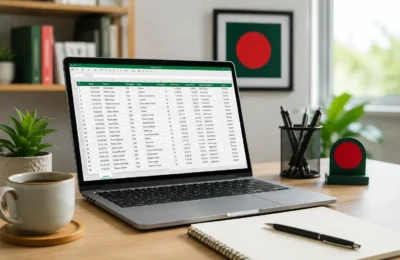

Online typing jobs in Bangladesh can be a practical starting point for students, beginners, and job seekers who want to build basic digital skills and explore work-from-home opportunities. Real typing-related work may include document typing, PDF-to-Word formatting, spreadsheet entry, transcription, caption preparation, content formatting, and basic administrative support.
However, the phrase “typing job” is also commonly used in suspicious online offers. Some posts promise guaranteed daily income but provide no clear task details and later ask for registration fees, activation charges, deposits, or other payments.
This guide focuses specifically on online typing jobs in Bangladesh. If you want a broader guide to earning online, see Earn Money Online in Bangladesh.
Quick Answer
Quick Answer: Real online typing jobs in Bangladesh usually involve document typing, PDF-to-Word work, spreadsheet entry, transcription, caption or subtitle preparation, content formatting, or basic admin tasks. Beginners should learn typing accuracy, Microsoft Word or Google Docs, basic spreadsheets, file organization, and client communication.
Be cautious of offers that require registration fees, activation payments, deposits, OTPs, PINs, passwords, or payment-unlock charges before genuine work is provided. A real project should clearly explain the task, workload, deadline, payment terms, and output format.
Who This Guide Is For
- Students looking for beginner-friendly online work
- Job seekers learning basic computer skills
- People who want to improve English or Bangla typing
- Beginners interested in document formatting
- People learning Microsoft Word or Google Docs
- Freelancing beginners preparing simple portfolio samples
- People trying to identify real and suspicious typing-job offers
Written by: Razib Chandra Ghosh, Founder of BlogerHub and Software Engineering Team Lead.
Last reviewed: September 2026
Reviewed for: beginner typing skills, document workflows, online work safety, payment practices, internal linking, and scam awareness.
What Are Online Typing Jobs in Bangladesh?
Online typing jobs are tasks where you type, format, convert, clean, or organize text-based information using a computer and common office tools.
Typing work may come from:
- Businesses
- Freelance clients
- Content creators
- Training centers
- Local offices
- Ecommerce businesses
- Students or teachers needing document support
Common typing-related tasks include document typing, PDF conversion, spreadsheet entry, transcription, content formatting, subtitle preparation, form entry, and basic admin support.
Are Online Typing Jobs in Bangladesh Real?
Yes, real typing-related work exists. But not every advertisement using the words “typing job” is legitimate.
A legitimate client usually explains:
- What needs to be typed or formatted
- Number of pages, records, or minutes of audio
- Required file format
- Deadline
- Payment amount or pricing method
- Revision expectations
- How work will be delivered
Suspicious offers may focus only on guaranteed income, easy daily tasks, account activation, or upfront payment instead of explaining the actual work.
7 Types of Real Online Typing Work
| Typing Work | Typical Task | Main Skill | Difficulty |
|---|---|---|---|
| Copy typing | Type text from images or scans | Accuracy | Easy |
| PDF to Word | Convert and format documents | Typing + formatting | Easy |
| Spreadsheet typing | Enter structured data | Spreadsheet basics | Easy |
| Transcription | Type speech from audio/video | Listening + typing | Medium |
| Caption/subtitle typing | Prepare text for video | Listening + timing | Medium |
| Content formatting | Prepare text for websites or documents | Formatting | Easy–Medium |
| Admin typing | Update records and documents | Organization | Easy–Medium |
1. Copy Typing Jobs
Copy typing means retyping information from one source into another document. A client may provide a scanned page, image, handwritten notes, or an old document and ask you to create an editable version.
Typical copy-typing tasks include:
- Typing scanned documents
- Typing handwritten notes
- Typing text from images
- Preparing educational notes
- Recreating simple business documents
Accuracy matters more than speed. A clean, correctly formatted document is more useful than a fast document with spelling, spacing, or structural errors.
2. PDF to Word Typing and Formatting
PDF-to-Word work involves converting or retyping PDF content into an editable document. Some PDFs can be converted automatically, while scanned or image-based files may require manual typing and cleanup.
You may need to:
- Retype text
- Recreate headings
- Rebuild simple tables
- Correct spacing
- Format pages
- Clean copied text
Microsoft Word and Google Docs are useful tools for this type of work.
3. Spreadsheet Typing and Data Entry
Many so-called typing jobs are actually spreadsheet data entry tasks. Instead of typing paragraphs, you enter structured information into Excel, Google Sheets, forms, or online systems.
Examples include:
- Names and phone numbers
- Customer records
- Product information
- Survey responses
- Invoice details
- Inventory records
For the broader topic, read Data Entry Jobs in Bangladesh.
If you want to move from basic typing into spreadsheet-based freelance work, continue with Freelance Data Entry Jobs for Beginners.
For spreadsheet-specific practice, see Google Sheets Data Entry Jobs for Beginners and Excel Data Entry Jobs in Bangladesh.
4. Transcription Jobs
Transcription means listening to audio or video and typing what is spoken. This requires stronger listening ability than basic copy typing.
Possible transcription tasks include:
- Interviews
- Lectures
- Meetings
- Podcasts
- Video recordings
Audio quality, background noise, accents, multiple speakers, and technical terminology can make transcription more difficult.
5. Caption and Subtitle Typing
Video creators and businesses may need captions or subtitle text for videos, courses, social media content, and recorded presentations.
Typical tasks may include:
- Typing spoken words
- Correcting text
- Adding basic timestamps
- Preparing subtitle text
- Formatting captions for short videos
6. Content Formatting Jobs
Content formatting involves organizing text so that it is ready for a website, blog, document, or digital platform.
Tasks can include:
- Adding headings
- Adding lists
- Fixing spacing
- Formatting blog posts
- Uploading content to WordPress
- Formatting product descriptions
- Cleaning copied text
This type of work can become a path toward content management, WordPress support, ecommerce support, or virtual assistant work.
7. Basic Administrative Typing
Some remote typing tasks are part of broader administrative work. A client may need help updating lists, formatting records, preparing documents, entering meeting notes, organizing basic files, or maintaining internal spreadsheets.
This can be useful for beginners who want to move toward virtual assistant or remote admin roles.
Skills Beginners Need for Online Typing Jobs
| Skill | Why It Matters | Practice Idea |
|---|---|---|
| Typing accuracy | Reduces mistakes | Practice short documents daily |
| English typing | Useful for many online tasks | Copy articles or practice text |
| Bangla typing | Useful for local work | Practice Bangla documents |
| Microsoft Word | Common document tool | Create formatted pages |
| Google Docs | Useful for online collaboration | Create and share sample files |
| Google Sheets | Useful for structured data | Create sample records |
| File organization | Prevents delivery confusion | Use clear file names |
| Attention to detail | Improves quality | Review every file |
| Communication | Prevents misunderstandings | Ask clear project questions |
Typing speed can help, but accuracy is more important. A client may prefer a careful beginner over a fast worker who makes frequent errors.
Useful Tools for Online Typing Work
| Tool | Typical Use |
|---|---|
| Microsoft Word | Document typing and formatting |
| Google Docs | Cloud document typing and sharing |
| Microsoft Excel | Spreadsheet entry |
| Google Sheets | Cloud spreadsheet work |
| Google Drive | Portfolio and file sharing |
| Spell-check tools | Basic proofreading support |
| PDF tools | Viewing and converting documents |
| Typing-practice tools | Speed and accuracy practice |
Beginners do not need expensive software simply to build practice samples. Start with tools you already have access to and learn them properly.
How to Start Online Typing Jobs in Bangladesh
Step 1: Improve Typing Accuracy
Practice typing regularly. Start with short paragraphs, numbers, tables, and documents. Focus on reducing errors before trying to increase speed.
Step 2: Learn Word and Google Docs
Learn how to use headings, lists, paragraph spacing, tables, page breaks, document sharing, and common formatting tools.
Step 3: Learn Basic Spreadsheet Entry
Learn rows, columns, sorting, filtering, cell formatting, duplicate removal, and file sharing. These skills can help you move from simple typing into broader data entry work.
Step 4: Create Practice Samples
Create several simple sample projects before applying for work.
- Copy typing sample
- PDF-to-Word sample
- Document formatting sample
- Spreadsheet entry sample
- Caption or subtitle sample
- Before-and-after formatting example
To organize these samples properly, see Data Entry Portfolio Examples for Beginners.
Step 5: Build a Simple Portfolio
You can organize practice files in Google Drive, a simple document, Notion, or a personal website. Keep filenames clear and make sure sharing permissions are appropriate.
Use fictional practice data where possible. Do not publish private client information without permission.
Step 6: Look for Appropriate Work
Possible sources include freelance marketplaces, professional networks, local businesses, coaching centers, ecommerce sellers, content creators, and personal referrals.
No source guarantees legitimate work, so evaluate each opportunity before accepting it.
Step 7: Confirm the Project Before Starting
Before starting, confirm the task, workload, deadline, output format, payment terms, revisions, and delivery method.
Where to Look for Online Typing Work
| Source | Possible Work | What to Check |
|---|---|---|
| Fiverr | Typing and formatting services | Current platform rules |
| Upwork | Client typing or admin projects | Client history and job scope |
| Remote admin opportunities | Company legitimacy | |
| Local businesses | Documents and spreadsheets | Clear payment terms |
| Coaching centers | Notes and document preparation | Task scope |
| Content creators | Captions and transcripts | Length and deadline |
| Online sellers | Product text and records | Required fields |
| Personal network | Small beginner projects | Clear expectations |
Platform policies and features can change. Review current official help documentation before relying on specific marketplace rules.
Online Typing Job Application Message
English Example
Hello, I am interested in your typing and document-formatting project. I can help with Microsoft Word, Google Docs, PDF-to-Word work, basic spreadsheet entry, and document cleanup. I have beginner practice samples available. Please share the source file, number of pages or records, required format, deadline, and payment terms so I can review the task. Thank you.
Bangla Example
আসসালামু আলাইকুম। আমি আপনার typing এবং document formatting project-এ interested। আমি Microsoft Word, Google Docs, PDF-to-Word, basic spreadsheet entry এবং document cleanup-এর কাজ করতে পারি। আমার কিছু beginner practice sample আছে। Source file, page বা record সংখ্যা, required format, deadline এবং payment terms জানালে আমি কাজটি review করতে পারব। ধন্যবাদ।
For more application templates, read Data Entry Job Application Message.
Questions to Ask Before Accepting Typing Work
| Question | Why It Matters |
|---|---|
| What exactly needs to be typed? | Clarifies scope |
| How many pages, records, or minutes are involved? | Helps estimate workload |
| What is the source format? | Shows difficulty |
| What output format is required? | Prevents delivery problems |
| What is the deadline? | Helps manage time |
| Are revisions expected? | Sets expectations |
| How will payment be handled? | Reduces payment confusion |
| Is any upfront fee being requested? | Helps identify risk |
What Affects Online Typing Job Income?
There is no guaranteed income from online typing work. Earnings depend on the type of task, client budget, accuracy, experience, language requirements, workload, platform fees, and additional skills.
| Factor | How It Can Affect Work |
|---|---|
| Typing accuracy | Can improve delivery quality |
| Task complexity | Transcription or formatting may require more skill |
| Language | Bangla and English tasks may have different requirements |
| Formatting skill | Can expand the work you can handle |
| Experience | May help with larger projects |
| Client budget | Directly affects project payment |
| Platform fees | Can reduce net earnings |
| Repeat clients | Can improve workload consistency |
A better long-term strategy is to combine typing with spreadsheet work, transcription, ecommerce, content formatting, research, or virtual assistant skills instead of depending only on basic copy typing.
Online Typing Jobs vs Data Entry Jobs
| Area | Online Typing Jobs | Data Entry Jobs |
|---|---|---|
| Main work | Typing and formatting text | Entering and organizing structured data |
| Common tools | Word, Docs, PDF tools | Excel, Sheets, forms |
| Main skill | Typing and formatting | Accuracy and spreadsheet organization |
| Typical output | Documents or text files | Tables, spreadsheets or system records |
| Growth path | Transcription, formatting, content support | Research, ecommerce, VA and operations support |
Typing and data entry overlap, but they are not identical. If your goal is broader spreadsheet-based work, start with Data Entry Jobs in Bangladesh.
Online Typing Jobs: Better Signs vs Warning Signs
| Better Sign | Warning Sign |
|---|---|
| Clear typing task | Only promises easy daily income |
| Defined page or record count | No clear workload |
| Specific deadline | Pressure to act immediately |
| Clear payment terms | Payment conditions keep changing |
| No fee to unlock work | Registration or activation fee |
| Checkable client or business | Anonymous contact only |
| Reasonable test task | Large unpaid project |
| No request for secret credentials | OTP, PIN or password request |
Common Typing Job Scam Warning Signs
- Registration fee before work
- Activation charge
- Deposit to unlock tasks
- Security payment
- Unknown software purchase requirement
- Withdrawal fee for supposed earnings
- OTP, PIN, password, or secret-code requests
- Guaranteed high income without clear work details
- Fake earning dashboards or screenshots
If you are unsure about an offer, see How to Check Whether an Online Job Is Real or Fake in Bangladesh.
You can also review Online Income Scams in Bangladesh for broader scam-awareness guidance.
Payment Safety for Typing Jobs
Before starting a typing project, confirm the payment amount, currency, method, deadline, revision rules, and delivery terms in writing.
- Do not share mobile-banking PINs or OTPs
- Do not send money to unlock supposed earnings
- Keep appropriate project and payment records
- Follow current platform payment rules when using a marketplace
- Stop if payment conditions repeatedly change
For Bangladesh-specific payment guidance, see Freelance Payment Methods in Bangladesh.
30-Day Typing Job Roadmap for Beginners
| Period | Task | Goal |
|---|---|---|
| Days 1–3 | Practice typing accuracy | Reduce mistakes |
| Days 4–7 | Learn Word and Google Docs | Build formatting skill |
| Days 8–10 | Practice PDF-to-Word work | Create first sample |
| Days 11–13 | Learn basic spreadsheet entry | Expand skill set |
| Days 14–16 | Create document samples | Build portfolio |
| Days 17–19 | Create spreadsheet and cleanup samples | Add variety |
| Days 20–22 | Organize files and sharing | Prepare portfolio |
| Days 23–25 | Create professional profiles | Build presence |
| Days 26–28 | Prepare application messages | Get application-ready |
| Days 29–30 | Apply for suitable small projects | Start client search |
The first month should focus mainly on skill development, sample creation, and learning how to evaluate real project offers.
Illustrative Beginner Example
Important: The following is a hypothetical learning example. It is not a documented BlogerHub client case study, verified income result, or earnings guarantee.
Imagine a student named Nayeem who wants to start online typing work. At first, he finds several social-media advertisements promising guaranteed daily earnings. Some require activation payments, so he decides not to join them.
Instead, he spends several weeks learning Word, Google Docs, and basic spreadsheets. He creates a PDF-to-Word sample, a formatted document, a spreadsheet sample, and a short caption-transcription example.
| Week | Action | Outcome |
|---|---|---|
| Week 1 | Practiced typing and formatting | Built basic skill |
| Week 2 | Created document samples | Built portfolio evidence |
| Week 3 | Added spreadsheet and caption samples | Improved variety |
| Week 4 | Prepared applications | Ready to approach suitable clients |
The lesson is not that this process guarantees income. The advantage is that genuine skills and visible samples provide more useful proof than paying someone to unlock a supposed typing job.
Common Mistakes Beginners Should Avoid
| Mistake | Why It Hurts | Better Approach |
|---|---|---|
| Paying to access work | Creates scam risk | Avoid pay-to-work offers |
| Focusing only on speed | Can increase mistakes | Improve accuracy first |
| No portfolio samples | Clients cannot review ability | Create 3–5 simple samples |
| Poor formatting | Reduces document quality | Practice clean structure |
| Copy-paste applications | Looks generic | Customize your message |
| No payment agreement | Creates confusion | Confirm terms first |
| Sharing sensitive information early | Creates privacy risk | Verify the client first |
| Taking overly large projects | Can cause missed deadlines | Start with manageable work |
How to Grow Beyond Basic Typing Jobs
Basic typing can be a starting skill, but long-term opportunities usually improve when you combine it with other abilities.
- Typing → document formatting
- Document formatting → content support
- Spreadsheet typing → data entry
- Data entry → research or ecommerce support
- Transcription → caption and subtitle work
- Content formatting → WordPress support
- Admin typing → virtual assistant work
For a broader beginner freelancing path, see Freelancing in Bangladesh for Beginners.
Related BlogerHub Guides
- Data Entry Jobs in Bangladesh
- Freelance Data Entry Jobs for Beginners
- Google Sheets Data Entry Jobs for Beginners
- Excel Data Entry Jobs in Bangladesh
- Data Entry Portfolio Examples for Beginners
- Data Entry Job Application Message
- How to Check an Online Job Is Real or Fake
Sources and Verification
Typing tools, freelance platforms, payment rules, and software features can change over time. Check official documentation when you need current instructions.
- Microsoft Word Help & Learning
- Google Docs Editors Help
- Fiverr Help Center
- Upwork Help Center
- FTC Consumer Advice: Job Scams
FAQ About Online Typing Jobs in Bangladesh
Are online typing jobs in Bangladesh real?
Yes. Real typing-related work exists, including document typing, PDF formatting, spreadsheet entry, transcription, captions, and administrative support. However, suspicious offers also exist, so each opportunity should be checked carefully.
Can beginners do online typing work?
Yes. Beginners can start with simple copy typing, PDF-to-Word work, document formatting, and basic spreadsheet entry after learning the necessary tools and creating practice samples.
Can I do typing jobs from home?
Some typing tasks can be completed remotely if you have a suitable computer, internet access, the required software, and clear instructions from the client.
Do online typing jobs require a registration fee?
Be very cautious if an offer requires a registration, activation, security, deposit, or payment-unlock fee before genuine work is provided.
What typing work is easiest for beginners?
Copy typing, basic document formatting, simple PDF-to-Word work, and basic spreadsheet entry are generally easier starting points than complex transcription or subtitle projects.
Is online typing the same as data entry?
No. Typing jobs usually focus more on text and document preparation, while data entry often involves organizing structured information in spreadsheets, forms, or business systems.
What skills do I need for typing jobs?
Useful skills include typing accuracy, Microsoft Word, Google Docs, basic spreadsheets, file organization, attention to detail, and clear communication.
How can I avoid fake typing jobs?
Check whether the client explains the task, workload, deadline, output format, and payment terms. Avoid offers that focus on guaranteed income while asking for upfront money, deposits, OTPs, PINs, passwords, or other sensitive information.
Conclusion
Online typing jobs in Bangladesh can be a useful beginner entry point into document work, data entry, transcription, content formatting, and remote administrative support.
The safest approach is to improve typing accuracy, learn Word or Google Docs, understand basic spreadsheet work, create several clean practice samples, and evaluate each project before accepting it.
Avoid suspicious offers that require upfront payments, deposits, account activation, secret credentials, or unrealistic guaranteed-income promises.
Next, explore Data Entry Jobs in Bangladesh, Freelance Data Entry Jobs for Beginners, or Data Entry Portfolio Examples for Beginners to build a broader skill path.