Google AdSense is one of the most reliable ways to monetize a blog in 2026, especially with high-quality traffic from the United States and other Tier-1 countries. This complete beginner-to-pro guide explains how AdSense works, how to get approved, and how to increase CPC and RPM step by step using proven, USA-focused strategies.
Last Updated: February 2026
Contents
- 1 Who This Guide Is For
- 2 Why AdSense Feels Confusing (And What We’ll Fix)
- 3 What You’ll Learn in This Guide
- 4 Let’s Start
- 5 1) Google AdSense Guide 2026: What It Is and How It Works
- 6 2) AdSense Requirements and Approval Checklist (2026)
- 7 3) Setting Up AdSense Correctly After Approval
- 8 3.1) Common AdSense Approval Mistakes Beginners Must Avoid (2026)
- 9 4) Ad Placement Basics + Best Ad Sizes (2026)
- 10 5) RPM vs CPC: What’s the Difference and How to Increase Both?
- 11 5.1) Country-Wise Traffic Value: Why Location Matters in AdSense
- 12 6) Why Google AdSense Pays More for USA Traffic in 2026
- 13 7) Keyword Strategy + High CPC Niches (2026)
- 14 7.1) Content Types That Perform Best for AdSense
- 15 8) How to Earn From AdSense With Low Traffic (2026 Strategy)
- 16 8.1) Combining AdSense with Other Monetization Methods (Safely)
- 17 9) Common Mistakes That Kill AdSense Earnings (and How to Avoid Them)
- 18 10) Best Tools to Grow AdSense Earnings in 2026
- 19 11) Quick Growth Plan: From Beginner to Consistent Earnings
- 20 11.1) How Long Does It Take to See Real AdSense Income?
- 21 12) Frequently Asked Questions (FAQs)
- 22 Next Steps to Grow Your AdSense Income
Who This Guide Is For
This Google AdSense guide 2026 is designed for beginners who want to understand how AdSense works, how to get approved, and how to increase CPC and RPM step by step. If you are starting a blog or already using AdSense but earnings are low, this complete guide will help you build a profitable strategy. This strategy works best when your content attracts high-value traffic from countries like the United States and the United Kingdom.
Why AdSense Feels Confusing (And What We’ll Fix)
Google AdSense is still one of the most reliable ways to monetize a blog in 2026. But for beginners, it can feel confusing—approval rules, policy compliance, ad placement, CPC, RPM, traffic quality, and keywords. This guide organizes everything into a clear roadmap, so you know exactly what to do next.
What You’ll Learn in This Guide
If you are new, start with this complete Google AdSense guide 2026 to understand how AdSense works step by step.
By the end, you’ll know:
- How AdSense works and how you get paid
- What you need for AdSense approval in 2026
- How to place ads correctly for better CTR and UX
- The difference between CPC vs RPM and how to increase both
- How to choose high CPC keywords and profitable niches
- How to earn even with low traffic
- The best tools to track and improve AdSense performance
Let’s Start
Now let’s begin with the basics: what Google AdSense is and how it works in 2026.
1) Google AdSense Guide 2026: What It Is and How It Works
Google AdSense is an advertising network. You place AdSense code on your website, and Google shows ads based on:
- your content topic
- visitor interest/behavior
- location and device
- advertiser competition in that niche
You earn money mainly through:
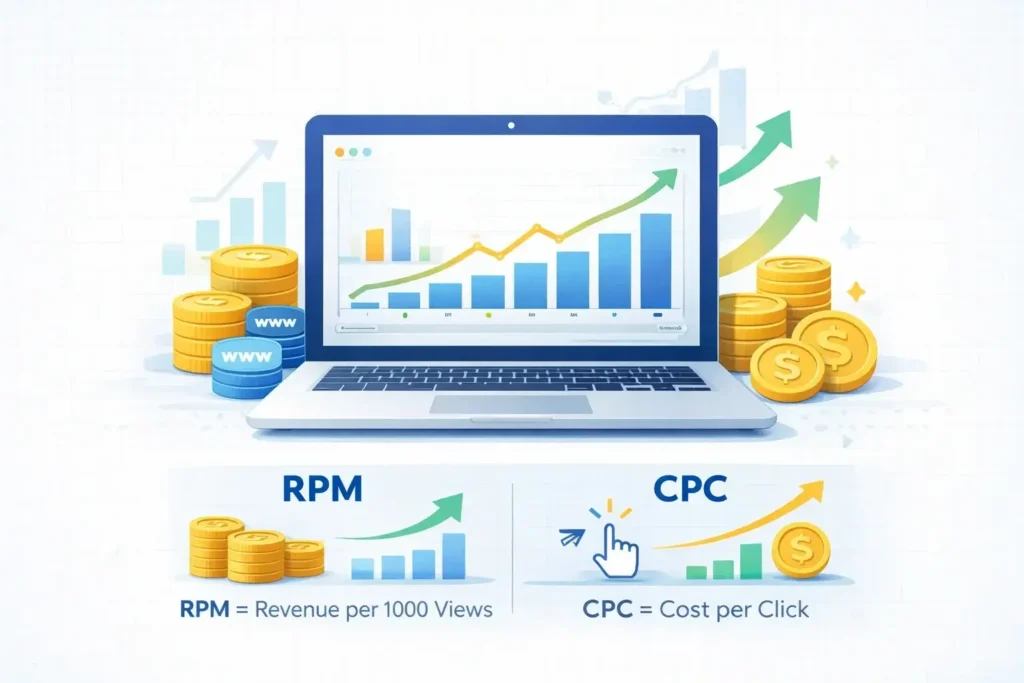
- CPC (Cost Per Click): when visitors click an ad
- CPM/Impressions (Revenue per 1000 impressions): for ad views (varies)
How AdSense matches ads
AdSense uses a contextual system + auction. Advertisers bid to show ads to your visitors. If your niche has strong advertiser demand (like finance, insurance, hosting, software), you’ll often see higher CPC and RPM.
How you get paid
AdSense earnings accumulate in your account. When you reach the payment threshold (commonly $100), Google pays you via your selected payment method (varies by country).
Terms you must understand in 2026
If you want to grow income, you must understand these:
- CPC: how much you earn per click
- CTR: percentage of visitors who click ads
- RPM: revenue per 1000 pageviews (very important for bloggers)
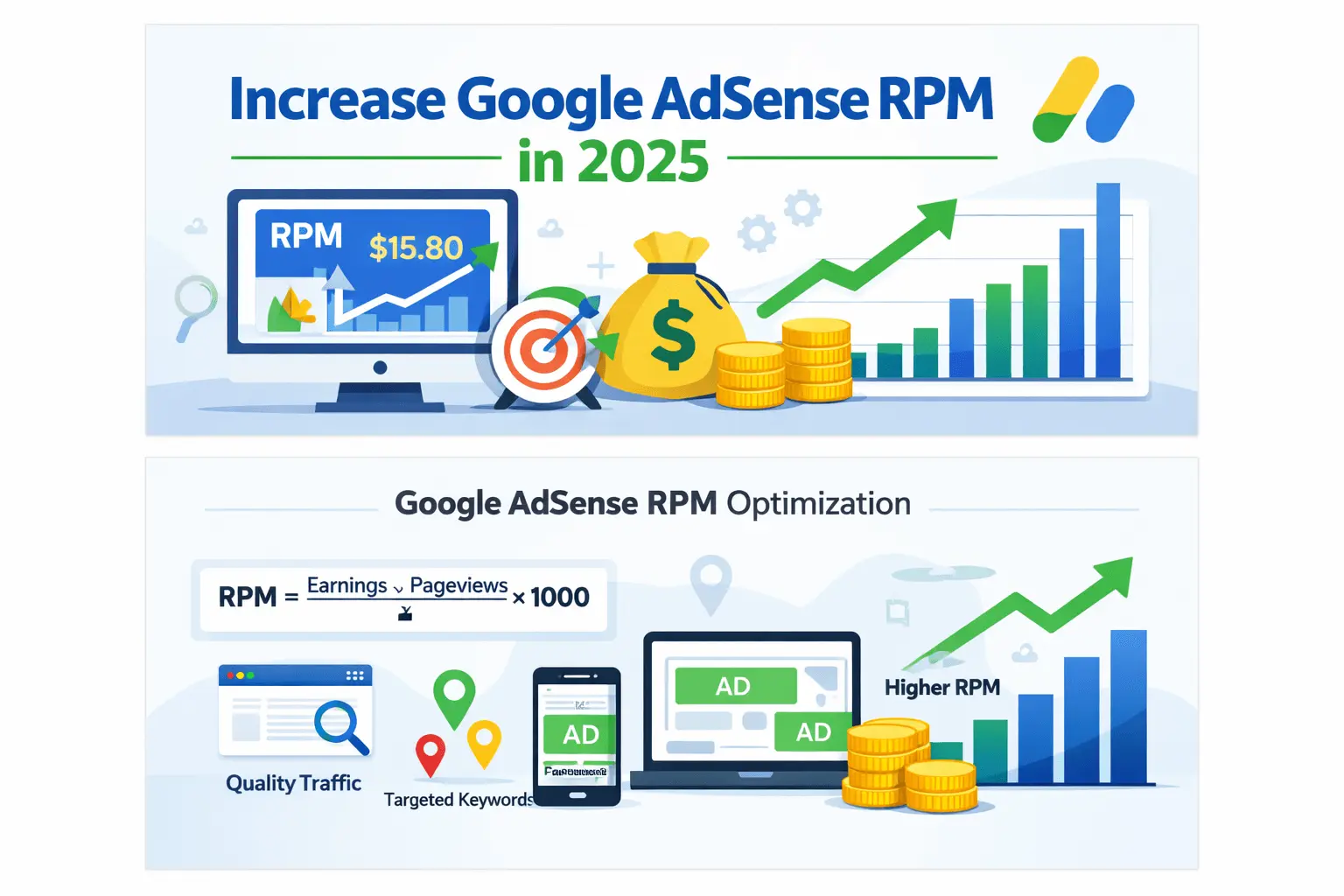
- Page RPM: (Estimated earnings / Pageviews) × 1000
- Ad viewability: whether ads are actually seen by users
If you don’t understand RPM deeply, read this AdSense earnings per 1000 views explained guide.
AdSense Approval Process in 2026
Getting approved for Google AdSense in 2026 is not difficult—but it requires structure and quality. Google wants to see that your website is built for real users, not just for displaying ads.
Before applying, make sure your blog has original content, clear navigation, essential legal pages (Privacy Policy, About, Contact), and a clean layout. Thin content, copied material, or confusing site structure are still the most common reasons for rejection.
If you want a complete step-by-step checklist, read:
👉 AdSense Approval Checklist 2026
2) AdSense Requirements and Approval Checklist (2026)
AdSense approval is easier when your blog is built like a real brand—not a “quick money site.”
✅ Before applying: basic requirements
- Your site must be accessible (no “Coming Soon” pages)
- You must have enough original content (not copied)
- Your site must have clear navigation and pages
- Your site must follow AdSense policies
- You must be 18+ or apply using a guardian’s account
✅ Minimum content guideline (practical, not official)
There is no official minimum number of posts. But for smoother approval:
- publish 15–30 high-quality articles
- each article ideally 800–1500+ words
- your content must be helpful and unique
✅ Must-have pages for approval
Create these pages and add them to your menu/footer:
- About Us (who you are, what the site does)
- Contact (email + contact form)
- Privacy Policy (mandatory)
- Terms and Conditions (recommended)
- Disclaimer (recommended if you do affiliate)
✅ Technical checklist
- Mobile responsive design
- Fast loading (optimize images, caching)
- HTTPS (SSL enabled)
- No broken links
- No excessive popups
- Clean layout (no spam)
✅ Content checklist (most common rejection reasons)
AdSense rejects sites mainly for:
- Thin content (too short, not helpful)
- Scraped or AI-spun content
- Copyright images without credit/license
- Misleading claims (“Earn $500/day guaranteed” etc.)
- “Under construction” sections
- Poor user experience (too many ads, clutter)
Pro Tip: Don’t publish many similar posts targeting the same keyword. Build topical clusters.
3) Setting Up AdSense Correctly After Approval
After approval, many beginners make a mistake: they enable Auto Ads and forget everything. Auto Ads can work, but the best earnings usually come from a controlled approach.
Step-by-step setup
- Verify your domain ownership (if required)
- Add AdSense code to your site (header/body)
- Configure Auto Ads (optional)
- Create manual ad units (recommended)
- Place ads where it makes sense for users
Auto Ads vs Manual Ads: which is better?
Auto Ads:
- easy, beginner friendly
- good for testing
- can place too many ads and hurt UX
Manual placement:
- more control
- better user experience
- often higher RPM when optimized properly
Best approach: Start with Auto Ads ON (limited), then gradually add manual placements.
3.1) Common AdSense Approval Mistakes Beginners Must Avoid (2026)
Even if your website meets the basic requirements, many beginners still get rejected by Google AdSense due to small but critical mistakes. Understanding these issues in advance can save weeks or even months.
❌ Most common approval mistakes
- Applying with copied or AI-spun content
- Having too few articles with shallow information
- Using copyrighted images without permission
- Missing essential pages like Privacy Policy
- A blog with no clear niche focus
- Poor website navigation and cluttered layout
Google wants to approve websites that look trustworthy, helpful, and built for real users—not just for ads.
✅ How to avoid rejection
- Publish at least 20 well-written posts
- Focus on one primary niche
- Use original images or royalty-free stock images
- Clearly explain your purpose in the About page
- Remove placeholder text or demo content
- Make sure every page loads correctly
If AdSense rejects your application, don’t panic. Fix the issues, improve content quality, and reapply after 2–4 weeks.
This Google AdSense guide 2026 strongly recommends treating your blog like a long-term business, not a shortcut income site.
4) Ad Placement Basics + Best Ad Sizes (2026)
Ad placement can increase earnings without increasing traffic. But it must be done safely. If you aggressively push ads, your bounce rate rises and Google may show low-value ads.
Golden rule of ad placement
Your ads should not break content flow. Ads should feel natural.
High-performing placements (common winners)
- Above the fold (top of article)
- After 1st or 2nd paragraph
- Mid-content (after 30–40% content)
- Near the end of content
- Sidebar (desktop)
- Sticky anchor (mobile, if allowed)
Best ad sizes for AdSense in 2026
Some sizes usually perform well due to advertiser demand and layout compatibility:
- 336×280 (Large Rectangle)
- 300×250 (Medium Rectangle)
- 728×90 (Leaderboard – desktop)
- 320×100 (Large Mobile Banner)
- Responsive units (recommended)
For a detailed breakdown, use your internal post:
Best Ad Sizes for High AdSense CPC (2025 Guide)
How many ads should you place?
AdSense doesn’t have a strict “3 ads rule” anymore, but too many ads can:
- reduce user experience
- lower session time
- lower ad viewability
- reduce SEO performance
Practical recommendation:
- 1–2 ads near top
- 1–2 ads in middle
- 1 ad near end
- optional: sidebar ad on desktop
Monitor the impact in GA4.
4.1) Advanced Ad Placement Optimization for Higher RPM
Once your site starts getting regular traffic, basic ad placement is not enough. Small improvements in placement strategy can significantly increase RPM without adding more ads.
Strategic placement tips
- Place one ad right after the introduction
- Use one ad inside long content sections
- Avoid placing ads too close to buttons or links
- Test responsive ads vs fixed-size ads
- Use heatmap tools to understand user attention
Mobile-first optimization
In 2026, most AdSense traffic comes from mobile devices. If your mobile layout is cluttered, your RPM will suffer.
Best practices:
- Use sticky anchor ads carefully
- Avoid stacking ads on mobile
- Ensure text is readable without zooming
- Test mobile UX using PageSpeed Insights
Better UX = longer session time = higher ad viewability = better RPM.
How to Increase AdSense RPM in 2026
AdSense RPM is the most important metric for bloggers because it reflects total earnings per 1,000 pageviews. In 2026, increasing RPM is less about adding more ads and more about improving traffic quality, user experience, and ad placement strategy.
To increase RPM, focus on three main areas:
• Attract higher-value traffic (especially Tier-1 countries like the USA)
• Improve ad viewability and placement
• Target commercial-intent keywords
If your RPM is below expectations, follow this complete framework:
👉 AdSense RPM & CPC Optimization 2026 (USA Traffic)
5) RPM vs CPC: What’s the Difference and How to Increase Both?
Most bloggers chase CPC only. But in real life, RPM is the real income driver—especially for content websites.
CPC (Cost Per Click)
CPC depends on:
- niche advertiser competition
- visitor country (Tier-1 traffic pays more)
- keywords and buyer intent
- ad placement & CTR
RPM (Revenue per 1000 pageviews)
RPM depends on:
- CPC + CTR + ad impressions per session
- visitor quality
- ad viewability
- content length and engagement
If you want a complete RPM improvement framework, read your pillar:
How toIncrease Google AdSense RPM in 2025 (Proven Tips)
Unlike short tutorials, this Google AdSense guide 2026 explains not only how AdSense works but also how to build long-term earnings with proper SEO and content strategy.
Quick ways to increase CPC
If your CPC is low, these are common fixes:
- improve content relevance (clear topic)
- increase buyer-intent traffic (commercial keywords)
- block low-value categories (carefully)
- use better ad sizes and placements
- avoid mixed-topic blogs (confuses targeting)
Use these two internal posts for deep fixes:
- AdSense CPC Is Low? Here’s How to Increase It Fast
- Why Is My AdSense CPC So Low? Fix It Step-by-Step
👉If your AdSense RPM is below $5, traffic quality, ad placement, and niche targeting are usually the main problems. Follow this complete step-by-step guide to fix low RPM and CPC:
AdSense RPM & CPC Optimization 2026 (USA Traffic)
| Metric | CPC | RPM |
|---|---|---|
| Meaning | Cost per click | Revenue per 1000 views |
| Depends On | Advertiser bid | CPC + CTR + Views |
| Better Focus? | Medium | HIGH |
5.1) Country-Wise Traffic Value: Why Location Matters in AdSense
One of the most overlooked factors in AdSense earnings is visitor country.
High-paying (Tier-1) countries
- United States
- United Kingdom
- Canada
- Australia
- Germany
Traffic from these countries often produces 2x–5x higher CPC and RPM compared to many developing regions.
Lower-paying regions
- South Asia
- Southeast Asia
- Africa (some countries)
This does NOT mean you should ignore local traffic—but you should understand expectations.
How to increase high-value traffic
- Write content targeting global problems
- Use English language posts
- Target international keywords
- Cover software, tools, finance, hosting topics
A balanced traffic mix improves overall RPM and long-term stability.
6) Why Google AdSense Pays More for USA Traffic in 2026
For a deeper breakdown of how USA traffic increases RPM and CPC, read:
AdSense RPM optimization guide for USA traffic.
Google AdSense earnings are heavily influenced by visitor location, and in 2026, USA traffic remains the highest-paying source for most content websites.
USA AdSense RPM Range (2026)
For blogs monetized with AdSense, average Page RPM often looks like this:
- United States: $8 – $30+ RPM
- United Kingdom: $6 – $20 RPM
- Asia (India, Bangladesh, Pakistan): $0.50 – $4 RPM
This means a blog with the same content and ad placement can earn 5x–10x more simply by attracting USA visitors.
Why USA Traffic Pays More
USA advertisers spend significantly more because:
- Higher purchasing power
- Strong competition in finance, software, hosting, SaaS, and services
- Advertisers focus on conversions, not just impressions
As a result, ads shown to USA users usually have higher CPC and better ad fill rates, which directly increases RPM.
USA vs Asia: AdSense Reality Check
If your blog receives mainly Asian traffic, your AdSense earnings will grow slowly—even with good SEO and ad placement.
But when the same content attracts USA traffic:
- CPC increases
- RPM increases
- Overall monthly revenue grows faster
This is why targeting USA-focused keywords and problems is the foundation of high AdSense earnings in 2026.How to Increase Google AdSense RPM in 2025 (Proven Tips)
AdSense Earnings in USA (Realistic Breakdown)
AdSense earnings vary significantly based on visitor location. In 2026, traffic from the United States remains the highest-paying segment for most bloggers.
Websites with strong USA traffic often see Page RPM between $8 and $30+, depending on niche, content depth, and ad placement. In comparison, traffic from many developing countries may generate RPM under $5.
If you want a deeper earnings analysis with examples and realistic projections, read:
👉 Google AdSense Earnings USA – How Much Can You Earn?
7) Keyword Strategy + High CPC Niches (2026)
If your traffic comes from random low-intent keywords, your AdSense will pay low. A smarter strategy is to build content around:
- problems people want to solve
- products/services people are ready to buy
- finance/tech niches with high advertiser demand
Informational vs Commercial keywords
- Informational: “what is AdSense”, “how to start a blog”
(good for traffic but lower CPC often) - Commercial: “best hosting for bloggers”, “credit card for freelancers”, “best VPN”
(higher CPC and RPM)
High CPC niches often include:
- web hosting, WordPress, SaaS tools
- personal finance, credit cards, loans
- insurance
- legal and business
- education (some segments)
- tech products/services
Your content library already supports this topic with a strong post:
High CPC Keywords for Bloggers in 2025
Simple keyword workflow (beginner friendly)
- Pick a niche cluster (AdSense, blogging, SEO)
- Find 30–50 long-tail keywords
- Group them into categories
- Write one pillar + 10 supporting posts
- Interlink them properly
Example cluster:
Pillar: Google AdSense Complete Guide (this post)
Supporting: RPM, CPC, ad sizes, high CPC keywords, low traffic strategy, alternatives, etc.
High CPC Keywords Strategy for Bloggers
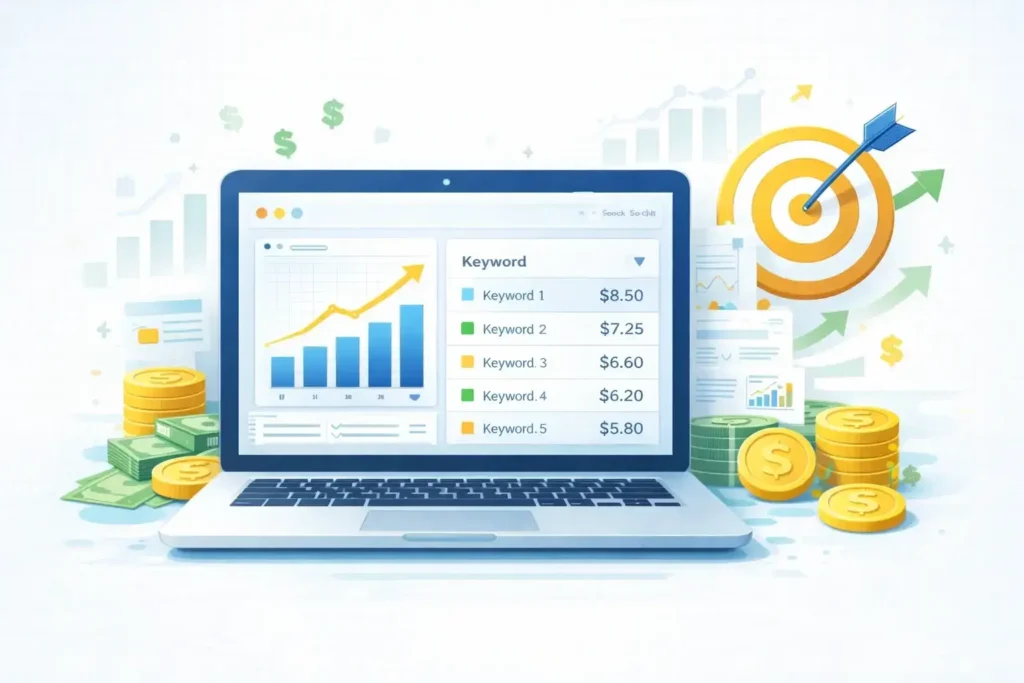
Not all traffic generates the same AdSense income. High CPC keywords usually come from niches where advertisers compete aggressively, such as finance, hosting, SaaS, insurance, and software tools.
Instead of targeting random informational topics, focus on problem-solving and buyer-intent queries. Articles that compare products, review tools, or explain money-related services often generate higher CPC and RPM.
For a full niche list and keyword framework, read:
👉 High CPC Keywords for Bloggers (2026 Guide)
7.1) Content Types That Perform Best for AdSense
Not all articles earn equally—even within the same niche.
High-performing content formats
- How-to guides
- Comparison articles
- Best tools/software lists
- Problem-solving tutorials
- Buyer guides
Example:
- “Best WordPress hosting for bloggers”
- “Best SEO tools for beginners”
- “AdSense vs Affiliate Marketing comparison”
These attract high-intent users, which advertisers value more.
Low-performing formats
- Very short news posts
- Generic motivational articles
- Broad topics without focus
- Content with no clear solution
This Google AdSense guide 2026 recommends prioritizing depth over volume.
8) How to Earn From AdSense With Low Traffic (2026 Strategy)
Many new bloggers ask: “Can I earn from AdSense with low traffic?” Yes, but you must focus on traffic quality + keyword intent.
What “low traffic” means
- 100–500 visitors/day is still low for most niches
But you can still earn if: - your niche is profitable
- your content targets commercial keywords
- your ad placement is optimized
- your visitors stay longer and view more pages
The low traffic monetization plan
- Write fewer but better posts (1500–2500 words)
- Target “money keywords” (commercial)
- Increase pageviews per session using internal links
- Add comparison and buyer guide posts
- Improve CTR through layout (not clickbait)
You already have a dedicated pillar on this:
How to Earn Money from AdSense with Low Traffic (2026 Strategy)
A realistic earnings target with low traffic
This depends on RPM, but as a rough example:
- If your Page RPM = $5
- and you get 10,000 pageviews/month
- earnings ≈ $50/month
To grow, your goal should be:
- raise RPM gradually (better niches + better placement)
- increase pageviews steadily (SEO + topical authority)
8.1) Combining AdSense with Other Monetization Methods (Safely)
Relying only on AdSense is risky in the long run. Smart bloggers gradually combine multiple income sources.
Safe combinations
- AdSense + Affiliate links
- AdSense + Sponsored content
- AdSense + Digital products (later)
Rules to follow:
- Don’t overload pages with ads
- Clearly disclose affiliate links
- Maintain content-first approach
For alternative networks, see:
https://blogerhub.com/google-adsense-alternatives-for-bloggers-2025/
Diversification increases income stability and reduces dependency.
9) Common Mistakes That Kill AdSense Earnings (and How to Avoid Them)
Here are the biggest mistakes I see bloggers make:
Mistake #1: Writing random topics
One blog with mixed topics confuses ad targeting. Stick to 1–2 tight categories.
Mistake #2: Too many ads too early
New sites need trust + SEO growth. Too many ads reduces UX and can hurt rankings.
Mistake #3: Thin content
Short, generic content fails in 2026 SEO. Write content that’s truly helpful.
Mistake #4: Not tracking performance
If you don’t track:
- which pages earn most
- which pages bring traffic
- which countries pay more
you’ll optimize blindly.
Mistake #5: Policy violations
Avoid:
- copyrighted content
- adult content
- hateful/violent content
- deceptive claims
- incentivized clicks (“click the ad to support us”)
Policy-safe tips
- Use proper disclaimers on affiliate posts
- Don’t place ads too close to buttons
- Don’t trick users to click
- Keep layout clean and readable
10) Best Tools to Grow AdSense Earnings in 2026
Tools won’t replace strategy, but they help you diagnose problems.
1) Google Search Console (GSC)
Use it to:
- find keywords you rank for
- improve CTR by updating titles
- detect indexing errors
- identify content gaps
2) Google Analytics 4 (GA4)
Use it to:
- check bounce rate and engagement
- see top traffic sources
- see which pages keep users longer
3) AdSense Reports
In AdSense, monitor:
- Page RPM (per page)
- Impression RPM
- CPC and CTR
- Top countries
- Ad units performance
4) Site speed tools
- PageSpeed Insights
- Lighthouse
5) Optional monetization tools (advanced)
You mentioned Ezoic—this can be useful later, but only when you have stable traffic and you understand UX impact.
Beginner rule: First master AdSense + SEO. Then test advanced networks.
11) Quick Growth Plan: From Beginner to Consistent Earnings
Here’s a simple plan you can follow for the next 30–60 days:
Week 1: Content + Structure
- Publish this pillar post
- Update your top AdSense posts with internal links back to this pillar
- Make sure About/Contact/Privacy are perfect
Week 2: Supporting Articles (Cluster)
Publish 4–6 supporting posts targeting:
- CPC fixes
- RPM tips
- ad sizes
- keyword research
- low traffic strategies
(You already have most, so update + interlink)
Week 3: Internal Linking + UX
- Add “Related posts” section
- Add “Table of contents”
- Improve readability: short paragraphs, bullets, images
Week 4: SEO improvements
- Update old posts with new sections
- Improve titles + meta descriptions
- Add FAQs to posts
Month 2: Expand Keywords
- Publish 8–12 posts targeting long-tail money keywords
- Focus on one niche subtopic at a time
11.1) How Long Does It Take to See Real AdSense Income?
This is one of the most common beginner questions.
Realistic timeline
- Month 1–2: Setup + content building
- Month 3–4: Search traffic starts
- Month 5–6: Small but consistent earnings
- Month 6–12: Scalable income with optimization
Success depends on:
- Content quality
- Keyword selection
- Consistency
- SEO patience
AdSense is not instant money—but it is sustainable money.
This Google AdSense guide 2026 is designed to help beginners move from confusion to clarity. AdSense success does not come from tricks or shortcuts, but from understanding how the system works and building content that genuinely helps users.
By following this Google AdSense guide 2026 step by step, you can avoid common mistakes, improve CPC and RPM, and gradually build a stable blogging income. Focus on quality content, smart ad placement, high-value keywords, and long-term SEO growth.
If you treat blogging as a real business, AdSense can remain one of the most reliable monetization methods in 2026 and beyond.
12) Frequently Asked Questions (FAQs)
Q1: Is AdSense still worth it in 2026?
Yes. Google AdSense is still worth it in 2026 for content websites with consistent SEO traffic—especially if your visitors come from high-paying countries like the United States and the UK. Earnings depend on traffic quality, niche selection, and RPM optimization rather than raw pageviews.
Q2: How much traffic do I need to earn $100 per month from AdSense?
It depends on your Page RPM. If your RPM is around $5, you’ll need roughly 20,000 pageviews per month. With USA-focused traffic and an RPM closer to $10, you may reach $100/month with only 10,000 pageviews.
Q3: Why is my AdSense CPC so low?
Low AdSense CPC usually happens due to low buyer-intent keywords, traffic from low-paying countries, mixed niches, or weak content relevance. Improving traffic quality, targeting USA-based keywords, and optimizing ad placement can significantly increase CPC and RPM.
Q4: Can I earn with low traffic?
Yes. Even with low traffic, you can earn from AdSense by focusing on high-value niches, USA-focused keywords, longer content, and better internal linking. RPM matters more than total traffic volume.
Q5: What are the best ad sizes?
Responsive ads perform best overall. High-performing fixed sizes often include 300×250, 336×280, 728×90 (desktop), and 320×100 (mobile). Always prioritize user experience and ad viewability over placing too many ads.
Next Steps to Grow Your AdSense Income
If your goal is to increase AdSense earnings in 2026, start by optimizing RPM and CPC using USA-focused traffic strategies.
👉 Read the complete guide:
AdSense RPM & CPC Optimization 2026 (USA Traffic)