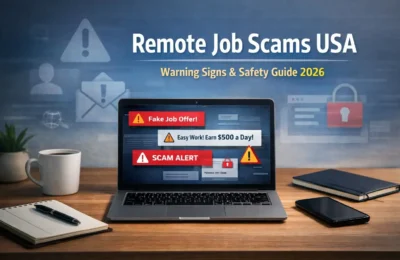

Remote tech jobs for beginners in the USA include technical support, help desk, junior web development, manual QA testing, WordPress support, technical writing, data support, and junior SEO roles. You do not always need a computer science degree, but you do need evidence that you can solve the problems listed in the job description.
The practical route is to choose one job family, learn its core tools, build two or three relevant projects, and apply for genuinely entry-level roles. “Remote” describes the work location; it does not mean the job has no requirements or can be performed from every state or country.
Updated: July 2026. Salary figures in this guide use U.S. national occupational data where available. They are not guaranteed starting salaries, and remote openings may pay differently based on location, experience, employer, schedule, and employment type.
Quick Comparison: Beginner-Friendly Remote Tech Roles
| Role | Good first skills | Portfolio proof | Common search terms |
|---|---|---|---|
| Technical support specialist | Troubleshooting, customer service, ticketing | Sample support tickets and troubleshooting guide | remote technical support, support specialist I |
| IT help desk technician | Windows, networking basics, account support | Home lab notes and support scenarios | remote help desk, IT support level 1 |
| Junior web developer | HTML, CSS, JavaScript, Git | Two responsive websites with source code | junior web developer remote |
| Manual QA tester | Test cases, bug reports, browser tools | Test plan and documented bug reports | junior QA, manual tester remote |
| WordPress support specialist | WordPress, themes, plugins, basic CSS | Demo site and maintenance checklist | WordPress support, website support |
| Technical writer | Clear writing, research, documentation | User guide, tutorial, or API documentation sample | junior technical writer remote |
| Data support assistant | Excel, SQL basics, data cleaning | Spreadsheet dashboard and SQL project | data operations assistant, reporting assistant |
| Junior SEO specialist | Keyword research, on-page SEO, analytics | Site audit and before-and-after case study | SEO assistant remote, junior SEO |
What Counts as an Entry-Level Remote Tech Job?
An entry-level job is designed for someone at the beginning of a career path, but it may still ask for basic skills, projects, an internship, customer-service experience, or familiarity with workplace tools. Treat “no experience required” carefully: employers usually still expect proof that you can learn, communicate, and complete common tasks.
- Fully remote: work is normally completed away from the employer’s office.
- Hybrid: some work is remote, but office attendance is required.
- Remote within a location: you may work from home but must live in a named state, region, or time zone.
- Contract: you provide services for a limited term and may not receive employee benefits.
- Employee: you work for the employer under its payroll and employment policies.
Read the location and authorization requirements before applying. A listing marked “Remote—USA” may require U.S. work authorization and residence in one of the states where the employer can hire.
8 Remote Tech Jobs Beginners Can Target
1. Technical Support Specialist
Technical support specialists help customers use software, devices, or online services. Work may involve answering tickets, reproducing an error, explaining setup steps, documenting the solution, and escalating complex issues.
- Learn: troubleshooting, clear written communication, basic operating-system knowledge, and ticketing concepts.
- Show: five sample support tickets, a troubleshooting decision tree, and a short knowledge-base article.
- Look for: Technical Support Specialist I, Product Support Associate, SaaS Support, or Customer Support Engineer trainee roles.
The U.S. Bureau of Labor Statistics reports a 2024 median annual wage of $61,550 for computer support specialists as a broad occupation. That figure covers workers across experience levels and is not an entry-level remote salary. Review the BLS Computer Support Specialists profile for current occupational context.
2. Remote IT Help Desk Technician
Help desk technicians support employees with password resets, account access, software installation, device issues, and basic network problems. Some jobs are fully remote, while others require occasional hardware handling or office visits.
- Learn: Windows or macOS support, user accounts, basic networking, security hygiene, and remote desktop tools.
- Show: a small home-lab journal documenting common issues and fixes.
- Optional credentials: CompTIA A+ or an entry-level IT support certificate can structure your learning, but a certificate is not a job guarantee.
3. Junior Web Developer
Junior web developers build or maintain websites under guidance from more experienced developers. Beginner openings may focus on page implementation, responsive layouts, accessibility fixes, content-management systems, and small bug fixes.
- Learn: semantic HTML, modern CSS, JavaScript fundamentals, Git, responsive design, accessibility, and browser developer tools.
- Show: a responsive business website, a small interactive application, and clear README files on GitHub.
- Avoid: listing ten frameworks without being able to explain one complete project.
BLS says educational requirements for web developers and digital designers can range from a high school diploma to a bachelor’s degree, and some candidates can demonstrate ability through projects. It reports a May 2024 median annual wage of $90,930 for web developers and projects 7% overall growth for web developers and digital designers from 2024 to 2034. These are national occupation-wide figures, not promised beginner pay. See the BLS Web Developers and Digital Designers profile.
4. Manual QA Tester
Manual quality-assurance testers check whether a website or application behaves as expected. They follow test cases, explore edge cases, document defects, verify fixes, and communicate clearly with developers and product teams.
- Learn: test cases, regression testing, severity versus priority, browser tools, and concise bug reporting.
- Show: a test plan for a public demo application and five bug reports with steps, expected result, actual result, and evidence.
- Next skill: basic API testing or test automation can expand your options after you understand manual testing.
Do not assume QA is an effortless route into tech. Strong testers understand user behavior, product requirements, risk, and precise documentation.
5. WordPress Support Specialist
WordPress support work can include publishing content, updating themes and plugins, checking backups, correcting layout problems, improving basic performance, and communicating with website owners. It is suitable for beginners who combine technical curiosity with customer service.
- Learn: WordPress administration, themes, plugins, backups, basic security, HTML/CSS, and staging workflows.
- Show: a demo website, a maintenance checklist, and a short guide explaining how you diagnosed a layout or plugin conflict.
- Important: never test risky changes directly on a client’s live site without permission and a recovery plan.
6. Junior Technical Writer
Technical writers turn complex information into useful instructions, tutorials, reference pages, and product documentation. The job requires accurate research, audience awareness, structured writing, and collaboration with technical specialists.
- Learn: documentation structure, plain-language writing, screenshots, version control basics, and one technical subject.
- Show: a setup guide, troubleshooting article, and tutorial that you tested from beginning to end.
- Search carefully: many “entry-level” technical writing jobs still request subject knowledge or professional writing samples.
BLS reports a May 2024 median annual wage of $91,670 for technical writers across experience levels. It also notes that employers generally prefer a bachelor’s degree and that knowledge of a technical subject is beneficial. Use the BLS Technical Writers profile to understand the occupation rather than treating the median as a starting offer.
7. Data Support or Reporting Assistant
Instead of targeting “data scientist” immediately, beginners can look for data operations, reporting, data-quality, or analyst-assistant roles. Common work may include cleaning spreadsheets, checking records, preparing recurring reports, and answering straightforward business questions.
- Learn: Excel or Google Sheets, formulas, pivot tables, charts, data cleaning, and introductory SQL.
- Show: one cleaned dataset, a small dashboard, five SQL queries, and a short explanation of your findings.
- Protect data: use public or synthetic data in your portfolio; never publish confidential employer or customer records.
8. Junior SEO or Website Optimization Assistant
Junior SEO work can involve keyword mapping, updating titles and headings, checking broken links, preparing content briefs, reviewing Search Console data, and reporting results. The role connects content, websites, and analytics.
- Learn: search intent, on-page SEO, basic technical checks, Google Search Console, analytics, and ethical link-building principles.
- Show: a small site audit with prioritized fixes and a transparent case study using your own site or a permitted project.
- Avoid: promising rankings, buying spam links, or presenting traffic growth as entirely your work when other factors were involved.
Which Remote Tech Role Should You Choose?
- If you enjoy helping people and explaining steps, consider technical support or help desk.
- If you enjoy building visible products, consider web development or WordPress support.
- If you notice errors and like systematic checking, consider manual QA.
- If you enjoy explaining complex ideas, consider technical writing.
- If you like spreadsheets and patterns, consider data support.
- If you enjoy websites, content, and measurement, consider SEO support.
Choose one route for the next 60 to 90 days. Constantly switching between web development, cybersecurity, data science, cloud engineering, and design can leave you with many course certificates but no job-ready evidence.
Do You Need a Degree or Certification?
Requirements vary by occupation and employer. Some support and web roles accept demonstrated skills, while other employers use a degree as a screening requirement. Read actual job descriptions in your target area before choosing a training program.
A certification is most useful when it gives you a structured curriculum and supports a specific target role. CompTIA A+ may align with help desk work; an entry-level cloud credential may help you understand cloud concepts; a data certificate may guide a reporting portfolio. A certificate alone does not replace projects, communication skills, interview preparation, or relevant experience.
A 90-Day Roadmap to Become Job-Ready
Phase 1 (Days 1–30): Learn the Fundamentals
- Choose one target role and collect 20 genuine job descriptions.
- List the repeated skills, tools, and responsibilities.
- Select one structured beginner course or learning path.
- Practice for a consistent number of hours each week.
- Complete small exercises instead of only watching videos.
(Days 31–60): Build Skills and Portfolio Proof
- Create one project that reflects a real workplace task.
- Document the problem, your process, tools, outcome, and limitations.
- Ask a peer or knowledgeable person to review it.
- Improve the project based on feedback.
- Create a second, smaller project that demonstrates a different skill.
(Days 61–90): Prepare and Apply for Jobs
- Create a one-page resume tailored to your target job family.
- Update LinkedIn and add your portfolio or GitHub link.
- Write concise descriptions for each project.
- Practice explaining one technical problem and how you solved it.
- Apply selectively, track results, and improve weak areas every week.
Ninety days may be enough to build a credible beginner portfolio, but it does not guarantee a job. Your starting level, available time, job market, location restrictions, and application quality all affect the timeline.
How to Build a Portfolio Without Professional Experience
A beginner portfolio should answer a hiring manager’s question: “Can this person perform a smaller version of the work we need?” Two relevant, well-explained projects are usually more persuasive than ten unfinished tutorials.
| Target role | Useful beginner project | Evidence to include |
|---|---|---|
| Technical support | Knowledge base for five common problems | Symptoms, diagnosis, steps, screenshots, escalation point |
| Help desk | Home-lab troubleshooting journal | Issue, environment, commands or settings, result |
| Web developer | Accessible responsive website | Live demo, code, README, performance notes |
| QA tester | Test a public demo application | Test plan, test cases, bug reports, summary |
| Technical writer | Beginner setup tutorial | Audience, prerequisites, verified steps, visuals |
| Data support | Clean and analyze a public dataset | Source, cleaning log, formulas or SQL, dashboard |
| SEO assistant | Audit a small permitted website | Baseline, prioritized fixes, implementation status |
Never fabricate clients, results, testimonials, or work history. Label self-directed projects clearly. If you improve a real organization’s site, obtain permission before sharing confidential screenshots or analytics.
How to Find Legitimate Remote Tech Jobs
Use established job boards and employer career pages, but verify every listing independently. LinkedIn, Indeed, company websites, Remote.co, We Work Remotely, and paid services such as FlexJobs may contain relevant openings. No platform can remove every risk, so do your own checks.
Use Specific Search Terms
technical support specialist I remoteentry level IT help desk remotejunior web developer remote USAmanual QA tester junior remoteWordPress support specialist remoteassociate technical writer remotedata operations assistant remoteSEO assistant remote entry level
Also try “associate,” “specialist I,” “coordinator,” “assistant,” “apprentice,” and “trainee.” Filter by date posted and location, then confirm whether the job is truly remote and whether it is limited to particular states.
Verify the Employer
- Find the employer’s official website yourself.
- Check whether the role appears on its careers page.
- Confirm that recruiter email addresses use the company’s real domain.
- Research the company name with words such as “scam,” “review,” and “complaint.”
- Ask for a written job description and normal interview process.
- Do not pay to receive a job or deposit a check to buy equipment.
The U.S. Federal Trade Commission warns that honest employers do not ask applicants to pay for the promise of a job and explains that fake-check equipment schemes are common in work-from-home scams. Read the FTC’s guide on avoiding work-from-home job scams.
How to Tailor Your Resume and Application
Your resume should reflect the role rather than repeat a generic list of tools. Use truthful examples from projects, volunteer work, education, customer service, or previous jobs.
- Place the target job title and most relevant skills near the top.
- Describe projects with actions and outcomes, not only course names.
- Use keywords naturally when they match your experience.
- Add a working portfolio, GitHub, or writing-sample link.
- Show remote-ready behaviors: written communication, independent problem-solving, documentation, and time management.
- Proofread contact details and links before every application.
Example project bullet: “Built and tested a responsive three-page website using semantic HTML, CSS, and JavaScript; documented setup and accessibility checks in GitHub.”
Example support bullet: “Created a five-article troubleshooting knowledge base covering login, browser, installation, and account-access issues, with clear escalation steps.”
Remote Interview Preparation for Beginners
Expect questions about your projects, troubleshooting process, communication, and ability to work independently. Prepare short examples using the situation, task, action, and result structure.
- Explain one project from problem to outcome.
- Describe how you respond when you do not know an answer.
- Demonstrate how you document a bug or support issue.
- Prepare a quiet interview location and test your microphone, camera, and connection.
- Ask how remote onboarding, communication, performance evaluation, and working hours operate.
- Never share passwords, one-time codes, bank login details, or unnecessary identity documents during an informal chat interview.
Common Beginner Mistakes
Applying to Every Tech Role
A resume that targets help desk, software engineering, cybersecurity, data science, and UX design at the same time rarely shows convincing depth. Choose a primary path and a closely related backup path.
Completing Courses Without Building Anything
Courses can teach fundamentals, but projects show whether you can apply them. Convert each major learning module into a small artifact you can explain.
Treating National Median Pay as Starting Salary
BLS median wages include workers across experience levels, industries, and locations. Entry-level offers can be below the median, and a remote role may use location-based pay. Compare the stated range with duties, location, benefits, and current local data.
Ignoring Location Restrictions
“Remote” does not always mean “work from anywhere.” Employers may restrict hiring for tax, payroll, licensing, security, customer, or time-zone reasons.
Paying for a Job
Training and job-search services may charge fees, but an employer should not require payment to release a job, send earnings, or purchase equipment through a check it sends you. Stop when the process involves gift cards, cryptocurrency transfers, or pressure to move money.
Related Remote-Work Guides
If you need a flexible schedule rather than a full-time tech role, compare these options with evening remote jobs in the USA. If formal education is your concern, read the guide to remote jobs without a degree in the USA. You can also browse the BlogerHub remote jobs guides for related career paths and application advice.
Frequently Asked Questions
What is the easiest remote tech job to start?
There is no universally easiest role. Technical support or help desk may have a shorter learning path for someone with customer-service and troubleshooting skills, while WordPress support may suit someone who has managed websites. Choose the role that best matches your existing strengths and local openings.
Can I get a remote tech job with no experience?
Yes, but “no professional experience” should not mean “no evidence.” Build relevant projects, document what you learned, and consider volunteer work, apprenticeships, internships, or customer-service experience that demonstrates transferable skills.
Do remote tech jobs require a degree?
Some do and some do not. Requirements depend on the role and employer. Web, support, and WordPress jobs sometimes accept projects or certifications, while other employers require a degree. Review a sample of current listings before choosing your training path.
How long does it take to become job-ready?
A focused beginner may build basic skills and two projects in three to six months, but the timeline varies. Prior knowledge, weekly study time, role difficulty, portfolio quality, location, and the labor market all influence how long a successful job search takes.
Which remote tech jobs require little coding?
Technical support, help desk, manual QA, technical writing, WordPress administration, and SEO support may require little or no programming in some jobs. However, technical understanding, documentation, analysis, and strong communication are still important.
Where should beginners search for remote tech jobs?
Search employer career pages, LinkedIn, Indeed, Remote.co, We Work Remotely, and other established boards. Use specific entry-level titles, verify the employer independently, and confirm the job’s location and work-authorization requirements before applying.
How can I recognize a fake remote job?
Warning signs include payment requests, fake checks for equipment, gift-card or cryptocurrency transfers, interviews conducted only through informal messaging, unusually high pay for simple work, pressure to act immediately, and recruiter addresses that do not match the employer’s real domain.
Final Thoughts
The best remote tech job for a beginner is not necessarily the one with the highest advertised salary. It is the role whose daily work matches your strengths and for which you can build credible proof.
Choose one path, study real job descriptions, learn the repeated skills, build two useful projects, and apply with a tailored resume. Verify every employer and keep improving based on application and interview feedback. That process is more realistic—and more effective—than searching for a shortcut into a high-paying remote career.