
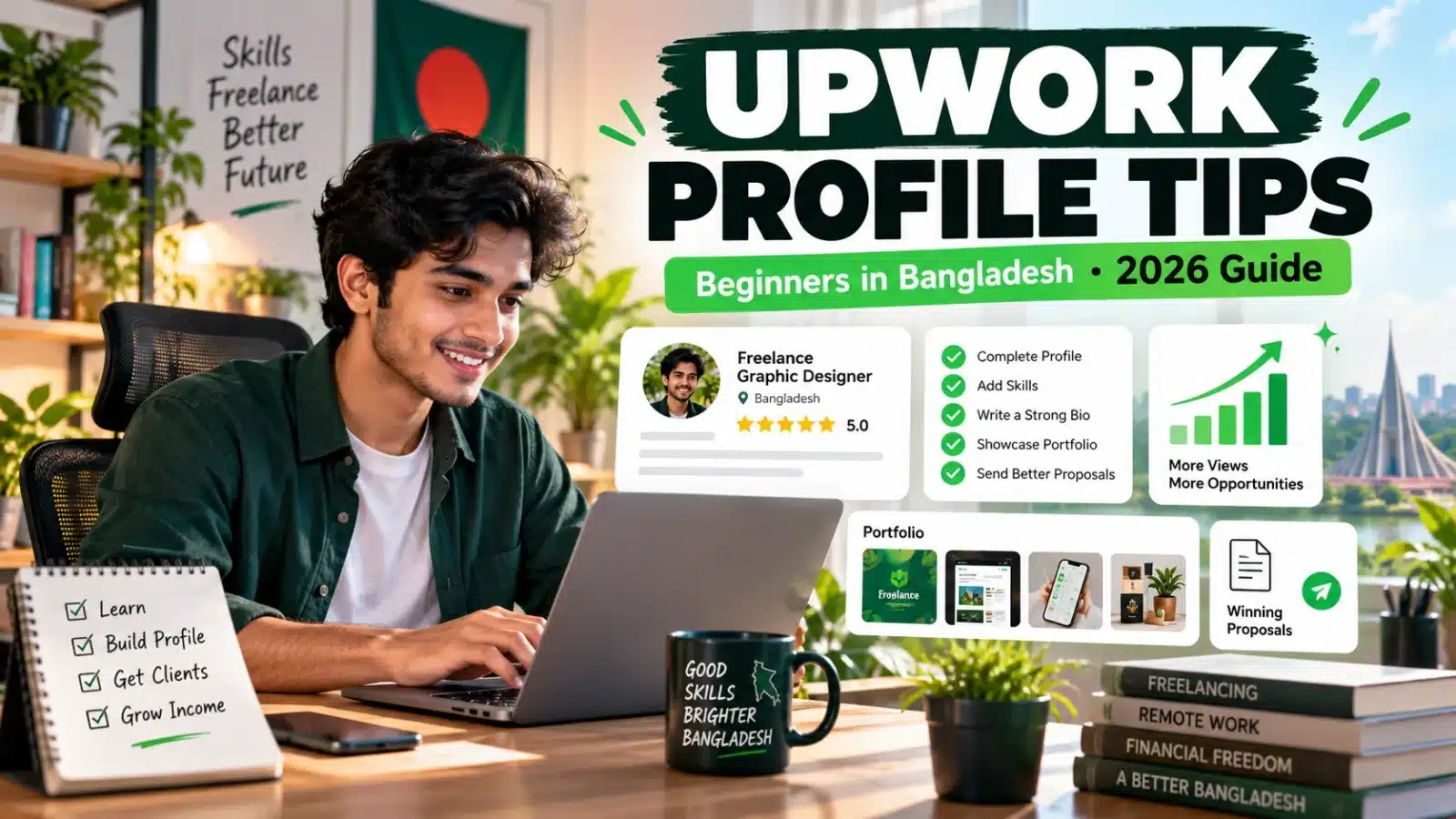

Upwork profile tips for beginners in Bangladesh start with one simple rule: make it easy for a potential client to understand what service you provide, what problem you can solve, and what proof you have that you can do the work.
A beginner profile should not try to look experienced in everything. Saying that you can do data entry, graphic design, SEO, WordPress, AI, writing and virtual assistance at the same time can make your positioning unclear.
A stronger approach is to choose one service direction, write a specific title, make the opening of your overview client-focused, add relevant skills and show original portfolio samples.
This 2026 guide explains how Bangladeshi beginners can improve an Upwork profile step by step, including profile titles, overview examples, portfolio projects, skills, photos, hourly rates, proposals and freelancer safety.
If you are completely new to freelancing, first visit our Freelancing in Bangladesh hub and Freelancing in Bangladesh for Beginners.
Quick Answer: How Do You Make a Good Upwork Profile as a Beginner?
A beginner should build an Upwork profile around one clear service, use a specific professional title, explain client value near the beginning of the overview, list relevant skills, add original portfolio samples and keep employment and education information accurate. Avoid unsupported expert claims, copied descriptions and unrelated keyword stuffing.
Upwork Profile Checklist at a Glance
| Profile Element | What a Beginner Should Do |
|---|---|
| Service | Choose one clear direction |
| Title | Describe the service specifically |
| Overview | Lead with client value |
| Skills | Use only relevant skills |
| Portfolio | Create original, relevant samples |
| Photo | Use a clear professional portrait |
| Experience | Keep everything truthful |
| Rate | Match service, ability and market |
| Proposal | Customize it for each suitable job |
| Safety | Follow Upwork communication and payment rules |
Important Upwork Change in 2026: Specialized Profiles Were Removed
Many older Upwork tutorials recommend creating separate Specialized Profiles. That advice is now outdated.
Upwork deprecated Specialized Profiles on May 28, 2026. Freelancers now maintain their main profile, while Upwork can highlight relevant skills, portfolio items and work history depending on what a client searches for or the job connected to a proposal.
For beginners, this makes profile clarity even more important. Your main profile should accurately describe your strongest services rather than trying to create several unrelated identities.
Step 1: Choose One Clear Freelancing Direction
Before writing your Upwork title or overview, decide what type of work you want clients to hire you for.
This does not mean you can only learn one skill forever. It means your profile needs a clear starting position.
| Skill | Service You Could Offer | Possible Profile Direction |
|---|---|---|
| Google Sheets | Data entry and spreadsheet formatting | Google Sheets Data Entry Assistant |
| Microsoft Excel | Spreadsheet cleanup and organization | Excel Data Entry & Cleanup Assistant |
| Product Listing | E-commerce product data support | Product Listing Assistant |
| Canva | Social media graphics | Canva Social Media Designer |
| WordPress | Blog upload and formatting | WordPress Content Assistant |
| Virtual Assistance | Research and administrative work | Virtual Assistant for Research & Admin |
| Content Editing | Editing and formatting | Content Editing Assistant |
If you are unsure which direction is realistic for you, read Freelancing Skills in Bangladesh.
Step 2: Write a Specific Upwork Profile Title
Your profile title should quickly communicate your professional focus. Avoid titles that are so broad that clients cannot tell what you actually do.
| Weak Title | Clearer Alternative |
|---|---|
| Freelancer | Google Sheets Data Entry Assistant |
| Data Entry Expert | Excel Data Entry & Spreadsheet Cleanup Assistant |
| Designer | Canva Social Media Designer |
| Virtual Assistant | Virtual Assistant for Research & Data Organization |
| WordPress Expert | WordPress Blog Upload & Formatting Assistant |
A beginner usually does not need to describe themselves as an “expert.” A specific service description is often clearer and easier to support with evidence.
Upwork Profile Title Examples for Bangladeshi Beginners
- Google Sheets Data Entry Assistant
- Excel Data Entry & Spreadsheet Cleanup Assistant
- Product Listing Assistant for E-commerce Stores
- Canva Social Media Designer
- WordPress Content Upload & Formatting Assistant
- Virtual Assistant for Web Research & Data Entry
- Content Formatting & Editing Assistant
Choose a title that reflects work you can genuinely perform. Do not add keywords for services you cannot deliver.
Step 3: Make the First 250 Characters of Your Overview Count
Upwork says only roughly the first 250 characters of your overview appear in freelancer search-result lists. That makes the opening especially important.
Avoid spending the opening on greetings, your name, where you live or general statements such as “I am passionate and hardworking.” Clients can already see much of that information elsewhere.
Weak opening:
Hello. My name is Rahim. I am a hardworking freelancer from Bangladesh and I am passionate about freelancing.
Stronger opening:
I help small businesses organize product, customer and inventory data using Microsoft Excel and Google Sheets. I can clean, format and structure spreadsheets for easier daily use.
Step 4: Use a Simple Client-Focused Overview Structure
You do not need an overly complicated profile overview. A useful beginner structure is:
- Explain what problem you help solve.
- List the specific tasks you can perform.
- Mention the tools you genuinely know.
- Explain how you approach accuracy, quality or communication.
- Invite the client to share the project requirements.
Upwork Overview Example for a Data Entry Beginner
I help businesses organize and maintain accurate spreadsheet data using Google Sheets and Microsoft Excel.
I can assist with data entry, spreadsheet formatting, data cleanup, product lists, contact lists and simple administrative trackers.
I focus on accurate entry, consistent formatting and clear communication. I am comfortable working with Google Sheets, Microsoft Excel, Google Docs and Google Drive.
If you have a project, please share the source file, approximate number of records, required columns, output format and deadline so I can review the requirements.
Upwork Overview Example for a Canva Beginner
I create clean Canva graphics for small businesses, online sellers and content creators.
I can design social media posts, promotional graphics, page covers and YouTube thumbnails using your brand colors, text and visual direction.
My focus is readable design, consistent layouts and organized file delivery.
Please share the platform size, number of designs, brand colors, text, images and deadline so I can review the project requirements.
Step 5: Add Relevant Skills, Not Every Possible Skill
Skills help Upwork and potential clients understand your capabilities. Choose skills that directly support your profile title, overview and portfolio.
Platform limits and profile interfaces can change, so use the maximum currently shown in your Upwork editor rather than trying to reach an old number from a tutorial. Relevance matters more than filling every available slot.
| Profile Focus | Relevant Skills |
|---|---|
| Data Entry | Data Entry, Microsoft Excel, Google Sheets, Data Cleaning |
| Canva | Canva, Social Media Design, Graphic Design |
| Product Listing | Product Listings, E-commerce, Data Entry, Google Sheets |
| Virtual Assistance | Virtual Assistance, Web Research, Data Entry, Email Communication |
| WordPress | WordPress, Content Upload, Blog Content, Formatting |
Step 6: Build Portfolio Evidence Even Without Client Experience
One of the biggest challenges for a beginner is having no previous Upwork work history. You can still demonstrate ability by creating original personal or practice projects related to your chosen service.
You do not need dozens of projects. Start with a small set of strong samples that clearly match the work you want to win.
| Service | Beginner Portfolio Project | What It Demonstrates |
|---|---|---|
| Data Entry | Spreadsheet cleanup before-and-after | Accuracy and formatting |
| Google Sheets | Product inventory tracker | Spreadsheet organization |
| Product Listing | Demo e-commerce catalog | Product-data structure |
| Canva | Five-post social media set | Visual consistency |
| WordPress | Formatted demonstration blog post | Block-editor skills |
| Virtual Assistant | Research and lead-tracking sheet | Research and organization |
Portfolio Safety Rules
- Use work you created yourself.
- Do not copy another freelancer’s portfolio.
- Do not expose private client information.
- Label personal or practice projects honestly.
- Explain what you personally created or improved.
- Use fictional or safe sample data instead of real private information.
For practical examples, see Data Entry Portfolio Examples for Beginners.
Step 7: Use an Appropriate Upwork Profile Photo
Upwork’s current guidance says a freelancer profile photo should clearly show your face and use a close-up head-and-shoulders composition. You do not need an expensive studio session.
| Better Choice | Avoid |
|---|---|
| Face clearly visible | Face hidden or heavily altered |
| Head-and-shoulders framing | Very distant full-body photo |
| Simple background | Distracting background |
| Good lighting | Very dark image |
| Your actual photo | Logo, illustration or another person’s photo |
Step 8: Add Honest Experience and Education
You do not need fake client history to create a professional profile. Relevant employment, education, training, volunteer work and personal projects can all help explain your background when presented accurately.
- Add genuine relevant employment.
- Include useful education or training.
- Add certifications only when you actually earned them.
- Describe practice projects honestly.
- Never create fake clients, companies or results.
Step 9: Choose an Hourly Rate You Can Support
There is no single correct beginner Upwork rate for every freelancer in Bangladesh. Appropriate pricing depends on the service, your ability, portfolio quality, project complexity and client requirements.
Avoid setting an extremely low rate simply because you are new. Also avoid choosing a high rate that your current skills and portfolio cannot support.
Focus first on defining the deliverables you can complete reliably. As your skill, portfolio and verified client results improve, you can review your pricing.
Step 10: Connect Your Profile to Better Proposals
A strong profile is useful, but freelancers still need to apply selectively to suitable opportunities.
Do not send one identical proposal to every client. Read the requirement and explain why your specific skill or sample is relevant.
| Proposal Part | What to Include |
|---|---|
| Opening | Reference the actual project |
| Fit | Explain your relevant skill |
| Evidence | Mention a matching sample or experience |
| Question | Ask one useful requirement question |
| Next Step | Suggest discussing the details through Upwork |
Simple Upwork Proposal Example for a Beginner
Hello, I reviewed your requirement for organizing product information in Google Sheets.
I can help enter, clean and format product titles, prices, SKUs, categories and stock information. I have prepared a sample spreadsheet that demonstrates similar data organization.
Could you please confirm approximately how many products you have and what format the source data is currently in?
I can review the details and confirm a suitable workflow and timeline through Upwork.
For the wider marketplace process, read Fiverr and Upwork in Bangladesh.
Before-and-After Upwork Profile Example
Before
Title: Professional Freelancer | Data Entry | Canva | WordPress | SEO | AI
Overview: Hello, I am a hardworking freelancer from Bangladesh. I can do many types of jobs and always provide 100% client satisfaction.
After
Title: Google Sheets Data Entry & Spreadsheet Cleanup Assistant
Overview: I help small businesses organize and clean spreadsheet data in Google Sheets and Microsoft Excel. I can format product lists, remove duplicates, organize columns and prepare consistent datasets for everyday business use.
The second profile is not stronger because it uses more keywords. It is stronger because the service, problem and deliverable are easier to understand.
Common Upwork Profile Mistakes Beginners Should Avoid
- Trying to sell too many unrelated services
- Using “expert” without evidence
- Copying another freelancer’s overview
- Stuffing unrelated keywords into the profile
- Using portfolio work you did not create
- Writing a long introduction before describing the service
- Leaving relevant profile sections incomplete
- Using an unsuitable profile photo
- Inventing client experience or certificates
- Sending the same generic proposal to every job
- Adding personal contact details to the public profile
Upwork Safety Tips for Bangladeshi Beginners
Beginners should evaluate both the job and the client before committing time or sharing sensitive information.
- Keep normal pre-contract discussions within Upwork.
- Do not accept off-platform payment for work found through Upwork.
- Never share your password, OTP or security credentials.
- Be cautious of registration or processing fees requested by supposed clients.
- Avoid unusually high-paying offers with vague requirements.
- Do not complete a large amount of unpaid work as a “test.”
- Be careful with suspicious files and login links.
- Understand how funded milestones work before starting fixed-price work.
For broader scam protection, read How to Check If an Online Job Is Real or Fake in Bangladesh and Online Income Scams in Bangladesh.
15-Minute Upwork Profile Audit
| Check | Question to Ask |
|---|---|
| Title | Can a client understand my service immediately? |
| Opening | Do the first few sentences explain client value? |
| Skills | Are my listed skills closely related to my service? |
| Portfolio | Do I have evidence for the work I claim I can do? |
| Photo | Is my face clearly visible? |
| Experience | Is every claim accurate? |
| Proof | Do examples show the quality of my work? |
| Grammar | Have I removed obvious spelling and grammar errors? |
| Contact Info | Have I kept outside contact information out of the profile? |
| Focus | Does the whole profile support the same service direction? |
30-Day Upwork Profile Improvement Plan
| Period | Action | Goal |
|---|---|---|
| Days 1–3 | Choose one service direction | Create focused positioning |
| Days 4–8 | Create portfolio sample #1 | Show first evidence |
| Days 9–12 | Create samples #2 and #3 | Build stronger proof |
| Days 13–15 | Rewrite title and overview | Improve profile clarity |
| Days 16–18 | Review skills and experience | Improve relevance |
| Days 19–21 | Review photo and portfolio descriptions | Improve presentation |
| Days 22–25 | Study suitable job posts | Understand client requirements |
| Days 26–30 | Send selective customized proposals | Test profile-market fit |
This is a profile-development plan, not an earnings guarantee. Some beginners need additional time to develop a marketable skill and strong portfolio before applying regularly.
Continue Your Freelancing Learning Path
- Freelancing in Bangladesh — main freelancing hub.
- Freelancing Skills in Bangladesh — choose a marketable skill.
- How to Become a Freelancer with No Experience — build evidence from zero.
- Fiverr and Upwork in Bangladesh — marketplace roadmap.
- Fiverr vs Upwork Bangladesh — compare the platforms.
- Data Entry Portfolio Examples — build sample work.
- Freelance Payment Methods in Bangladesh — understand payment options.
- Online Income Scams in Bangladesh — improve freelancer safety.
Frequently Asked Questions
How should a beginner write an Upwork profile?
Choose one clear service direction, write a specific title, explain how you help clients near the beginning of your overview, add relevant skills, provide original portfolio evidence and keep your work and education history accurate.
Can I create an Upwork profile without previous client experience?
You can demonstrate ability with relevant personal or practice projects when you do not yet have client work. Label them accurately and never invent clients, testimonials or employment history.
What should I put in my Upwork profile title?
Use a title that clearly describes your main service or specialization, such as “Google Sheets Data Entry Assistant,” “Canva Social Media Designer” or “Product Listing Assistant.” Choose a title that reflects work you can actually deliver.
What should I write first in my Upwork overview?
Start with the client problem you solve and the service you provide. Upwork says roughly the first 250 characters can appear in freelancer search-result lists, so avoid wasting the opening on generic greetings or long personal introductions.
How many portfolio samples should a beginner create?
There is no universal required number. A practical starting point is a small set of two to four strong samples closely related to the service you want to sell. Quality and relevance matter more than uploading many unrelated projects.
Does Upwork still have Specialized Profiles?
No. Upwork deprecated Specialized Profiles on May 28, 2026. Freelancers now maintain their main profile, and Upwork can highlight relevant skills, portfolio items and work history depending on the client search or opportunity.
Should a beginner apply to every Upwork job?
No. Apply selectively to projects where you understand the requirements and can demonstrate a matching skill. A customized proposal for a suitable project is more useful than applying randomly to unrelated opportunities.
Can I share my WhatsApp number before an Upwork contract starts?
For normal marketplace interactions, Upwork requires pre-contract communication to remain on its platform and restricts sharing outside contact information before a contract starts, although limited official exceptions exist. Follow the current Upwork rules shown in your account and Help Center.
How can a beginner avoid Upwork scams?
Be cautious of upfront fees, unrealistic pay, vague tasks, suspicious links, requests for large amounts of free work, off-platform payment pressure and requests for passwords or security codes. Use Upwork’s current communication and payment protections.
Final Thoughts
The most useful Upwork profile tips for beginners in Bangladesh are not complicated: choose a clear service, use a specific title, write a client-focused overview, add relevant skills, show original portfolio evidence and keep every experience claim accurate.
Do not try to look experienced in every field. A focused profile supported by a few strong examples can communicate more value than a profile filled with unrelated skills and unsupported claims.
Next, read Freelancing Skills in Bangladesh if you still need to choose a service, or continue with our Fiverr and Upwork in Bangladesh guide when you are ready to understand the wider marketplace process.
Editorial review: Updated September 2026. Key Upwork platform details were checked against current Upwork Help Center guidance covering freelancer profiles, profile photos, overview visibility, Specialized Profiles, communication and payment safety. Platform features can change, so verify account-specific requirements directly in Upwork before acting.