
This freelance invoice template for Bangladesh answers the question your client has when they open your bill: “How much should I send today?” Suppose you agreed on ৳12,000 for a WordPress project. The client has already paid a ৳4,000 advance and a ৳6,000 instalment. Your invoice should show the original ৳12,000 fee, acknowledge both payments, and leave one clear instruction: please pay the remaining ৳2,000.
The workbook includes a blank Invoice Template and a completed BDT Example. Use the blank tab for your own work. Open the example if you want to see what goes on each line before entering a client’s details.
A completed BDT invoice for a ৳12,000 WordPress project
In this fictional example, Samira Karim builds a website for a training centre in Dhaka. The centre agrees to pay ৳9,000 for the site build and ৳3,000 for contact form setup and testing. Samira issues invoice BH-024 on 1 November 2026. The agreed final payment date is 10 November. Here is how the invoice reads after the second payment arrives on 9 November.
| Service delivered | Quantity | Unit price | Amount |
|---|---|---|---|
| WordPress site build | 1 | ৳9,000 | ৳9,000 |
| Contact form setup and testing | 1 | ৳3,000 | ৳3,000 |
| Project total | ৳12,000 |
| Payment received | Date | Amount |
|---|---|---|
| Booking advance | 1 November 2026 | ৳4,000 |
| Design approval payment | 9 November 2026 | ৳6,000 |
| Total received | ৳10,000 |
Balance due by 10 November 2026: BDT 2,000. Payment status: Part-paid. Please use the bank details agreed for this project and quote BH-024 as the payment reference.
The service table explains what the centre bought. The payment table shows which transfers Samira has credited. The person approving the final payment can match both amounts to their records without searching through messages or asking for the calculation.
How to fill in the freelance invoice template for Bangladesh
1. Give the invoice a number your client can quote
Duplicate the blank tab or save a new copy of the workbook. Enter your name or business name, your contact email, the client’s billing name, and the email address that handles payments. A project manager may approve your design while someone in accounts pays the bill. Use the billing details the client gave you.
Choose a unique invoice ID. A simple sequence such as BH-024, BH-025, and BH-026 works. Keep BH-024 when you update the amount received on that same invoice. Giving the updated copy a new number could lead the client to enter it as another bill.
2. Describe the work in terms the client recognises
Use the wording from the accepted quote. If your client approved “Contact form setup and testing,” use that description on the invoice. Changing it to “Technical services” makes the item harder to match to the agreement. If the agreement lists one fixed-price package, a single line with quantity 1 and the agreed price is enough.
In the workbook, enter the service description in column A, quantity in B, and unit price in C. Column D calculates the amount. For an hourly task, quantity can be the number of hours. For example, enter “Homepage layout revisions — hours,” a quantity of 3, and a rate of 800. The line amount will be BDT 2,400.
3. Enter each instalment once
Under Payment received, give each completed transfer its own row. Enter the payment description, the date it reached you, a reference you can match to your records, and the amount. Type 4000 for a ৳4,000 advance. The workbook subtracts payments for you.
A common mistake is entering the advance as a negative service item and then entering it again under payments. On BH-024, that would count the same ৳4,000 twice. Keep the full price of the work in the service section and record the advance once in the payment section.
4. Check the amount due before sending
Read the bottom of the invoice as if you were the client. On BH-024, you should see Project total ৳12,000, Total received ৳10,000, and Balance due ৳2,000. Add the agreed payment method and the reference the client should use. If your usual invoice footer says “Please pay ৳12,000,” update that sentence too.
Export the completed invoice tab as a PDF and preview it before attaching it. Check that the due date, payment instructions, and balance are visible together, and that you have exported only the client’s invoice. A filename such as BH-024-training-centre-invoice.pdf gives the recipient something easy to find later.
Copy-ready invoice for Google Docs or email
If your client prefers a short email or a Google Doc, copy the version below. The spreadsheet calculates the totals automatically. For this text version, update the amounts yourself after each payment.
FREELANCE INVOICE

Invoice ID: [Unique invoice number]
Issued: [Day Month Year]
Balance due by: [Agreed date]
Currency: BDT

From: [Your name or business name]
Contact: [Your billing email]
Bill to: [Client or business name]
Billing contact: [Client email]

WORK COMPLETED
[Deliverable] — [quantity] × BDT [rate] = BDT [amount]
[Deliverable] — [quantity] × BDT [rate] = BDT [amount]

Project total: BDT [total]

PAYMENTS RECEIVED
[Date] — [Advance or milestone] — BDT [amount]
[Date] — [Second payment] — BDT [amount]

Total received: BDT [received]
BALANCE DUE: BDT [project total minus total received]

Payment method: [Agreed method and receiving details]
Payment reference: [Invoice ID]
What to write when you send the invoice
Put the amount due and the invoice ID in the email subject. The person who commissioned the work may forward your email to a colleague who has never seen the project brief. One sentence naming the work and one sentence acknowledging the earlier payments give that person enough context to act.
Subject: Invoice BH-024 — BDT 2,000 balance for the training centre website

Hi Rafi,

I've attached invoice BH-024 for the WordPress site and contact form work. Thank you for the BDT 4,000 advance and the BDT 6,000 design approval payment.

The remaining BDT 2,000 is due on 10 November. Please use the agreed bank details and quote BH-024 so I can match the transfer.

Thanks,
Samira
What changes when the final ৳2,000 arrives?
In your own copy of the example, add a third payment row: “Final payment,” the date received, the transfer reference, and 2000. The workbook should now show ৳12,000 received, ৳0 due, and Paid in full. Keep both earlier entries so the client can still see how the project was settled.
If the client sends only ৳1,000, enter the amount you actually received. The sheet will show ৳11,000 received and ৳1,000 due. A useful reply is: “I received ৳1,000 today, thank you. The remaining balance on BH-024 is ৳1,000.” That gives both sides the same starting point for the next conversation.
Questions freelancers ask about BDT invoices
Should I issue a new invoice for the last instalment?
In the worked example, one invoice already covers the entire ৳12,000 project. Update its payment history and send the current copy with ৳2,000 due. If you and your client agreed to invoice each milestone separately, follow that arrangement and identify the deliverable covered by each invoice. Check that the same work appears only once across the bills.
Should I write BDT, Tk, or ৳?
The template labels the currency BDT near the invoice number and in the amount columns. In a client email, “BDT 2,000” is easy to read and remains clear if the recipient forwards the message. For calculations, enter the number 2000 into the spreadsheet cell and let the column heading identify the currency.
Which payment details should appear on the invoice?
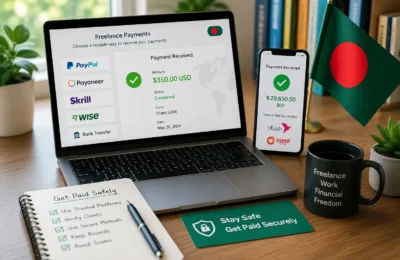
Use the receiving details already agreed with the client and tell them which invoice reference to quote. For BH-024, Samira uses bank transfer and asks for BH-024 as the reference. If you are still choosing how a client will pay, see the guide to freelance payment methods in Bangladesh.
How do I track several invoices without sending clients my whole workbook?
Send each client their individual invoice PDF. Keep a private payment tracker for the wider picture. Use the same invoice ID in both places: the client sees BH-024 and its ৳2,000 balance, while you can look up BH-024 alongside the rest of your projects. When the final transfer arrives, the ID tells you exactly which invoice to close.