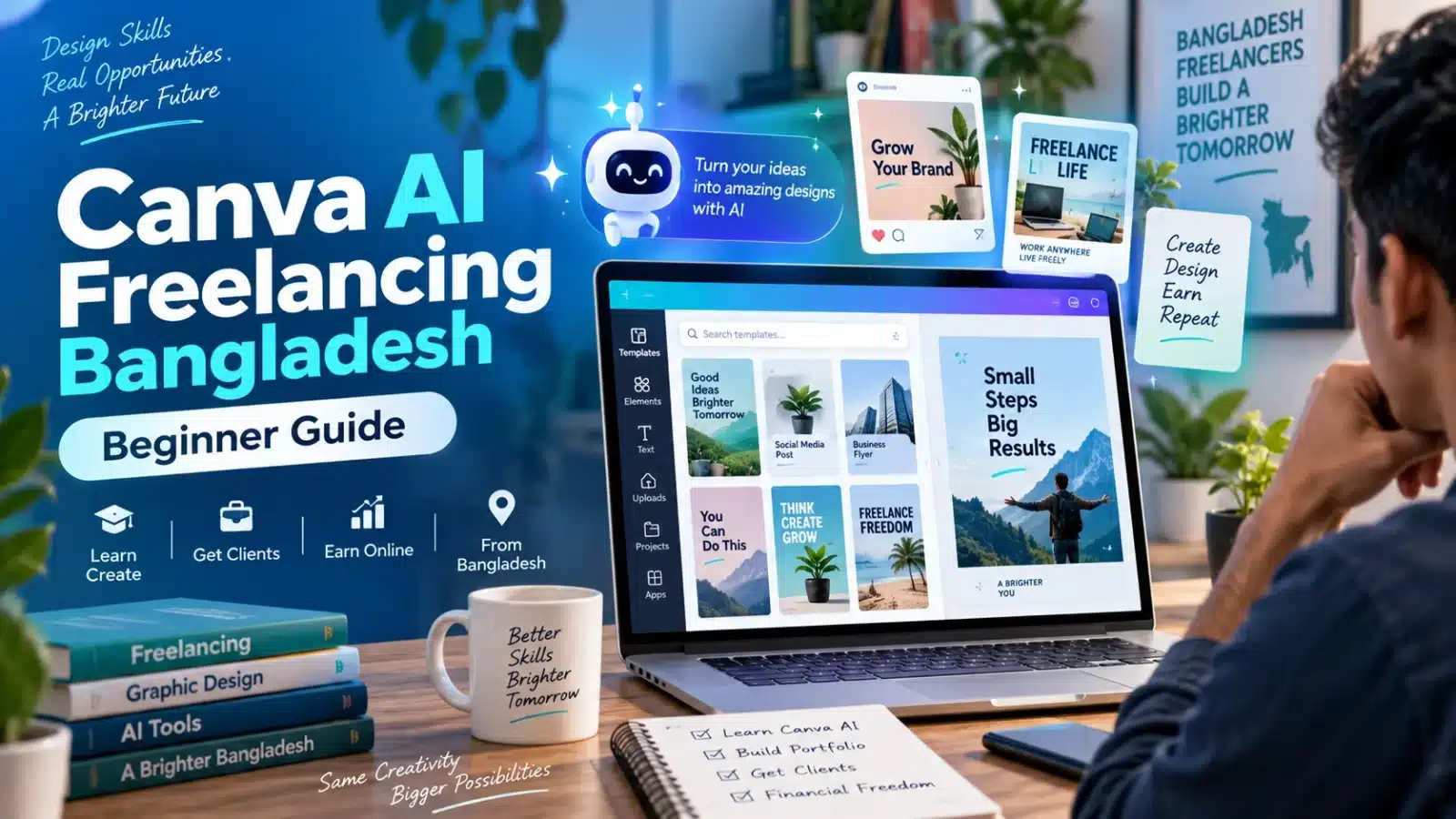

Quick answer: Canva AI freelancing in Bangladesh means using Canva and AI-assisted design tools to create useful services for clients, such as social media posts, YouTube thumbnails, product graphics, presentations, flyers, carousels, and branded content. Beginners should first learn basic design principles, choose one focused service, create 5–10 portfolio samples, and then look for clients through Fiverr, Upwork, LinkedIn, Facebook, or direct business outreach.
Canva AI can make parts of the design process faster, but it does not replace design judgment, client communication, editing, brand understanding, or copyright awareness. Clients are not paying simply because you used AI. They are paying for a useful final design that matches their needs.
This guide explains how Canva AI freelancing works, which beginner services you can offer from Bangladesh, what skills you need, how to create a portfolio, how to find clients, how to set prices, how to handle licensing and payments, and how to identify suspicious job offers.
What Is Canva AI Freelancing?
Canva AI freelancing means using Canva’s design tools and AI-assisted features as part of a professional design workflow. These tools can help with ideas, copy drafts, image generation, resizing, background editing, visual variations, and other repetitive tasks.
The important point is that you are selling a design service, not simply selling AI output. A client may need ten branded Facebook posts, a set of YouTube thumbnails, an event flyer, a presentation, or product promotion graphics. AI may help you work faster, but the freelancer is still responsible for understanding the brief, checking the content, improving the layout, and delivering suitable files.
If you are completely new to Canva-based client work, first read our Canva Freelancing Bangladesh beginner guide.
Canva Freelancing vs Canva AI Freelancing
| Area | Canva Freelancing | Canva AI Freelancing |
|---|---|---|
| Main workflow | Manual Canva design workflow | Canva design plus AI-assisted workflow |
| Idea generation | Mostly manual research | AI can help brainstorm ideas |
| Copy assistance | Written manually | AI can help create first drafts |
| Visual creation | Templates, photos, elements | Can also include AI-generated concepts |
| Final editing | Required | Still required |
| Client communication | Essential | Essential |
| Design skill | Required | Required |
| Copyright awareness | Required | Especially important |
AI should support your workflow rather than become a shortcut for low-quality work.
Best Canva AI Freelancing Services for Beginners
Do not try to sell every Canva service when you are starting. Choose one or two services that are easy to explain, demonstrate in a portfolio, and deliver consistently.
| Service | Example Client | What You Deliver | Difficulty |
|---|---|---|---|
| Social media posts | Restaurants, shops, coaches | Branded Facebook or Instagram posts | Beginner-friendly |
| YouTube thumbnails | YouTubers | Thumbnail designs | Beginner to medium |
| Product promo graphics | Ecommerce sellers | Sale, launch, and feature graphics | Medium |
| Instagram carousels | Creators and businesses | Multi-slide educational posts | Medium |
| Presentation design | Students, trainers, businesses | Clean presentation slides | Medium |
| Flyer design | Local businesses and events | Digital or print-ready flyer | Beginner to medium |
| Facebook covers | Business pages | Page cover graphics | Beginner-friendly |
| Content repurposing | Bloggers and creators | Turn long content into visual posts | Medium |
Which Service Should a Beginner Start With?
A beginner should usually choose a service that can be practiced without a real client. Social media design, YouTube thumbnails, flyers, and presentation design are practical choices because you can create realistic sample projects before receiving paid work.
For example, instead of saying, “I offer all Canva design services,” you could start with:
I create branded Facebook and Instagram post packages for restaurants and small businesses.
A focused offer is easier for potential clients to understand.
Skills You Need for Canva AI Freelancing
Knowing where to click inside Canva is not enough. A freelancer needs several supporting skills to create professional client work.
- Layout: Learn spacing, alignment, visual hierarchy, and balance.
- Typography: Use readable fonts and clear headline hierarchy.
- Color: Learn how to maintain consistent brand colors.
- Prompt writing: Give AI tools clear instructions instead of vague prompts.
- Image editing: Crop, clean, resize, and position images properly.
- Brand consistency: Keep multiple designs visually connected.
- Client communication: Ask the right questions before starting work.
- Export knowledge: Understand PNG, JPG, PDF, MP4, dimensions, and quality settings.
- Copyright awareness: Know that not every image, logo, or template can be reused without restrictions.
- Quality control: Check spelling, facts, alignment, colors, and file sizes before delivery.
How to Start Canva AI Freelancing in Bangladesh
1. Learn Canva Before Depending on AI
First learn normal Canva design skills. Practice text formatting, colors, spacing, alignment, image placement, page sizes, templates, and exports. AI tools become more useful when you already understand what a good design should look like.
2. Choose One Main Service
Choose a service such as social media posts, YouTube thumbnails, presentation slides, flyers, or ecommerce promotion graphics.
3. Pick a Client Type
A niche makes portfolio creation easier. You could target restaurants, clothing businesses, education pages, YouTubers, ecommerce stores, coaches, or local service businesses.
4. Create Portfolio Samples
Create at least 5–10 strong samples before asking clients to hire you. Use fictional brands or clearly labeled practice projects rather than pretending that sample work came from real clients.
5. Create a Clear Service Package
Define exactly what a client receives. Include number of designs, dimensions, revisions, delivery time, editable files if applicable, and required client information.
6. Choose a Client Channel
You can start with Fiverr, Upwork, LinkedIn, Facebook, local business outreach, or direct email. Beginners do not need to use every platform at once.
See our complete Fiverr and Upwork Bangladesh guide if you are deciding between marketplaces.
Example Canva AI Portfolio for a Beginner
Suppose you decide to work with restaurants. Instead of creating random designs in many niches, build one focused portfolio.
| Portfolio Item | Quantity | What It Demonstrates |
|---|---|---|
| Food promotion posts | 4 | Product presentation |
| Discount or offer posts | 2 | Promotional design |
| Restaurant menu graphic | 1 | Information hierarchy |
| Facebook page cover | 1 | Brand consistency |
| Instagram story | 2 | Vertical design |
This gives you ten related samples for one type of client and looks more professional than ten unrelated template designs.
How AI Can Help Your Canva Workflow
Canva currently includes AI-assisted features for writing, image creation, resizing, editing, and other creative tasks. Use these tools for first drafts and workflow support, then review the result manually before delivering anything to a client.
| AI Use | Useful For | Your Responsibility |
|---|---|---|
| Idea generation | Brainstorming concepts | Select relevant ideas |
| Copy drafting | Headlines and short captions | Check accuracy and tone |
| Image generation | Concept visuals | Check quality and suitability |
| Background editing | Product and profile photos | Check edges and visual quality |
| Resize tools | Adapting designs to formats | Fix the final layout |
| Design variations | Testing different concepts | Keep the brand consistent |
The final design should always be checked by you rather than delivered directly from an AI-generated draft.
Useful Prompt Examples for Canva AI Freelancers
A useful prompt explains the client, goal, format, audience, and style. The following examples are starting points, not final client deliverables.
Create five visual concept ideas for a Bangladeshi restaurant Facebook promotion. The design should feel modern, clean, food-focused, and suitable for a weekend discount.
Suggest three YouTube thumbnail concepts for a beginner freelancing tutorial. Keep each headline short and focus on clear contrast at small screen size.
Create a six-slide carousel outline explaining common online job scam warning signs. Use short, simple points suitable for mobile reading.
After using a prompt, manually check facts, wording, brand style, images, and layout.
How to Create a Fiverr Gig for Canva AI Services
A Fiverr gig should describe a specific service rather than simply saying that you use Canva AI.
Better Fiverr Gig Ideas
- I will design branded Canva social media posts for your business
- I will create YouTube thumbnails using Canva
- I will design Instagram carousel posts
- I will create product promotion graphics for your online store
- I will redesign your presentation in Canva
- I will create Canva Facebook and Instagram content packages
What to Ask the Client
- What is your business or niche?
- What is the purpose of the design?
- Where will the design be published?
- What size do you need?
- Do you have brand colors and fonts?
- Do you have a logo?
- Will you provide the text?
- Will you provide product or business images?
- How many designs do you need?
- What is your deadline?
- What file format do you need?
For step-by-step marketplace setup, read How to Start on Fiverr from Bangladesh.
Finding Local Canva AI Clients in Bangladesh
Fiverr is not the only way to find clients. Local businesses often need regular Facebook graphics, product posts, flyers, menus, admission posts, course promotions, and page covers.
| Business Type | Possible Service |
|---|---|
| Restaurant | Food posts, menus, offer graphics |
| Clothing shop | New arrivals, sale posts, stories |
| Coaching center | Admission posts, result graphics, routines |
| Beauty salon | Service posts and package graphics |
| Online tutor | Class announcements and educational posts |
| YouTuber | Thumbnails and channel graphics |
| Ecommerce store | Product promotion graphics |
Do not send the same spam message to hundreds of businesses. Review the business first and contact only relevant prospects with a short introduction and portfolio link.
How to Price Canva AI Freelancing Services
There is no fixed beginner rate that works for every Canva freelancer. Your price should depend on the project scope, complexity, number of designs, revisions, turnaround time, editable-file requirements, and your experience.
| Service | Simple Pricing Structure |
|---|---|
| Social media posts | Per design or package of 5/10 posts |
| YouTube thumbnails | Per thumbnail or package |
| Carousel design | Per carousel |
| Presentation | Per slide or complete deck |
| Flyer | Per design |
| Monthly content | Monthly package |
Define revisions before starting. Unlimited revisions can turn a small project into an unprofitable project.
There is also no guaranteed monthly income from Canva AI freelancing. Focus first on portfolio quality, useful client work, communication, and repeat business instead of unrealistic earning claims.
Can You Use Canva AI Designs for Client Work?
Canva designs, templates, stock content, premium content, and AI-generated assets can have different licensing conditions. Commercial client work therefore requires more care than simply creating a personal design.
Before delivering editable Canva templates, selling digital products, using premium assets, or transferring designs to clients, check Canva’s latest official license terms for the specific content and use case.
- Do not copy another freelancer’s portfolio.
- Do not claim that Canva-owned or third-party assets were created entirely by you.
- Do not use a real company’s logo or photos in portfolio samples without permission.
- Use client-provided assets where appropriate.
- Check licensing before offering editable templates or resale products.
- Review AI-generated content before commercial delivery.
Official references are listed near the end of this guide.
Canva AI Freelancing Scam Warning Signs
Real Canva freelancing requires an actual client, clear work requirements, and a defined payment process. Be cautious when someone promises easy daily income without asking about your skills or portfolio.
| Warning Sign | What to Do |
|---|---|
| Registration fee before work | Do not pay simply to receive a job |
| Activation fee | Verify the company or platform independently |
| Paid Telegram job group | Avoid deposit-based job access |
| OTP, PIN, or password request | Never share private security information |
| Withdrawal fee for fake earnings | Do not send money to unlock a balance |
| Guaranteed high daily income | Ask for the actual task and payment terms |
| No business identity or task description | Verify before sharing information |
Read our guide on how to check if an online job is real or fake in Bangladesh and our online income scam guide for more safety information.
30-Day Canva AI Freelancing Roadmap
| Period | What to Do | Goal |
|---|---|---|
| Days 1–5 | Learn Canva basics, typography, colors, spacing, and exports | Build foundation |
| Days 6–10 | Learn useful AI-assisted features and prompt basics | Improve workflow |
| Days 11–15 | Choose one service and one client niche | Define your offer |
| Days 16–20 | Create 5–10 strong portfolio samples | Build proof of skill |
| Days 21–24 | Organize a PDF, Drive folder, or portfolio page | Prepare presentation |
| Days 25–27 | Create Fiverr/Upwork profile or outreach materials | Prepare client acquisition |
| Days 28–30 | Start targeted applications and local outreach | Find first opportunities |
Example Beginner Scenario
Consider a fictional university student in Bangladesh who wants to start Canva AI freelancing but has no paid client experience.
Instead of paying for a Facebook post that promises a guaranteed Canva AI job, the student chooses social media design as one service. They create ten restaurant post samples, two stories, and one Facebook cover. The samples are organized into a portfolio PDF.
The student then creates a focused service offer and contacts relevant businesses with the portfolio. Even if no client hires them immediately, they now have a real skill-development process and genuine work samples instead of relying on an unverified earning promise.
Main lesson: learn the service, create proof of skill, and verify clients before thinking about earnings.
Common Canva AI Freelancing Mistakes
- Thinking AI can complete every project without human editing
- Offering too many services before mastering one
- Using generic templates without customization
- Creating a Fiverr profile without a portfolio
- Ignoring typography, spacing, and brand consistency
- Delivering AI-generated copy without checking facts or grammar
- Using copyrighted images or logos without permission
- Promising unlimited revisions
- Sharing private payment information with unknown clients
- Paying registration fees to get freelance work
Where Canva AI Freelancing Can Lead Next
Canva AI freelancing can be an entry-level skill rather than your final career destination.
- Social media posts → social media management and content planning
- YouTube thumbnails → YouTube channel support
- Product graphics → ecommerce and product listing support
- Presentations → pitch decks and business presentation design
- Canva design → deeper graphic design or branding skills
- AI workflow → broader AI-assisted content services
Explore our freelancing skills in Bangladesh guide to compare Canva with other skills, or visit the main Freelancing in Bangladesh hub for the complete learning path.
Recommended Next Guides
- Canva Freelancing Bangladesh
- Freelancing Skills in Bangladesh
- Freelancing in Bangladesh
- Fiverr and Upwork Bangladesh
- How to Start on Fiverr from Bangladesh
- Freelance Payment Methods Bangladesh
- Online Income Scams in Bangladesh
Official Sources and Further Reading
- Canva AI official page
- Canva Content License Agreement
- Fiverr Help Center: Creating a Gig
- FTC Consumer Advice: Job Scams
FAQ: Canva AI Freelancing Bangladesh
What is Canva AI freelancing?
Canva AI freelancing means using Canva and AI-assisted creative tools as part of a freelance design workflow. Services can include social media graphics, thumbnails, presentations, product promotions, flyers, carousels, and other visual content.
Can beginners in Bangladesh start Canva AI freelancing?
Yes. Beginners can start after learning Canva basics, layout, typography, colors, prompt writing, client communication, export formats, and basic licensing awareness. Building a portfolio before applying for work is strongly recommended.
What are the best Canva AI services for beginners?
Beginner-friendly options include social media post design, YouTube thumbnails, Facebook covers, product promotion graphics, flyers, presentation design, and simple carousel posts.
Do I need advanced graphic design skills?
You do not need advanced professional software knowledge to start, but you still need basic design skills. Good spacing, typography, colors, image selection, hierarchy, and client communication remain important.
Can I sell Canva AI services on Fiverr?
You can offer specific Canva-based design services on Fiverr if your service and content follow Fiverr’s current rules and any applicable Canva licensing requirements. A clear service is usually better than a vague “AI design” offer.
Is Canva AI freelancing real or fake?
The freelance service itself can be legitimate when a real client hires you for real design work. However, suspicious job advertisements may misuse terms such as Canva AI jobs to attract beginners. Avoid offers that require registration fees, deposits, OTPs, PINs, or unexplained withdrawal charges.
Can I use Canva templates for client work?
Canva content is subject to licensing conditions. Customize designs properly and review Canva’s current official license terms, especially when using premium content, providing editable files, selling templates, or transferring work to a client.
How do I create a Canva AI portfolio?
Choose one service and client niche, then create 5–10 strong sample projects. Organize your best work in a PDF, Google Drive folder, Behance profile, or portfolio website and clearly label practice projects as samples.
Final Thoughts
Canva AI freelancing in Bangladesh can be a practical way for beginners to learn digital design and offer simple services to real clients. The strongest starting services are usually focused and easy to demonstrate, such as social media graphics, thumbnails, product promotions, presentations, and flyers.
AI can speed up parts of the workflow, but your real value comes from understanding the client’s problem, creating a clear design, checking details, communicating professionally, and delivering reliable work.
Start with one service, build a focused portfolio, learn the platform rules, and avoid offers that promise guaranteed income without real work.