

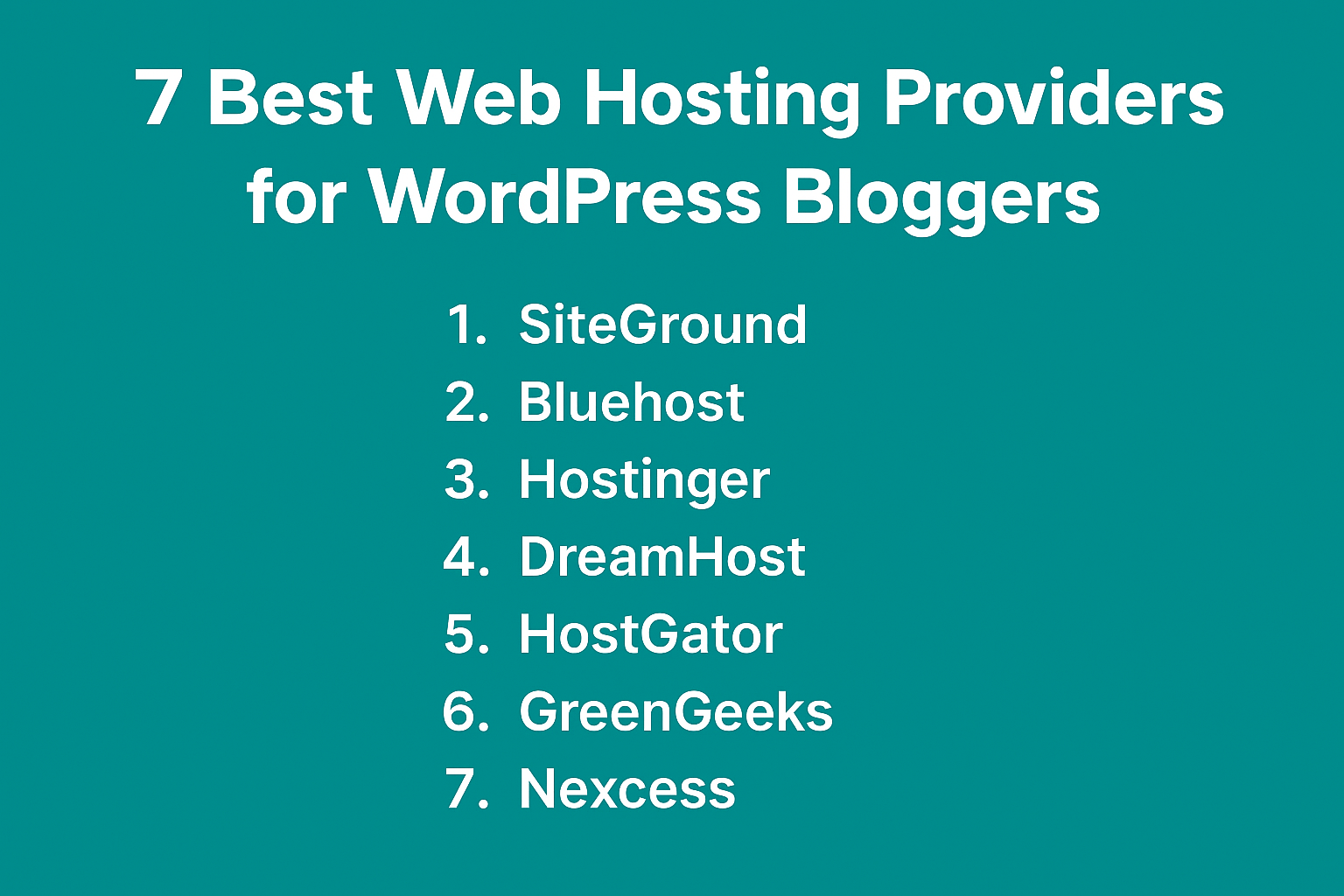
If you’re planning to start or grow your WordPress blog in 2025, choosing the best web hosting for WordPress is one of the most important decisions you’ll make. Web hosting impacts everything — from your site speed and uptime to your SEO rankings and user experience. But with so many hosting providers out there, how do you choose the best one?
In this comprehensive guide, we’ll break down what to look for in a hosting provider, explore the 7 best web hosting services for WordPress bloggers, compare pricing and performance, and help you decide which one fits your blog’s needs.
Contents
- 1 Why Hosting Matters for WordPress Blogs
- 2 How Web Hosting Directly Affects SEO & Google Rankings
- 3 What to Look for in a WordPress Hosting Provider
- 4 Types of Web Hosting for WordPress Bloggers
- 5 Best WordPress Hosting Based on Blogging Goals
- 6 Best WordPress Hosting for Monetization (AdSense & Affiliate Blogs)
- 7 🏆 7 Best Web Hosting Providers for WordPress Bloggers (2025 Edition)
- 8 How to Migrate Your WordPress Blog to a Better Hosting Provider
- 9 🔍 Pricing & Value Comparison
- 10 Common Hosting Mistakes WordPress Bloggers Must Avoid
- 11 Hosting Renewal Price & Hidden Costs You Must Know
- 12 WordPress Hosting Comparison Table (Quick Overview)
- 13 How to Choose WordPress Hosting Based on Your Country
- 14 📝 Final Recommendation
- 15 📌 Final Thoughts
Why Hosting Matters for WordPress Blogs
Web hosting is the foundation of your blog. It determines how fast your site loads, how much traffic it can handle, how secure it is, and how reliable your website will be. A poor hosting provider can lead to:
- Slow load times (hurting SEO and user experience)
- Frequent downtimes
- Limited scalability
- Bad customer support
- Security vulnerabilities
For WordPress blogs, this is even more critical since WordPress is a dynamic content management system that relies heavily on server-side processing. The right hosting will ensure smooth operation, regular backups, fast load times, and easy WordPress optimization.
Want to learn how to increase your AdSense earnings after setting up hosting? Read our guide on how to earn $5 per day from AdSense.
How Web Hosting Directly Affects SEO & Google Rankings
Many beginners think SEO is only about keywords and backlinks. In reality, your web hosting plays a major role in how Google ranks your WordPress blog.
Google has clearly stated that page experience, site speed, uptime, and security are ranking factors. All of these depend heavily on your hosting provider.
Here’s how hosting impacts SEO:
Page Speed & Core Web Vitals
Fast hosting improves:
- Largest Contentful Paint (LCP)
- First Input Delay (FID)
- Cumulative Layout Shift (CLS)
Slow servers = slow pages = lower rankings.
Uptime & Crawlability
If your site goes down frequently:
- Google bots fail to crawl pages
- Rankings drop
- Indexing issues occur
Reliable hosts with 99.9% uptime ensure Google can crawl your site consistently.
Server Location & Latency
Hosting servers closer to your audience:
- Reduce page load time
- Improve user experience
- Increase dwell time
Many premium hosts allow you to choose server locations.
HTTPS & Security
Google prefers secure websites.
Good hosting provides:
- Free SSL
- Malware protection
- Firewall security
📌 Simply put: Bad hosting can destroy good SEO.
What to Look for in a WordPress Hosting Provider
Before we dive into our top picks, here are the key features you should consider:
1. Speed & Performance
Look for providers that offer SSD storage, caching, and a strong infrastructure to ensure fast loading. Tools like Google PageSpeed Insights can help you test this
2. Uptime Guarantee
Reliable hosts offer 99.9% uptime or higher. Anything less is a red flag.
3. Security Features
Daily backups, free SSL, malware protection, DDoS prevention, and firewalls are essential.
4. Ease of Use
A user-friendly control panel like cPanel or a custom dashboard helps manage your blog easily.
5. WordPress Optimization
Managed WordPress hosting, auto-updates, one-click installs, and staging environments are a plus.
6. Customer Support
24/7 live chat and WordPress-expert support make a huge difference when you run into issues.
7. Price vs Value
Low-cost plans might look attractive but could lack performance. Focus on value — not just the lowest price.
Types of Web Hosting for WordPress Bloggers
Before choosing the best web hosting for WordPress, it’s important to understand the different types of hosting available. Each hosting type serves a different purpose depending on your experience level, traffic, and long-term blogging goals.
Shared Hosting (Best for Beginners)
Shared hosting is the most common and affordable hosting option for new WordPress bloggers. In shared hosting, multiple websites share the same server resources such as CPU, RAM, and storage.
Best for:
- New bloggers
- Low traffic websites
- Beginners with limited budget
Pros:
- Very affordable
- Easy to manage
- Beginner-friendly control panel
Cons:
- Limited resources
- Slower performance during traffic spikes
📌 If you are starting your first WordPress blog, shared hosting is usually the best choice.
Managed WordPress Hosting (Best for Growth)
Managed WordPress hosting is specifically optimized for WordPress websites. The hosting provider handles updates, security, caching, and performance optimization for you.
Best for:
- Bloggers who want peace of mind
- AdSense and affiliate blogs
- Medium traffic websites
Pros:
- Faster performance
- Automatic updates and backups
- Better security
Cons:
- Slightly higher cost than shared hosting
📌 This is a great option once your blog starts generating traffic or income.
Cloud Hosting (Best for High Traffic Blogs)
Cloud hosting uses multiple servers instead of a single physical server. This makes it highly scalable and reliable.
Best for:
- High traffic blogs
- Authority websites
- Monetized blogs with steady income
Pros:
- Excellent speed and uptime
- Scalable resources
- Handles traffic spikes easily
Cons:
- Higher cost
- Slight learning curve for beginners
VPS Hosting (Best for Advanced Users)
VPS (Virtual Private Server) hosting provides dedicated resources within a shared environment. It offers more control and customization.
Best for:
- Experienced bloggers
- Developers
- Custom WordPress setups
Pros:
- Full control
- Better performance than shared hosting
Cons:
- Technical knowledge required
- More expensive
📌 Most bloggers do not need VPS hosting in the beginning.
Best WordPress Hosting Based on Blogging Goals
Different bloggers have different needs. Below is a breakdown of the best WordPress hosting providers based on specific blogging goals.
Best Hosting for New Bloggers
If you are just starting a WordPress blog and want something affordable and easy to use, these are the best options:
- Hostinger – Affordable pricing, fast LiteSpeed servers, beginner-friendly dashboard
- Bluehost – Officially recommended by WordPress, simple setup process
📌 These hosts are ideal for learning, experimenting, and publishing your first content.
Best Hosting for AdSense Blogs
For blogs focused on Google AdSense and display ads, speed and uptime matter the most.
- SiteGround – Excellent performance, strong caching, and reliability
- A2 Hosting – Turbo servers optimized for higher ad RPM
📌 Faster loading pages improve user experience and AdSense earnings.
Best Hosting for High Traffic Blogs
If your WordPress blog receives thousands of visitors per day or is scaling fast:
- Cloudways – Cloud infrastructure with DigitalOcean, AWS, and Google Cloud
📌 Ideal for authority blogs and professional publishers.
Best Budget Hosting for WordPress
If your primary goal is to keep costs low without sacrificing quality:
- DreamHost – Affordable plans, transparent pricing, and long money-back guarantee
📌 Perfect for bloggers on a tight budget.
Best WordPress Hosting for Monetization (AdSense & Affiliate Blogs)
If your goal is to earn money from blogging, hosting choice becomes even more critical. Slow or unstable hosting directly reduces your income.
Hosting Impact on AdSense RPM
Google AdSense RPM depends on:
- Page speed
- User engagement
- Session duration
- Bounce rate
Fast hosting improves all of these.
Recommended hosts for AdSense blogs:
- SiteGround
- A2 Hosting
- Cloudways
These hosts offer:
- Advanced caching
- Fast TTFB
- Stable uptime during traffic spikes
Hosting for Affiliate Marketing Blogs
Affiliate conversions depend on:
- Page load speed
- Trust
- Security
A delay of even 1 second can reduce conversions by 7–10%.
Best affiliate-friendly hosts:
- Hostinger (budget)
- SiteGround (premium)
- Cloudways (scaling)
📌 If monetization is your goal, never choose the cheapest host blindly.
🏆 7 Best Web Hosting Providers for WordPress Bloggers (2025 Edition)
1. Hostinger
- Best for: Beginners and budget bloggers
- Key Features:
- Managed WordPress hosting
- LiteSpeed servers for speed
- Free SSL, email, CDN
- Easy hPanel dashboard
- 24/7 support
- Price: Starts at $2.99/month
Why we recommend it: Affordable, fast, and WordPress-ready. Perfect for beginners.
Pros
- Excellent speed with LiteSpeed servers
- Very beginner-friendly dashboard
- Affordable for long-term blogging
- Free SSL and CDN included
Cons
- Renewal price is higher than intro offer
- No free migration on basic plans
Best for: New bloggers, low-budget WordPress sites
Avoid if: You want premium support without upgrade
2. Bluehost
- Best for: WordPress users looking for ease of use
- Key Features:
- Officially recommended by WordPress.org
- One-click WordPress install
- Free domain + SSL for 1 year
- cPanel integration
- 24/7 support
- Price: Starts at $3.95/month
Why we recommend it: Easy setup and strong reputation with beginners.
Pros
- Officially recommended by WordPress.org
- Very easy WordPress setup
- Free domain for first year
Cons
- Slower compared to LiteSpeed hosts
- Renewal price is expensive
- Limited advanced performance features
Best for: Absolute beginners
Avoid if: Speed and AdSense RPM are priority
3. SiteGround
- Best for: Reliability and customer support
- Key Features:
- Managed WordPress features
- Daily backups
- Advanced caching
- Strong security
- Excellent support team
- Price: Starts at $3.99/month
Why we recommend it: Known for exceptional support and uptime.
Pros
- Extremely reliable uptime
- Advanced caching & security
- Excellent support quality
- Great for AdSense optimization
Cons
- High renewal cost
- Storage limits on lower plans
Best for: AdSense & authority blogs
Avoid if: Tight budget
4. Cloudways
- Best for: Advanced users who want speed & scalability
- Key Features:
- Cloud-based servers (DigitalOcean, AWS, etc.)
- Free site migrations
- Staging environments
- Dedicated firewalls
- Pay-as-you-go pricing
- Price: Starts at $11/month
Why we recommend it: Top performance and flexibility for growing blogs.
Pros
- Cloud infrastructure (AWS, GCP, DigitalOcean)
- Handles traffic spikes easily
- Pay only for what you use
- Free migration available
Cons
- No domain or email included
- Slight learning curve for beginners
Best for: High-traffic & monetized blogs
Avoid if: You want shared hosting simplicity
5. A2 Hosting
- Best for: Speed and developer-friendly tools
- Key Features:
- Turbo servers for up to 20x speed
- Free site migration
- Developer tools (SSH, Git, etc.)
- Optimized for WordPress
- 24/7/365 Guru support
- Price: Starts at $2.99/month
Why we recommend it: Blazing speed and flexible setup.
6. GreenGeeks
- Best for: Eco-conscious bloggers
- Key Features:
- Eco-friendly hosting (300% green energy match)
- Free CDN, SSL, email
- Nightly backups
- Built-in caching
- Managed WordPress features
- Price: Starts at $2.95/month
Why we recommend it: Sustainable hosting with great performance.
Pros
- Eco-friendly hosting
- LiteSpeed performance
- Free CDN & SSL
- Free migration
Cons
- Higher renewal pricing
- Limited advanced features
Best for: Environment-conscious bloggers
Avoid if: Need enterprise-level performance
How to Migrate Your WordPress Blog to a Better Hosting Provider
Already using poor hosting? Don’t worry. Migrating WordPress is easier than you think.
Option 1: Free Migration by Hosting Provider (Recommended)
Many premium hosts offer free migration:
- SiteGround
- A2 Hosting
- Cloudways
- GreenGeeks
This is the safest and easiest option for beginners.
Option 2: Plugin-Based Migration
Popular migration plugins:
- All-in-One WP Migration
- UpdraftPlus
- Duplicator
Steps:
- Backup your site
- Install plugin
- Export from old host
- Import to new host
Option 3: Manual Migration (Advanced)
Manual migration involves:
- Database export
- File transfer via FTP
- wp-config update
📌 Beginners should avoid manual migration unless necessary.
⚠️ Always test your site after migration before changing DNS.
7. DreamHost
- Best for: Transparent pricing and simplicity
- Key Features:
- Free domain & SSL
- Unlimited bandwidth
- WP Website Builder
- 100% uptime guarantee
- 97-day money-back guarantee
- Price: Starts at $2.59/month
Why we recommend it: Simple, honest pricing and beginner-friendly.
🔍 Pricing & Value Comparison
| Host | Starting Price | Free SSL | WordPress Managed | Support | Uptime | Unique Feature |
|---|---|---|---|---|---|---|
| Hostinger | $2.99/mo | ✅ | ✅ | 24/7 | 99.9% | LiteSpeed cache |
| Bluehost | $3.95/mo | ✅ | ✅ | 24/7 | 99.9% | Official WP.org partner |
| SiteGround | $3.99/mo | ✅ | ✅ | 24/7 | 99.99% | Incredible support |
| Cloudways | $11.00/mo | ✅ | ✅ | 24/7 | 99.99% | Cloud hosting flexibility |
| A2 Hosting | $2.99/mo | ✅ | ✅ | 24/7 | 99.9% | Turbo servers |
| GreenGeeks | $2.95/mo | ✅ | ✅ | 24/7 | 99.9% | Eco-friendly |
| DreamHost | $2.59/mo | ✅ | ✅ | 24/7 | 100% | Long refund policy |
Common Hosting Mistakes WordPress Bloggers Must Avoid
Even experienced bloggers make hosting mistakes that cost them traffic and revenue.
❌ Choosing Hosting Only by Price
Cheap hosting often means:
- Slow servers
- Poor support
- Frequent downtime
❌ Ignoring Renewal Prices
Many hosts offer low intro prices but high renewals.
Always check:
- Renewal cost
- Upgrade pricing
❌ Using Free Hosting
Free hosting usually includes:
- Forced ads
- No control
- Poor SEO performance
❌ Overbuying Hosting Too Early
New blogs don’t need:
- VPS
- Dedicated servers
Start small → scale later.
📌 Smart hosting decisions save money AND improve rankings.
Hosting Renewal Price & Hidden Costs You Must Know
Most hosting companies attract users with low introductory prices, but the real cost starts after the first billing cycle.
Why Renewal Price Matters
A hosting plan that starts at $2.99/month can renew at $8–15/month. Many beginners ignore this and get shocked later.
Common Hidden Costs
- High renewal pricing
- Paid backups
- Paid CDN
- Paid email hosting
- Migration fees
- SSL renewal charges (on cheap hosts)
Real-World Example
Hostinger may start at $2.99/month, but renewal goes up to around $7.99/month. SiteGround renewals can exceed $14/month.
📌 Always check:
- Renewal price
- Upgrade pricing
- Add-on costs
Smart bloggers plan hosting cost for 2–3 years, not just first month.
WordPress Hosting Comparison Table (Quick Overview)
| Hosting Provider | Best For | Starting Price | Renewal Price | Server Location | Speed Tech | Free Migration | CDN | Ideal for AdSense |
|---|---|---|---|---|---|---|---|---|
| Hostinger | Beginners & Budget Blogs | $2.99 | $7.99 | USA, Asia, EU | LiteSpeed | ❌ | ✅ | ✅ |
| Bluehost | New WordPress Users | $3.95 | $9.99 | USA | Nginx | ❌ | ❌ | ⚠️ |
| SiteGround | AdSense & Authority Blogs | $3.99 | $14.99 | USA, EU, Asia | Nginx + SG Cache | ✅ | ✅ | ✅ |
| Cloudways | High Traffic Blogs | $11.00 | Pay-as-you-go | Global (AWS, DO, GCP) | Nginx | ✅ | ✅ | ✅ |
| A2 Hosting | Speed-Focused Blogs | $2.99 | $8.99 | USA, EU, Asia | Turbo (LiteSpeed) | ✅ | ❌ | ✅ |
| GreenGeeks | Eco-Friendly Blogs | $2.95 | $10.95 | USA, EU | LiteSpeed | ✅ | ✅ | ⚠️ |
| DreamHost | Budget Long-Term | $2.59 | $5.99 | USA | Apache | ❌ | ❌ | ⚠️ |
How to Choose WordPress Hosting Based on Your Country
Your audience location matters more than most bloggers realize.
Hosting for USA Audience
Choose hosts with USA servers:
- SiteGround
- Bluehost
- DreamHost
- Cloudways (AWS / GCP USA)
This improves page speed and Core Web Vitals.
Hosting for UK / Europe Audience
Best options:
- SiteGround (EU servers)
- A2 Hosting
- Cloudways (London, Frankfurt)
Lower latency improves SEO in UK & EU.
Hosting for Asia / Global Audience
Choose:
- Hostinger
- Cloudways
- A2 Hosting
CDN + global servers ensure fast loading worldwide.
📌 Rule of thumb:
Server closer to user = faster site = better rankings
📝 Final Recommendation
If you’re looking for the best web hosting for WordPress, here’s a quick summary based on your blogging needs:
- ✅ Beginner with low budget: Hostinger or DreamHost
- ✅ Need strong support: SiteGround
- ✅ Eco-friendly option: GreenGeeks
- ✅ Looking for speed: A2 Hosting or Cloudways
- ✅ Trusted by WordPress: Bluehost
All of these hosting providers are solid choices. Your final decision should depend on your budget, technical skills, and growth goals.
Pro Tip: Start with shared hosting from a reputable provider, and upgrade to cloud/VPS hosting as your blog grows.
Once your hosting is set up, use these free SEO tools for beginners to start optimizing your blog.
📌 Final Thoughts
Choosing a web host isn’t something you do casually. It’s an investment in your blog’s performance, credibility, and future income. Whether you’re just launching your first blog or scaling your current one, the options listed above give you fast, secure, and WordPress-optimized environments to thrive in 2025.
💡 Now it’s your turn: Which hosting provider are you using — or planning to try? Share your experience in the comments below or reach out for personalized hosting advice!
❓ FAQ Section (with Schema intent)
Q1: What is the best web hosting for WordPress beginners in 2025?
A: For beginners, Hostinger and Bluehost are excellent options. They offer user-friendly dashboards, one-click WordPress installation, free SSL certificates, and affordable pricing starting from $2.99/month. Both are optimized for WordPress and come with helpful customer support, making them ideal for new bloggers.
Q2: How do I choose the right WordPress hosting for my blog?
A: Choosing the right WordPress host depends on your needs. Consider these factors:
- Speed & uptime (99.9% or higher)
- Ease of use (one-click WordPress install, dashboard)
- Support (24/7 WordPress expert help)
- Security (free SSL, backups)
- Scalability (room to grow as your traffic increases)
Q3: Is free hosting good for WordPress blogs?
A: Free hosting is not recommended due to poor speed, ads, security risks, and no control. Paid hosting improves SEO and reliability.
Q4: Which hosting is best for AdSense approval?
A: Reliable hosting like Hostinger, Bluehost, or SiteGround helps ensure fast load times and proper site structure, which improves AdSense approval chances.
Q5: How much should I spend on WordPress hosting as a beginner?
A: $2–5 per month is ideal for beginners. Focus on reliability, not the cheapest option.
Q6: Does hosting affect Google AdSense approval?
A: Yes. Fast, secure hosting improves site quality signals, which helps AdSense approval.
Q7: When should I upgrade my hosting?
A: Upgrade when:
- Traffic exceeds 30–50k/month
- Site becomes slow
- Revenue increases
Q8: Is cloud hosting worth it for bloggers?
A: Yes, but only after traffic and income grow. Cloud hosting is best for scaling blogs.
Q9: Can I host multiple WordPress sites on one hosting plan?
A: Many shared and cloud hosts allow multiple websites on higher plans.
If you’re just starting, go with shared hosting. For higher traffic blogs, managed or cloud hosting like SiteGround or Cloudways is better.




0knjx9
d3e2un
Vielen Dank für diesen fundierten Überblick – gerade der Tipp mit den kostenlosen Branchenbüchern war Gold wert! Nach dem Lesen habe ich direkt selbst recherchiert und bin dabei auf https://profis-vor-ort.de/ gelandet. Die dortigen Einträge haben mir nicht nur zwei neue Lieferanten für mein Projekt beschert, sondern auch gezeigt, wie übersichtlich und vertrauenswürdig eine lokale Plattform sein kann. the best platform in germany
Online pharmacy USA/UK
yzfi3e
I do believe all the ideas youve presented for your post They are really convincing and will certainly work Nonetheless the posts are too short for novices May just you please lengthen them a little from subsequent time Thanks for the post
casino gananoque ontario united kingdom, best online casinos new zealand and canadian casino sites in axis, or united
statesn roulette strategy uk
My homepage … blackjack rubber seal
Enterprise-grade monitoring for websites, SSL certificates, domains, servers, and more. Stay ahead of issues with real-time alerts and 99.9% uptime reliability.
of course like your website but you have to check the spelling on several of your posts A number of them are rife with spelling issues and I in finding it very troublesome to inform the reality on the other hand I will certainly come back again
Can you be more specific about the content of your article? After reading it, I still have some doubts. Hope you can help me.
Thanks for sharing. I read many of your blog posts, cool, your blog is very good.
Can you be more specific about the content of your article? After reading it, I still have some doubts. Hope you can help me.